Change Voixt Password
You can update or change your password of voixt, here is the guide follow step by step to update the password.
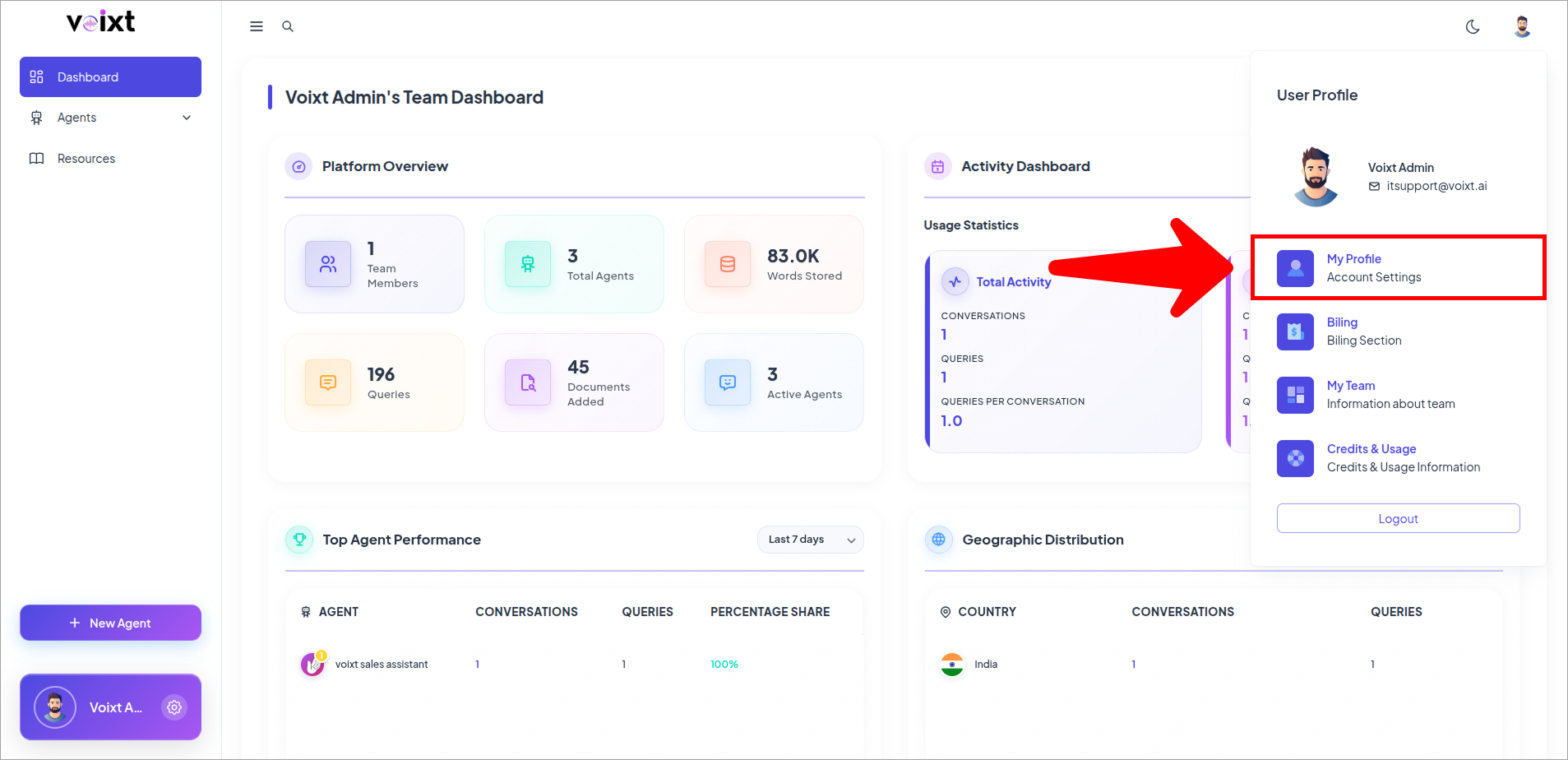
- From Dashboard Click on Profile Icon and My profile.
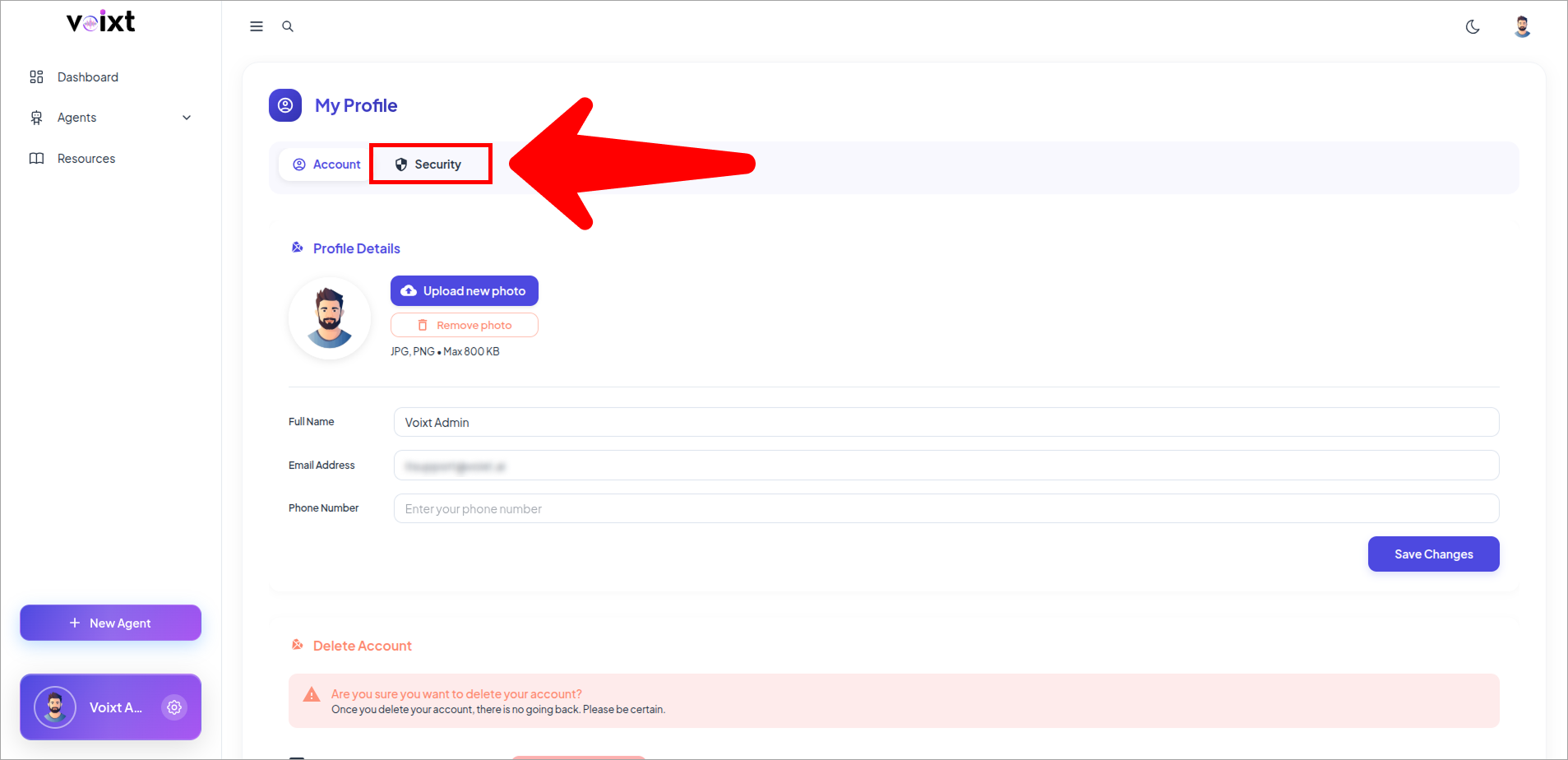
- In profile page, Click on the Security tab.
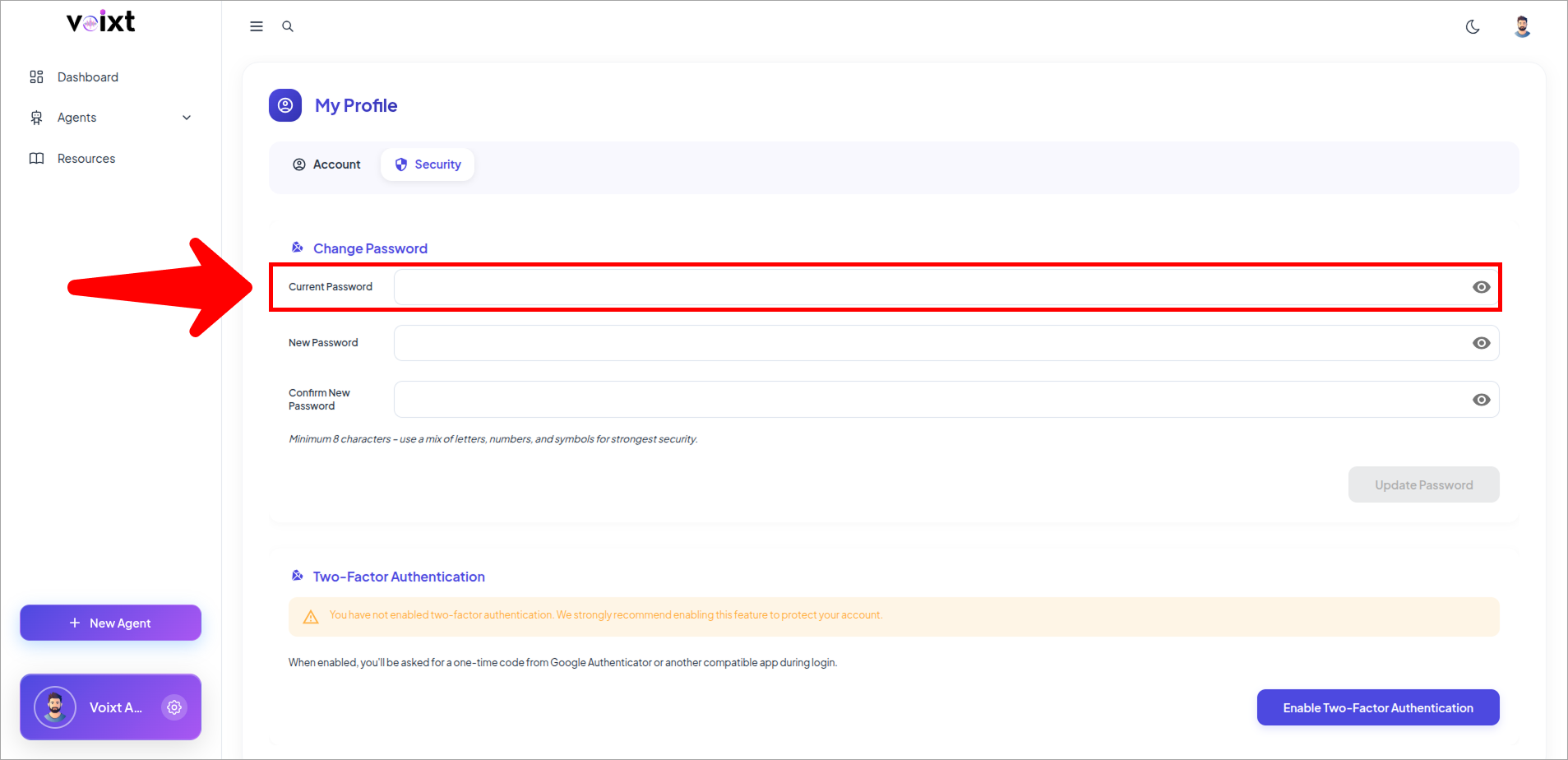
- Enter your current password.
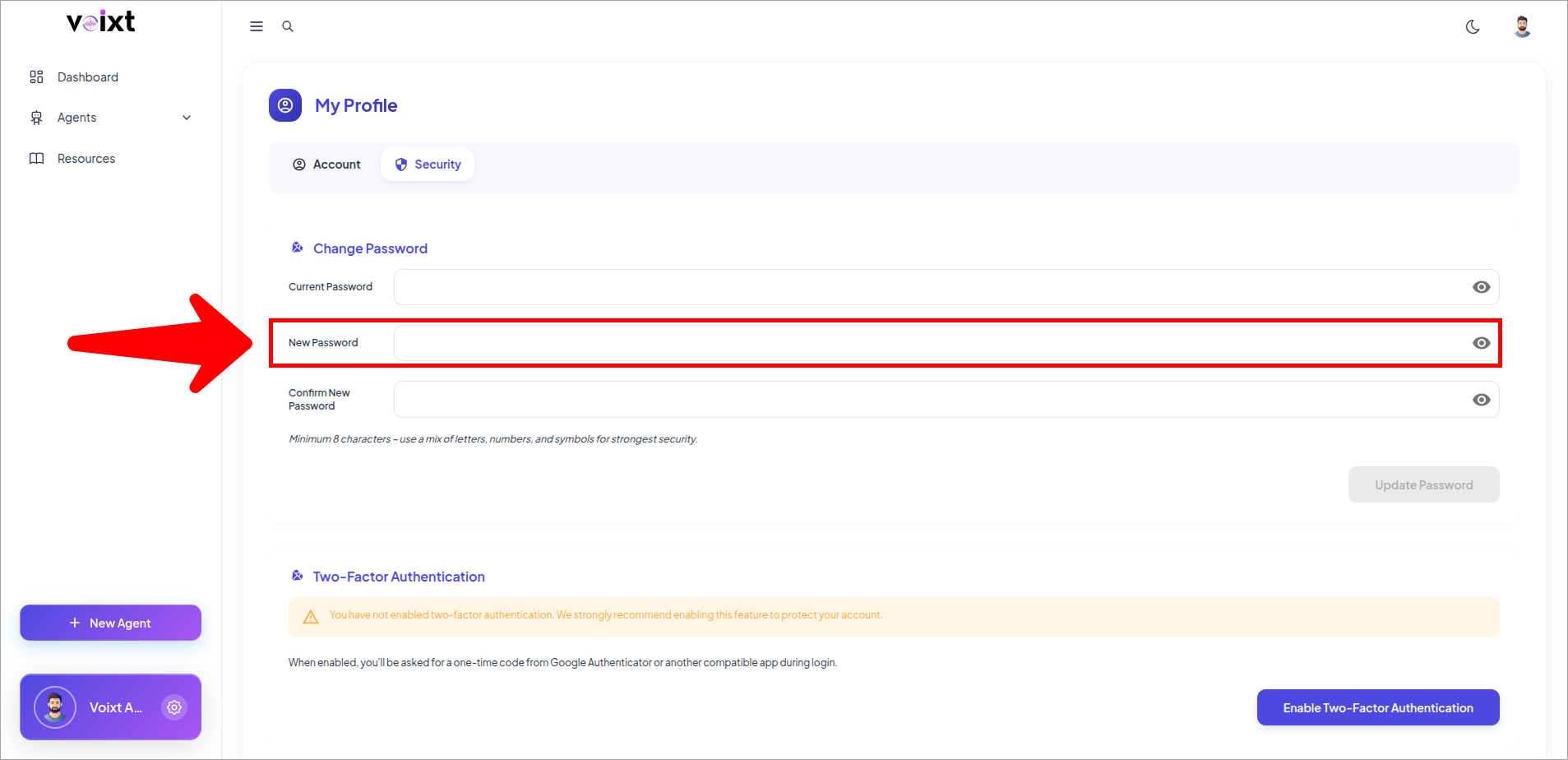
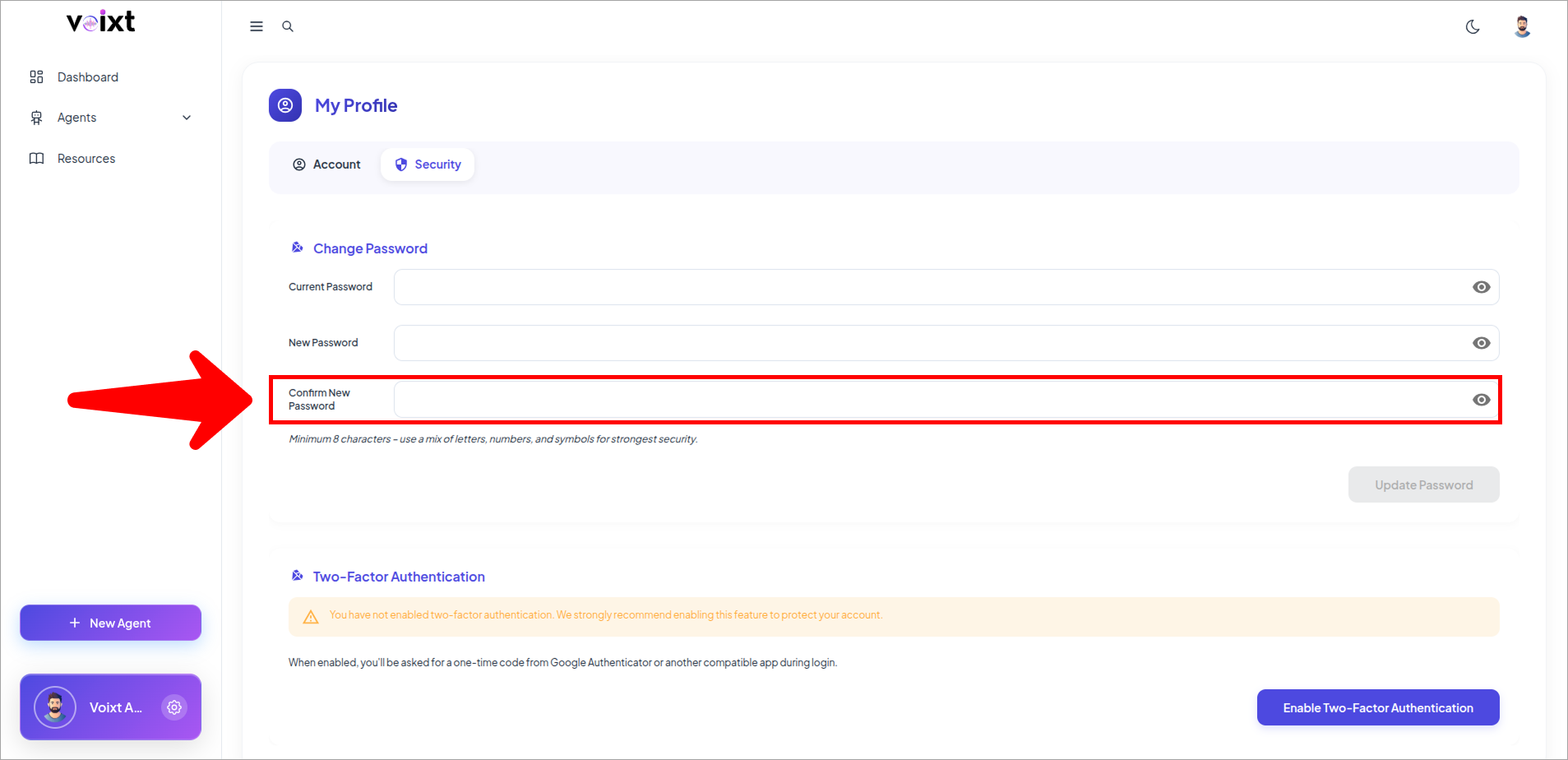
- Enter the new password in the relevant field highlighted.
tip
We recommend you to enter the password minimum 8 charactor long, must include special character, capital letter, small letter and numbers to make your password stronger.
- To confirm your new password enter your new password again.
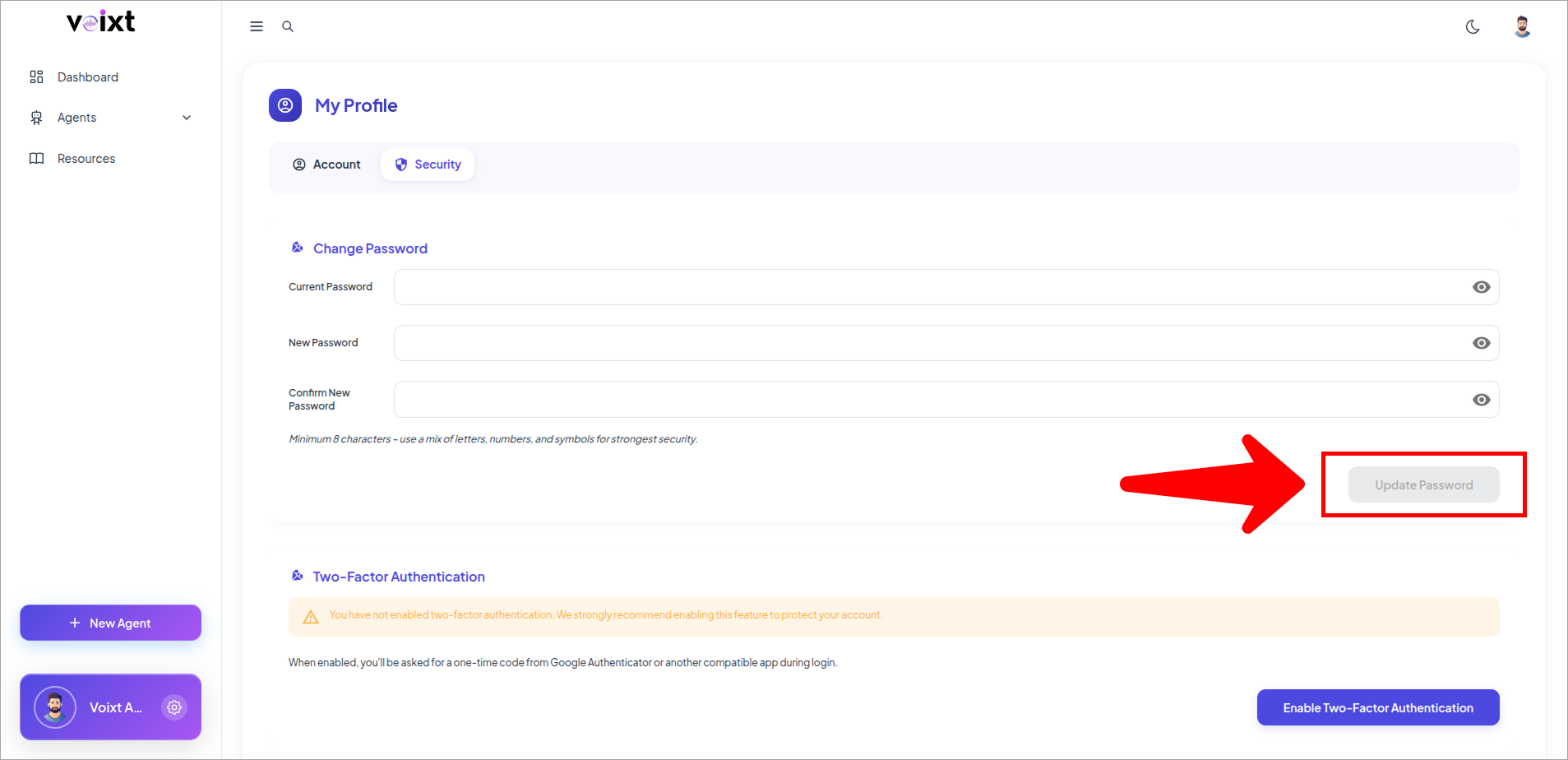
- Click on Update Password to confirm your changes.
Don't share your password with anyone, keep your password safe.