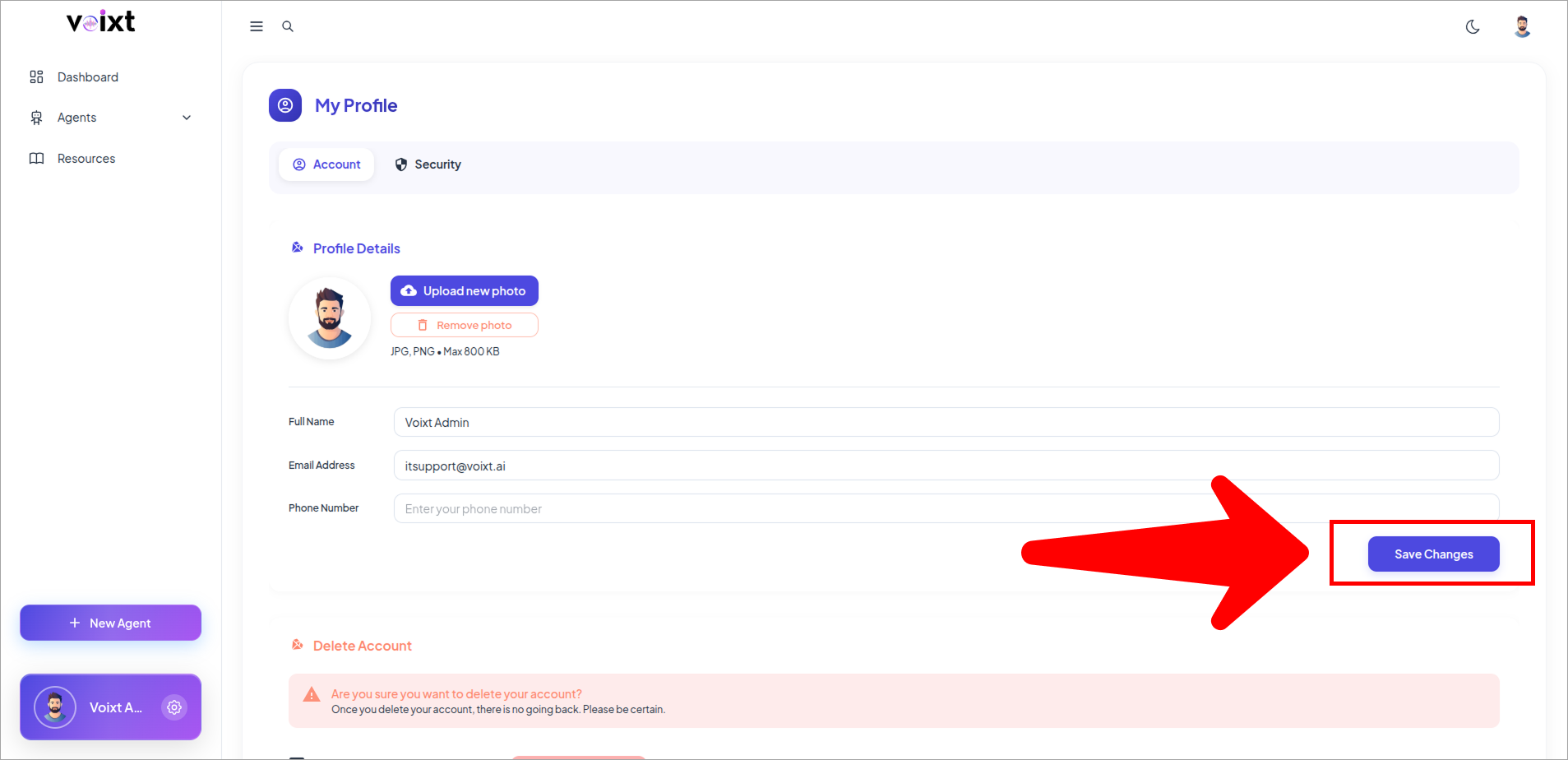
Change Email Address or Phone Number
This guide acknowledge you how you can add or update your phone number or email address.
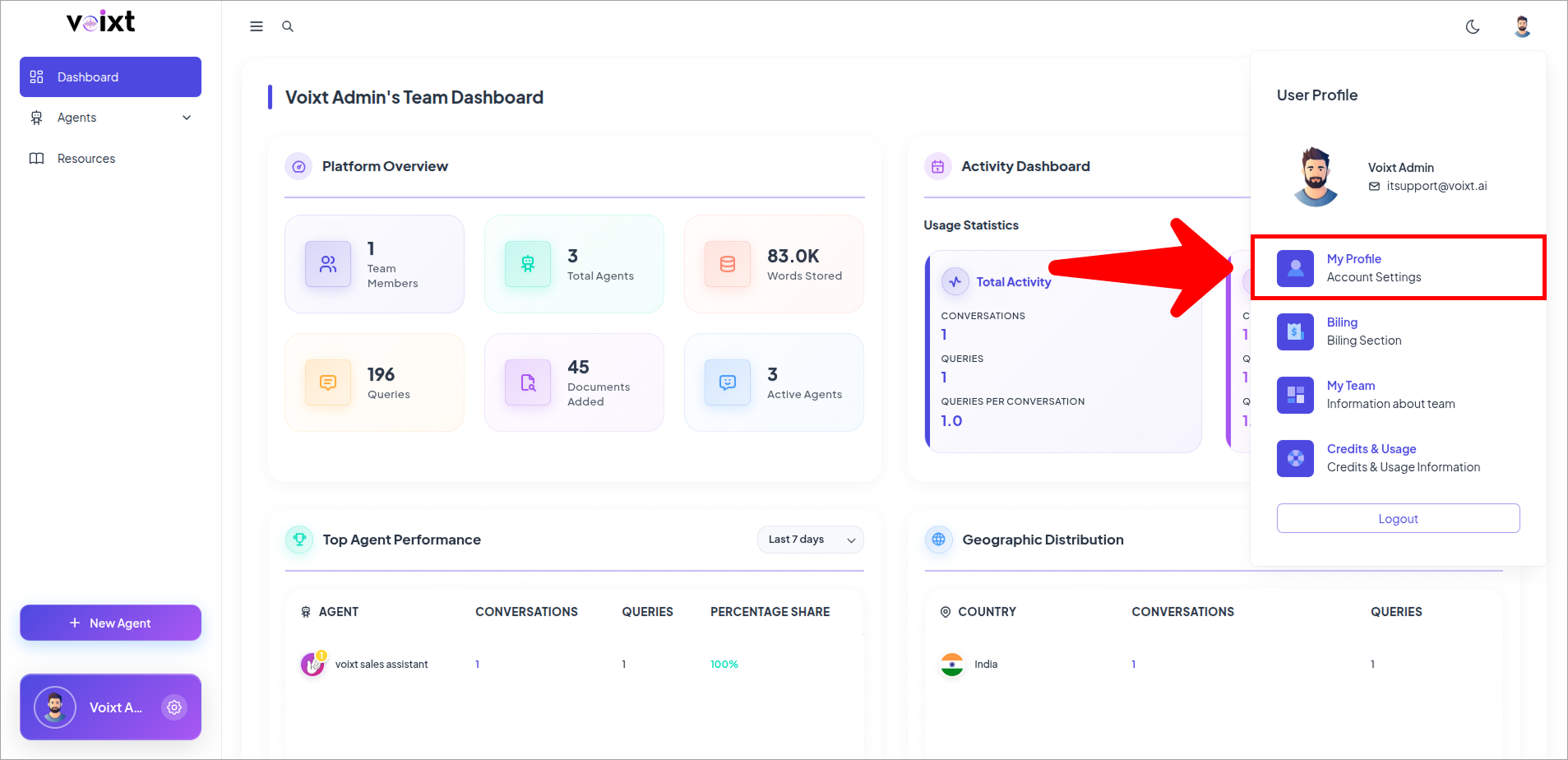
- From Dashboard Click on Profile Icon and My profile.
-
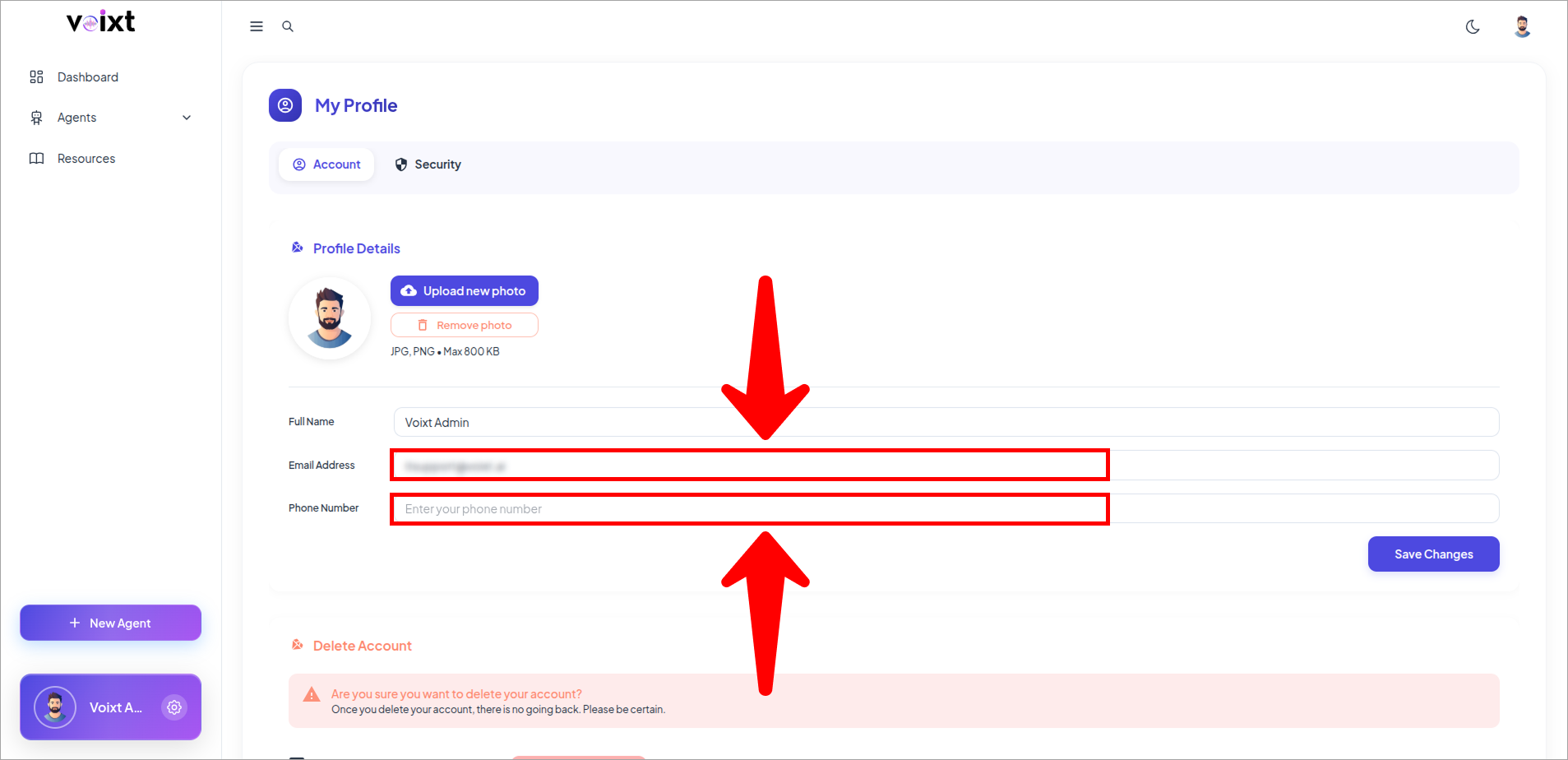
From the profile page, you can update your mail by writing it on field and also, you can add or update the phone number on the input field.
-
Click on Save Changes to save your changes.