Setup Woocommerce Store for Voixt AI
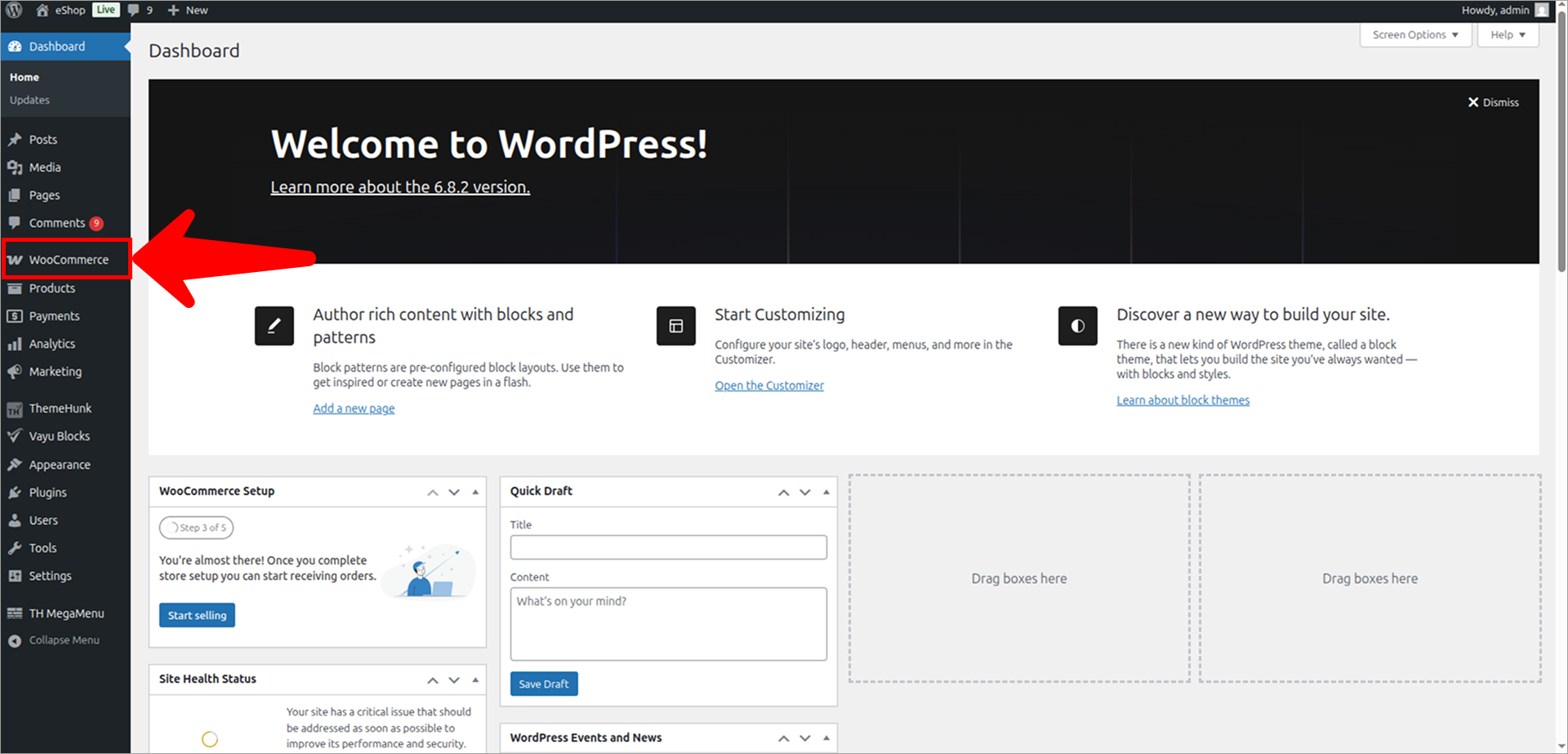
- Go to your Woocommerce store Admin panel.
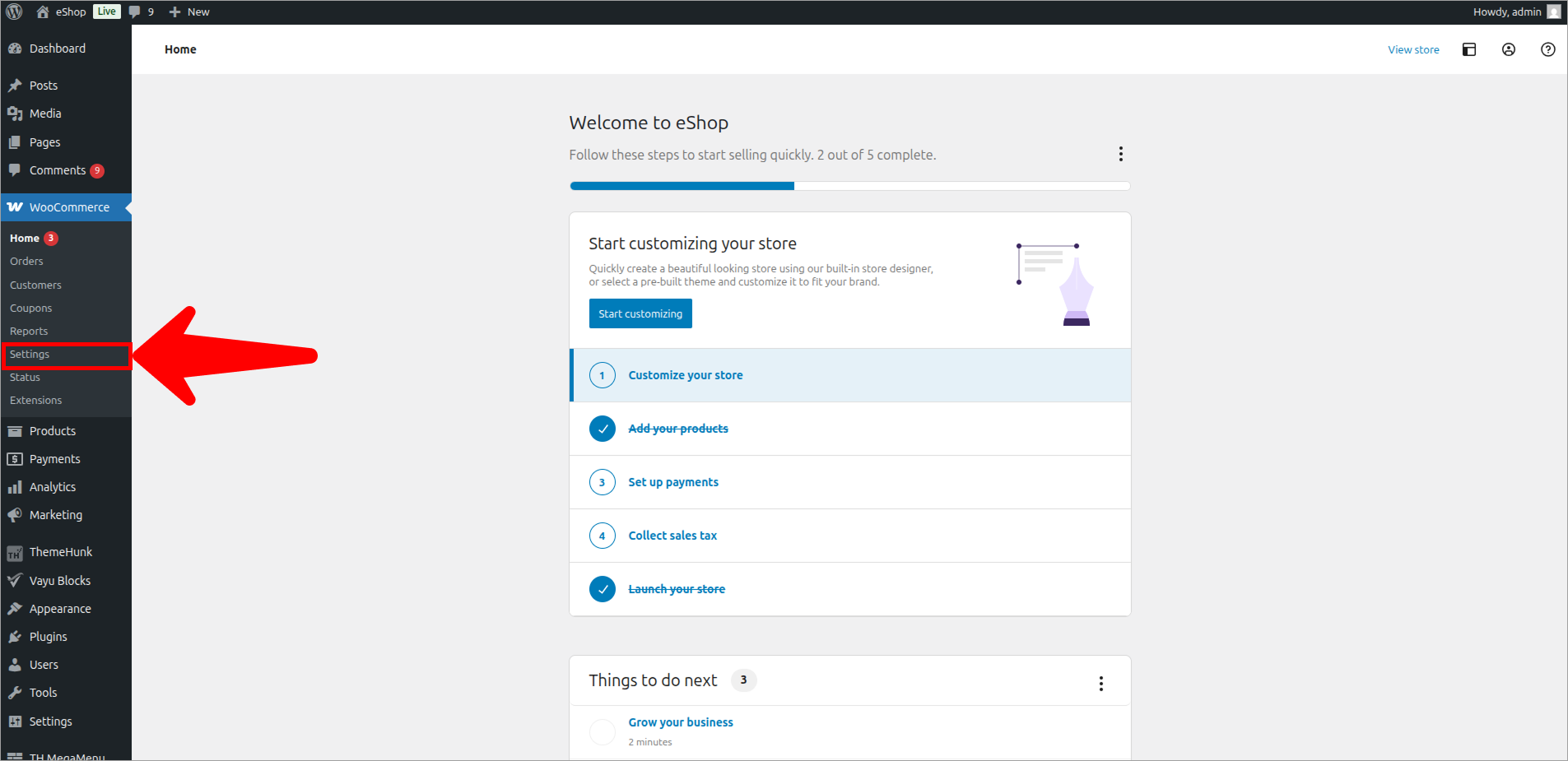
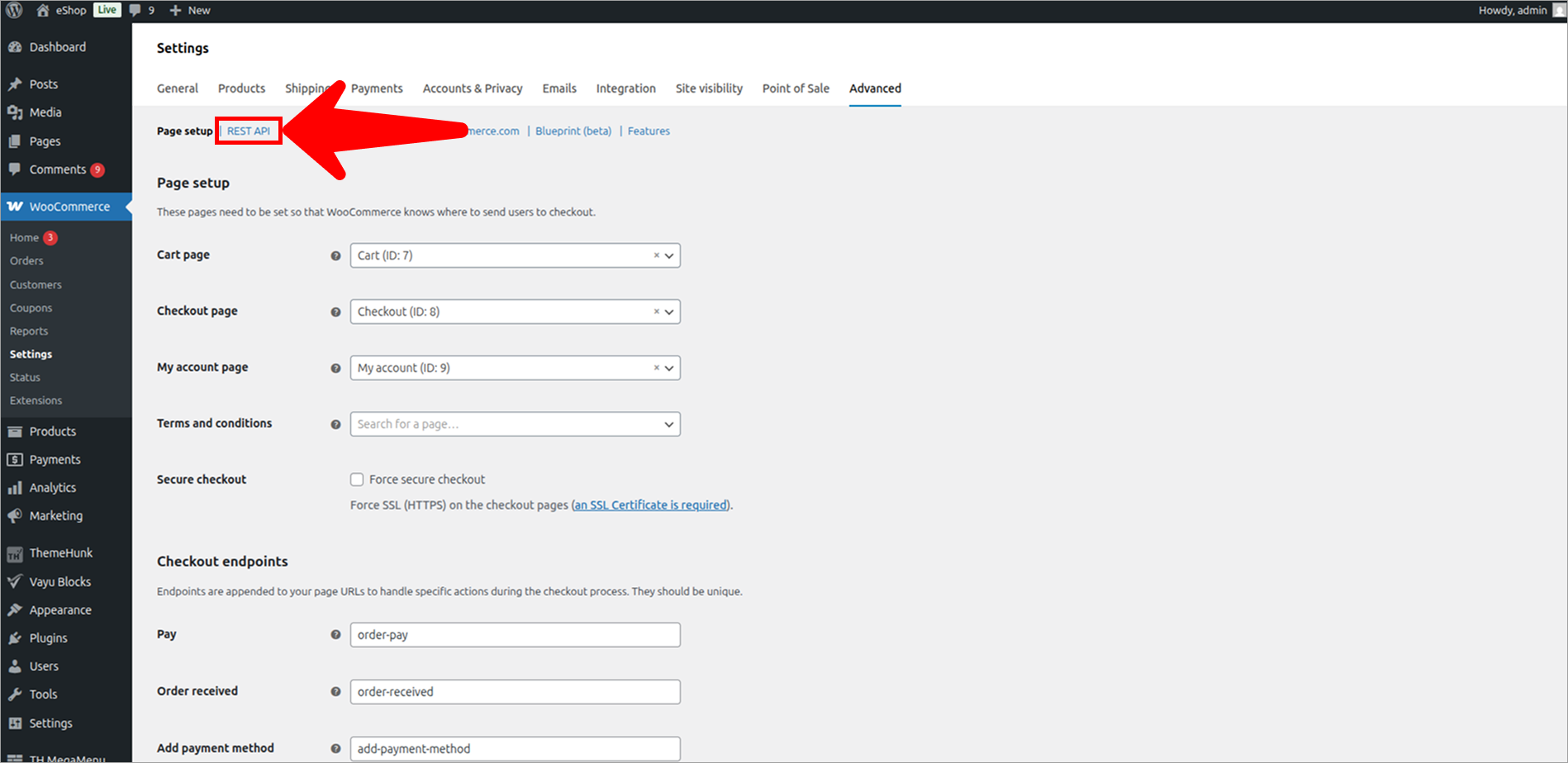
- Click on Settings.
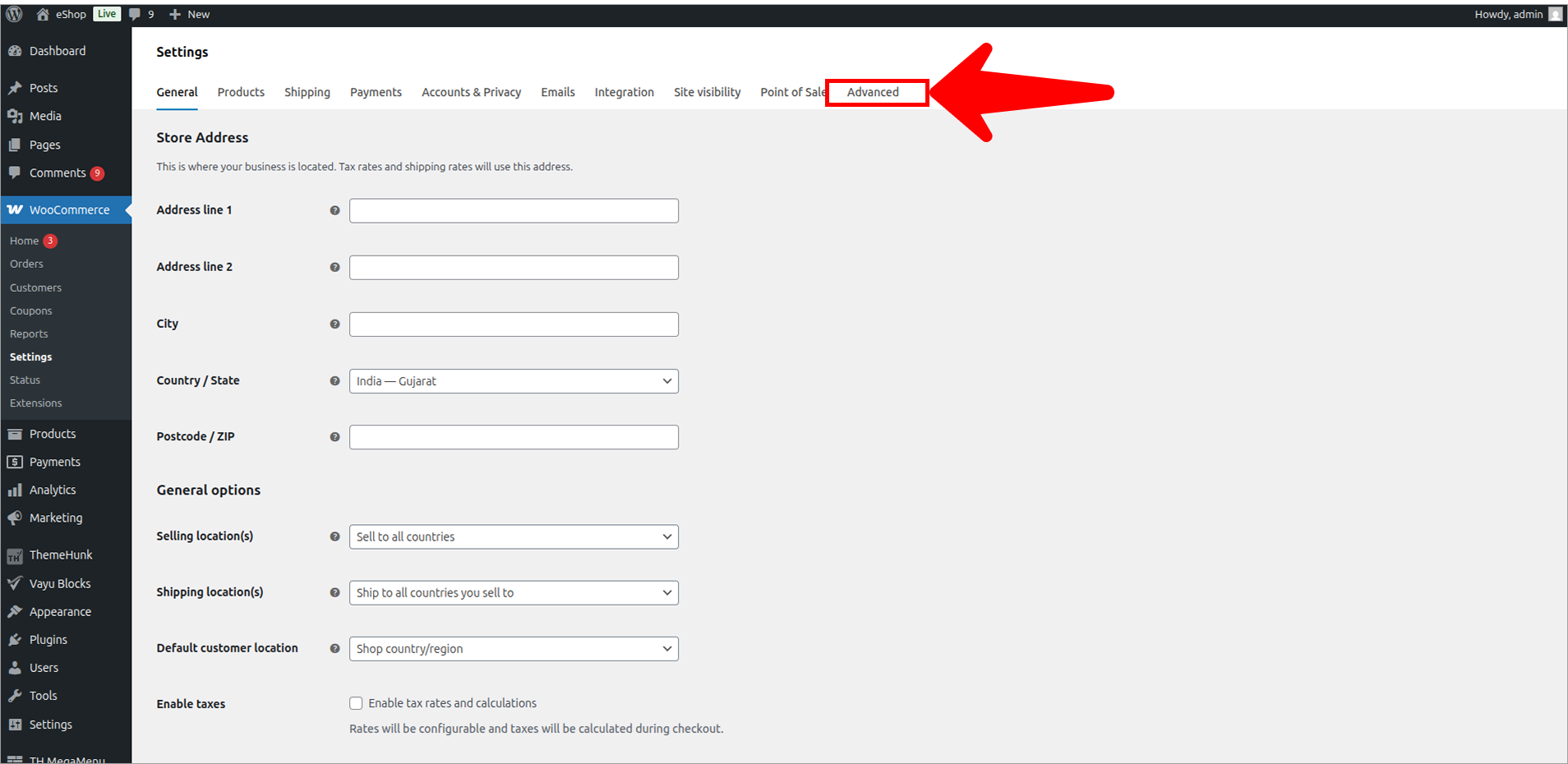
- Click on Advanced tab.
- Click on REST API.
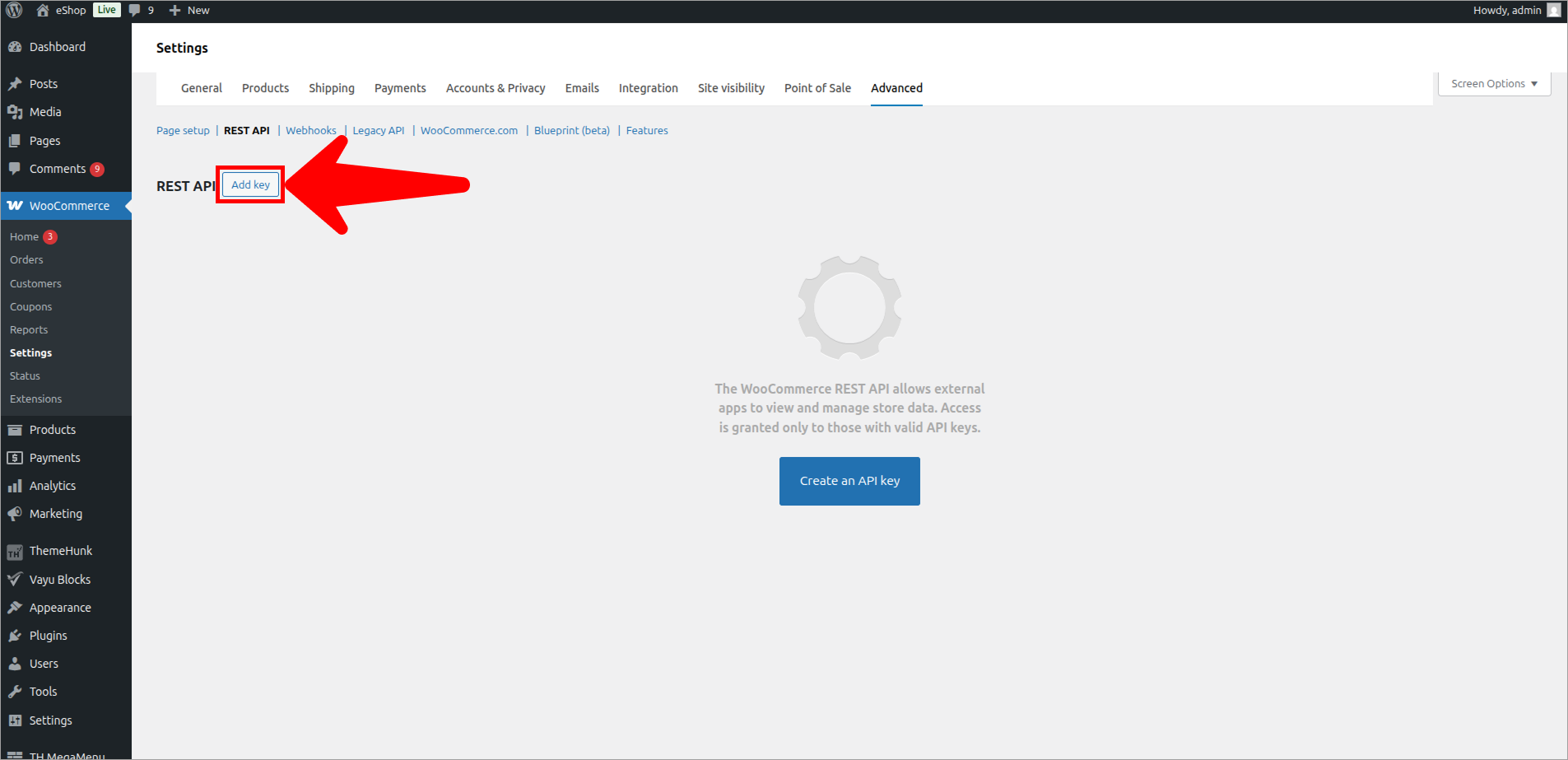
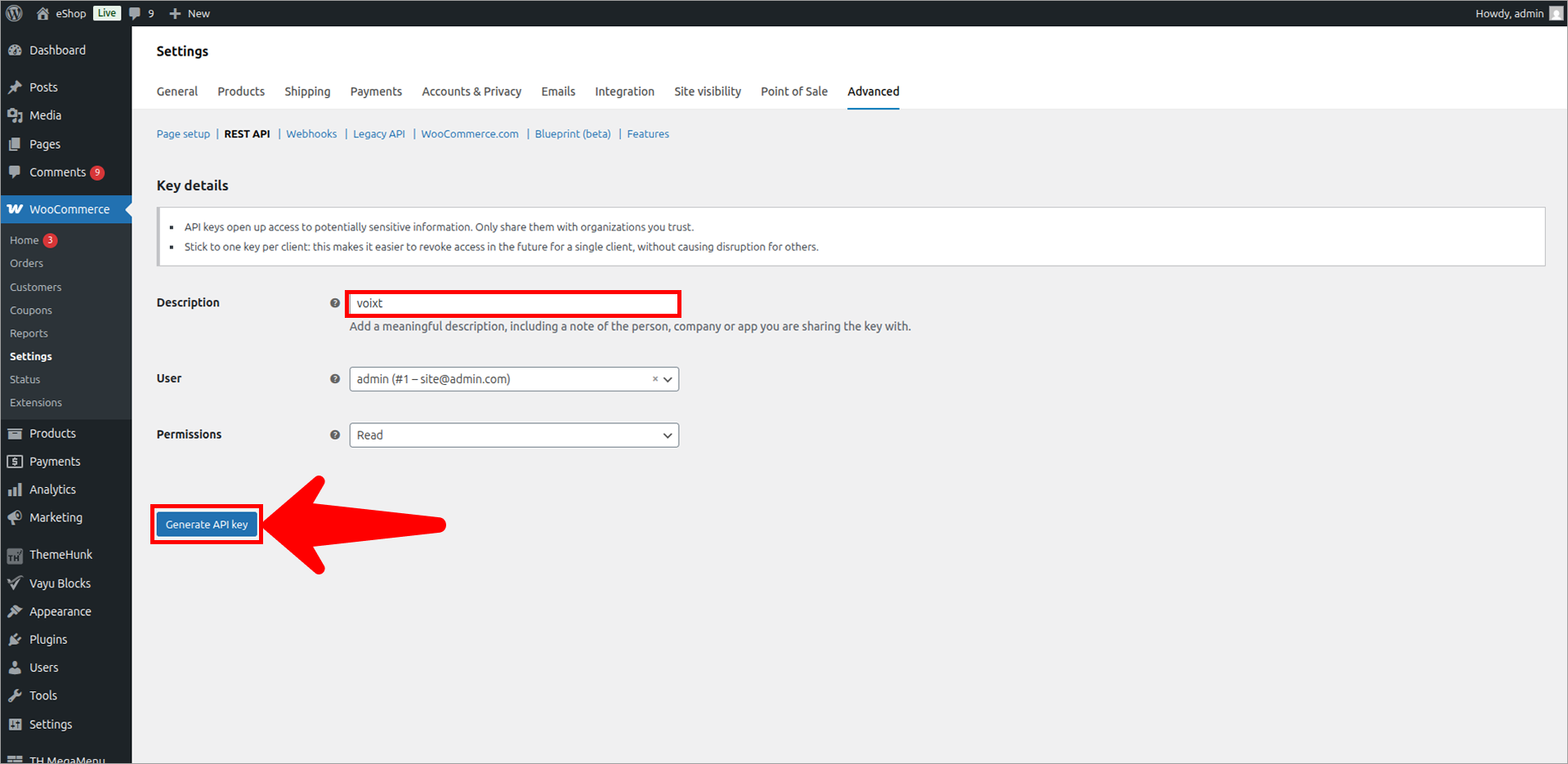
- Click on Add key.
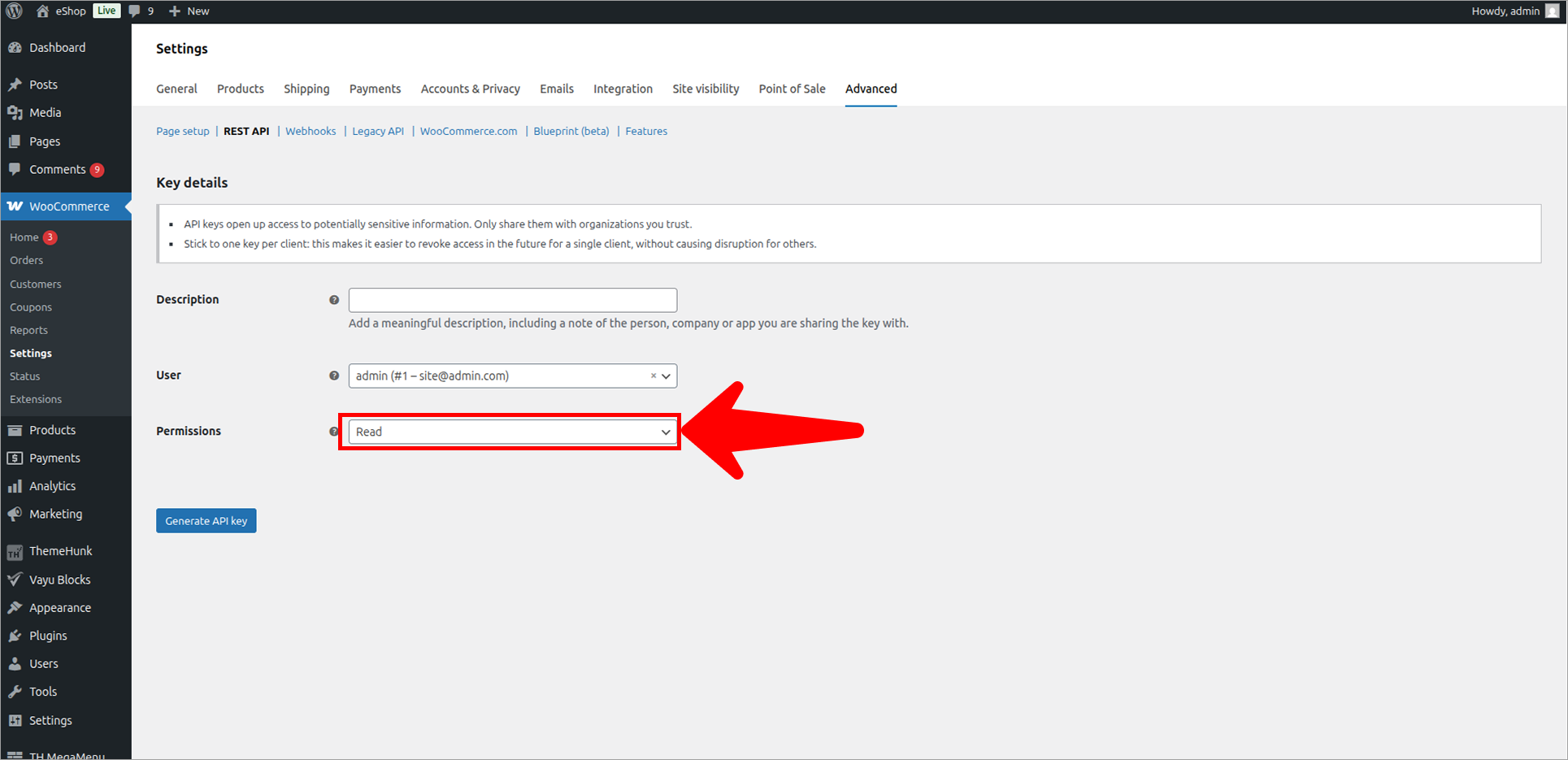
- Check permissions.
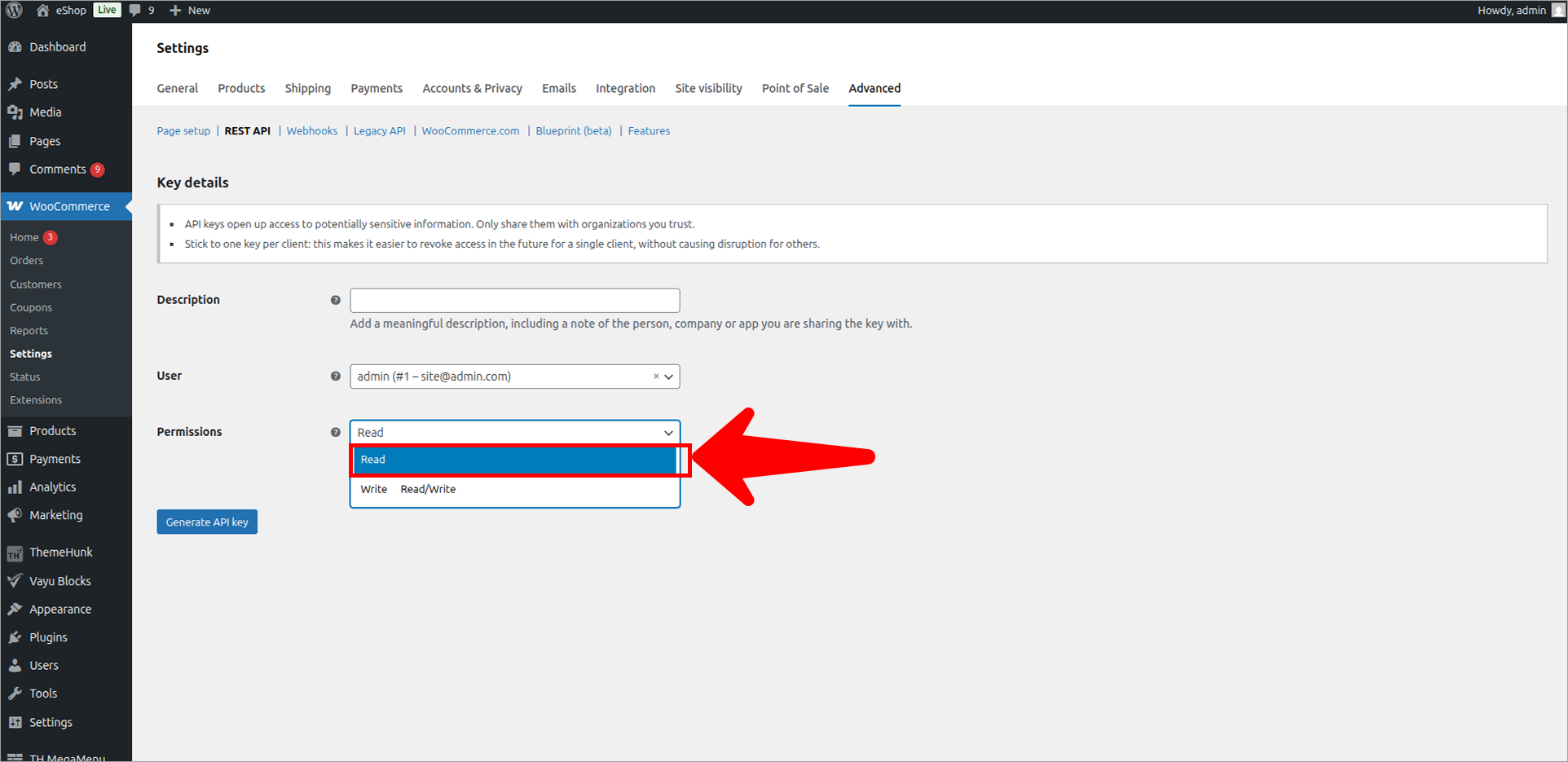
- Give permission of Read.
- Click on Generate API key.
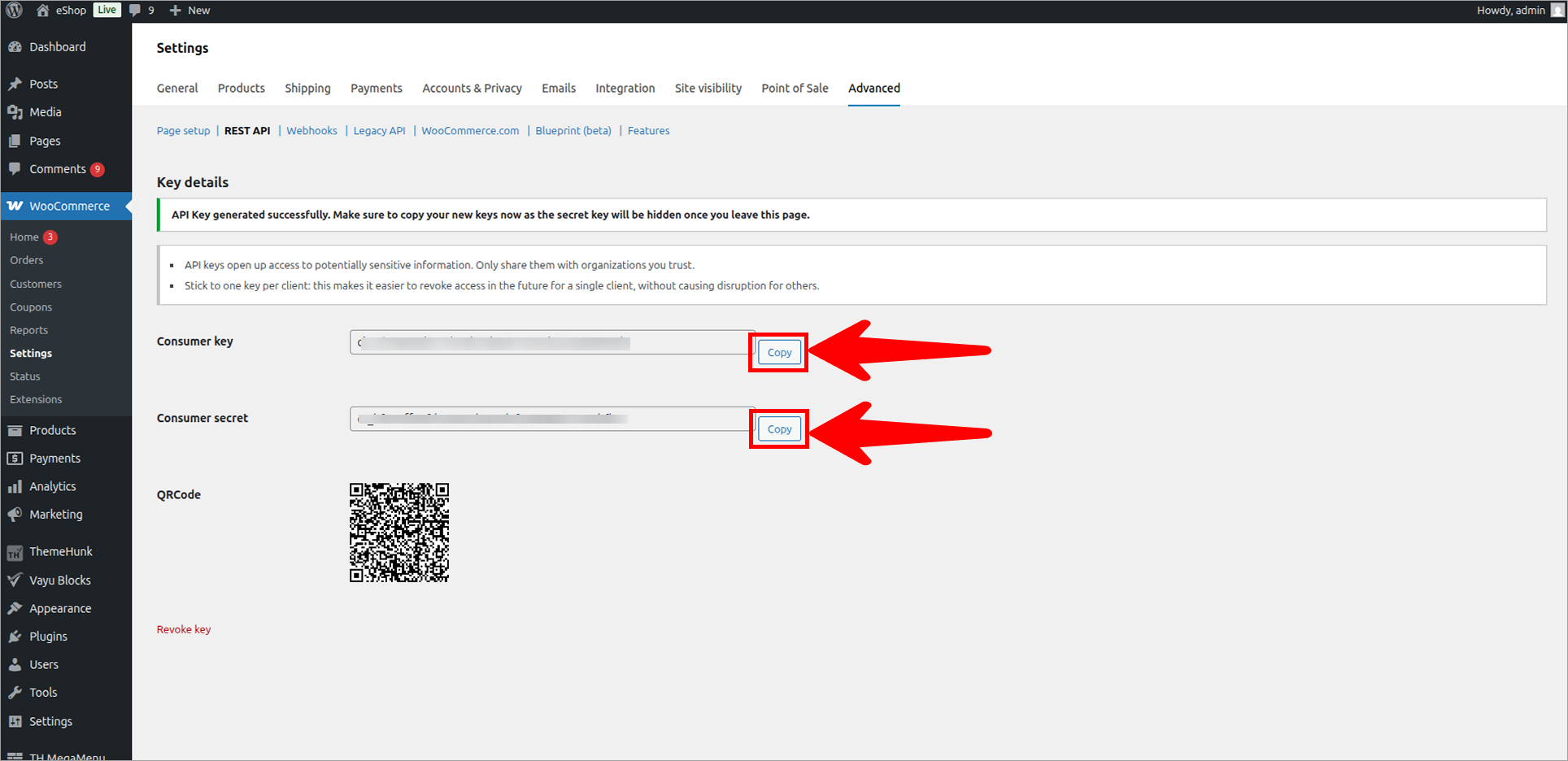
- Click to Copy.
- Consumer Key
- Consumer Secret
Note
You need to Save the Consumer Key, Consumer Secret to be used while creating the Voixt Woocommerce Site.
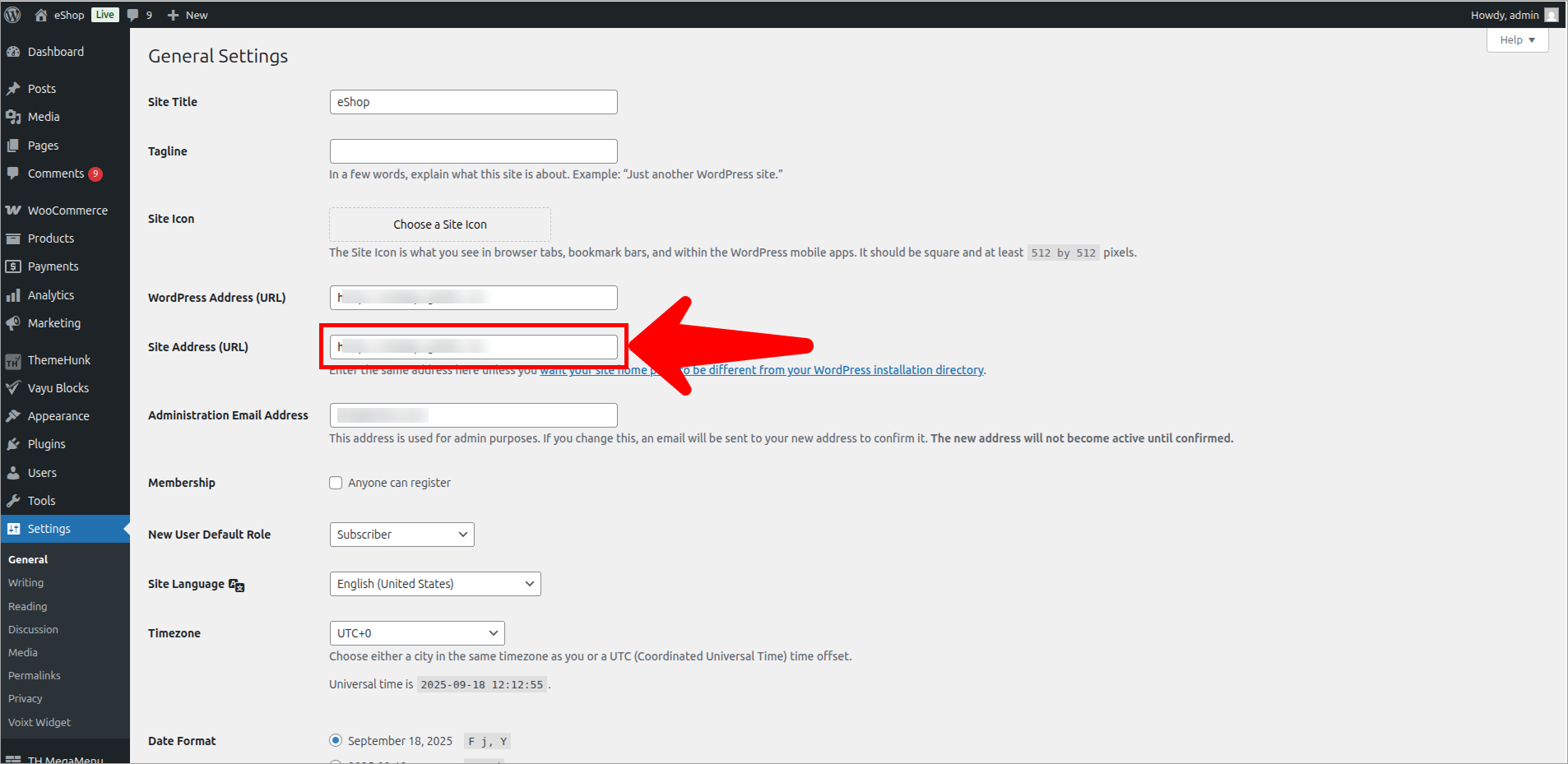
- To get the Site Addres Go to Settings and Copy your Site URL.