Setup in Shopify to Configure Voixt AI
Follow these below instructions to setup your Shopify store for voixt app.
To configure in voixt we need shopify username and Shopify admin access token to fetch details of business-like products, business etc.
Voixt is ISO27001 Certified, and we don’t share your data with anyone else as per our privacy
Get the Username of Shopify Account
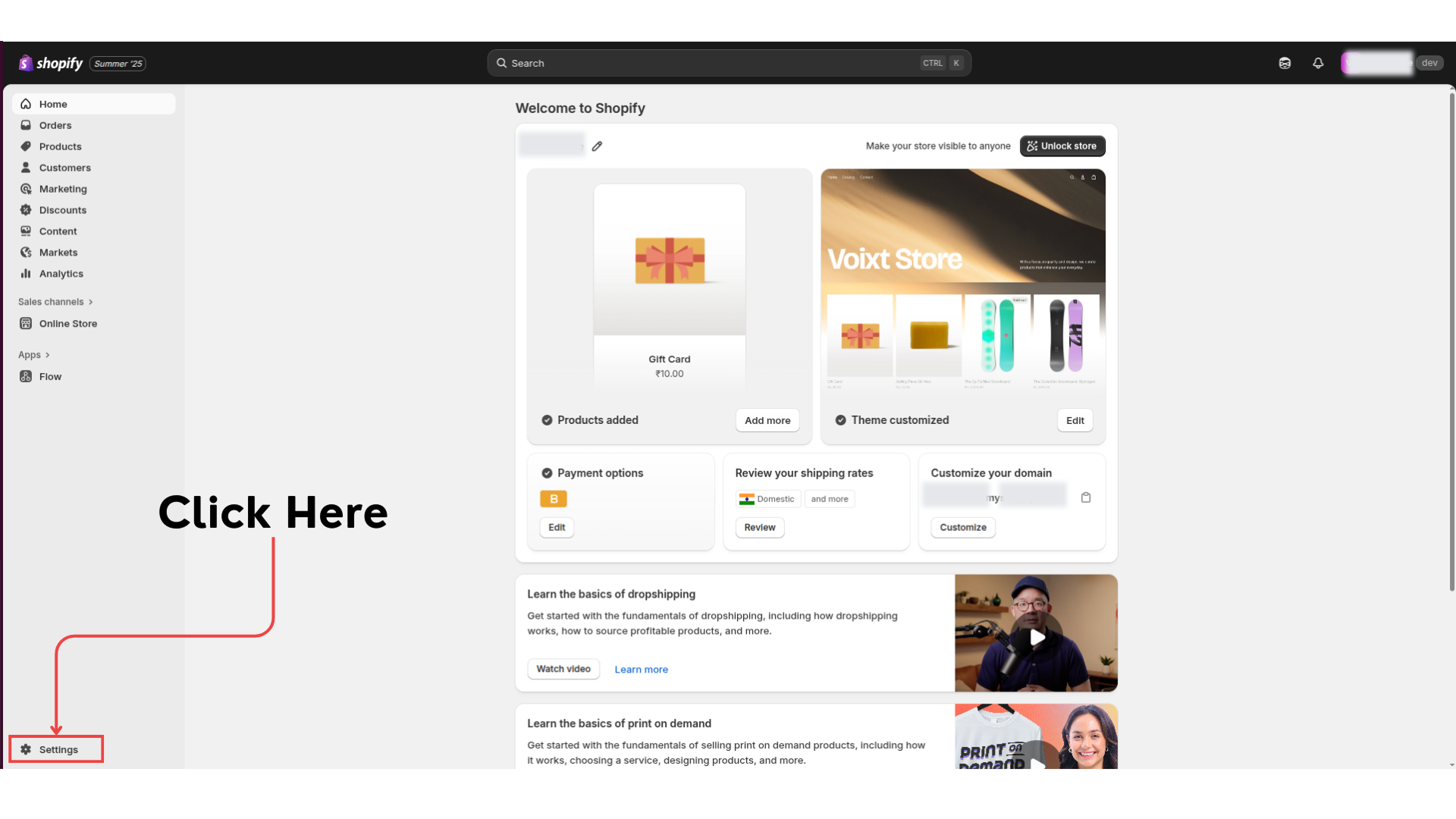
Step 1: In your Shopify admin dashboard click on Setting.
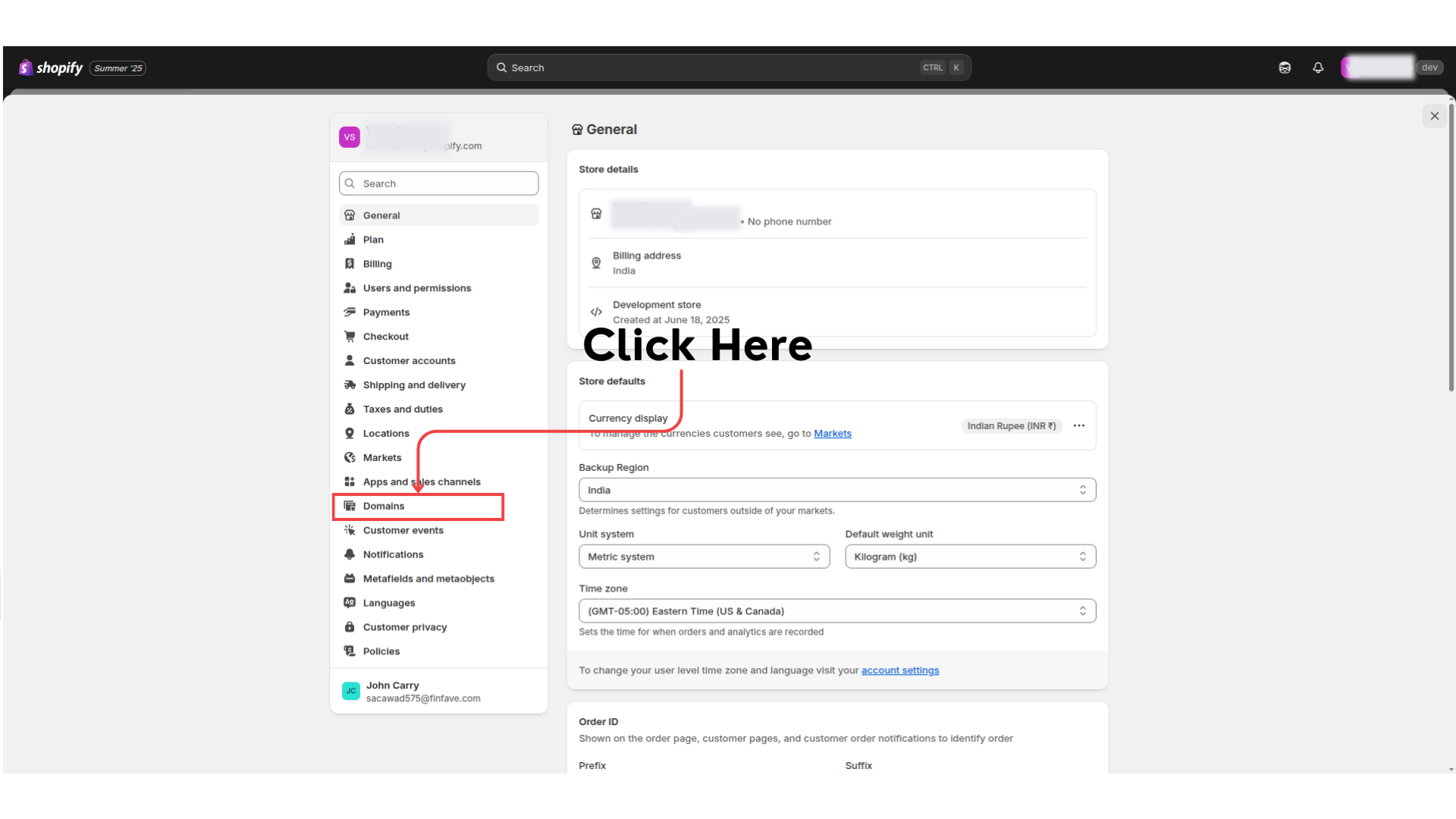
Step 2: Click on Domains
Step 3: Here you can see your store username, remember this it will be used in Voixt app to integrate shopify.
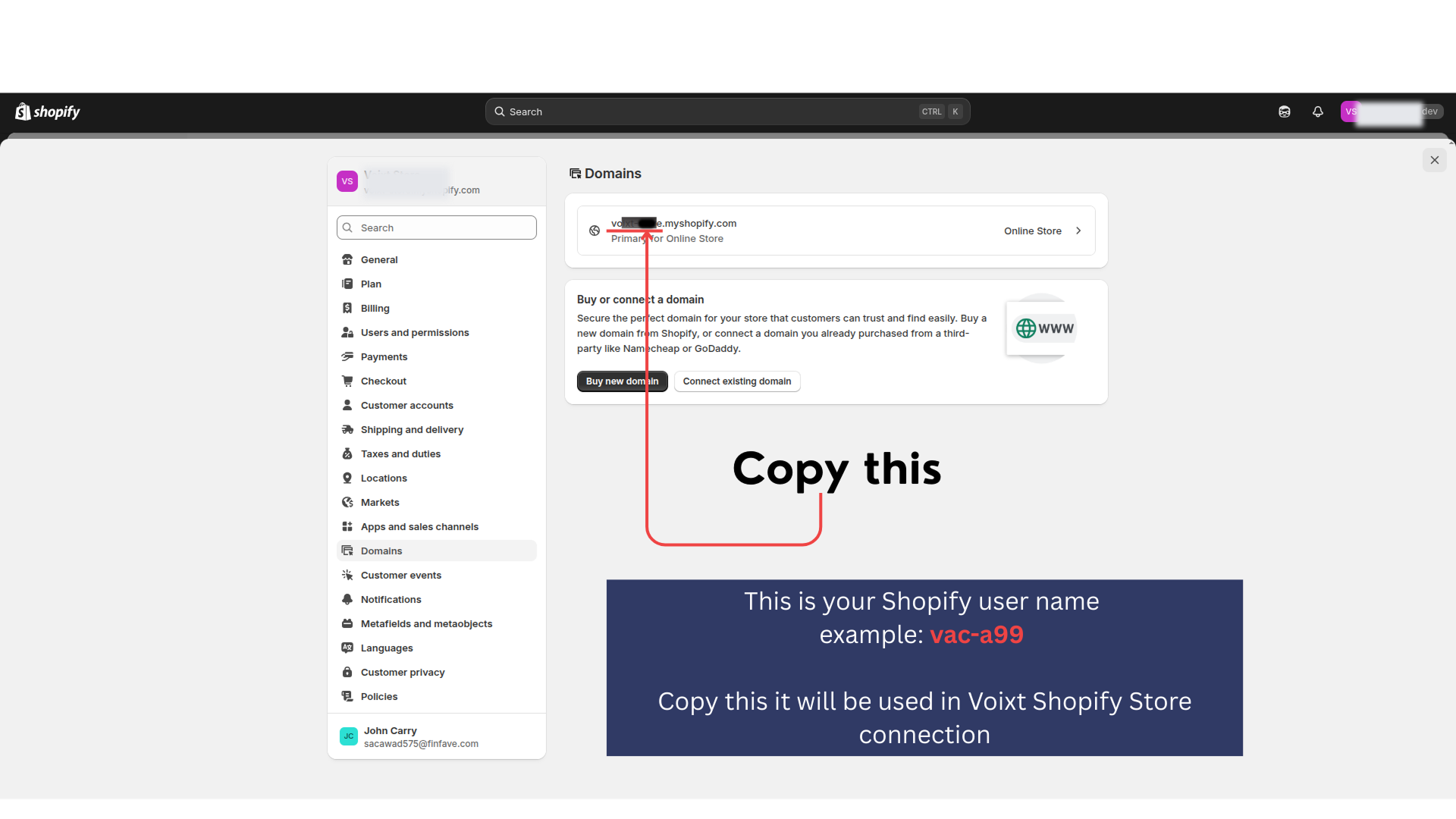
Save this username which will used for setup shopify in voixt
Get the Shopify Access Token
Step 1: In your Shopify admin dashboard click on Setting.
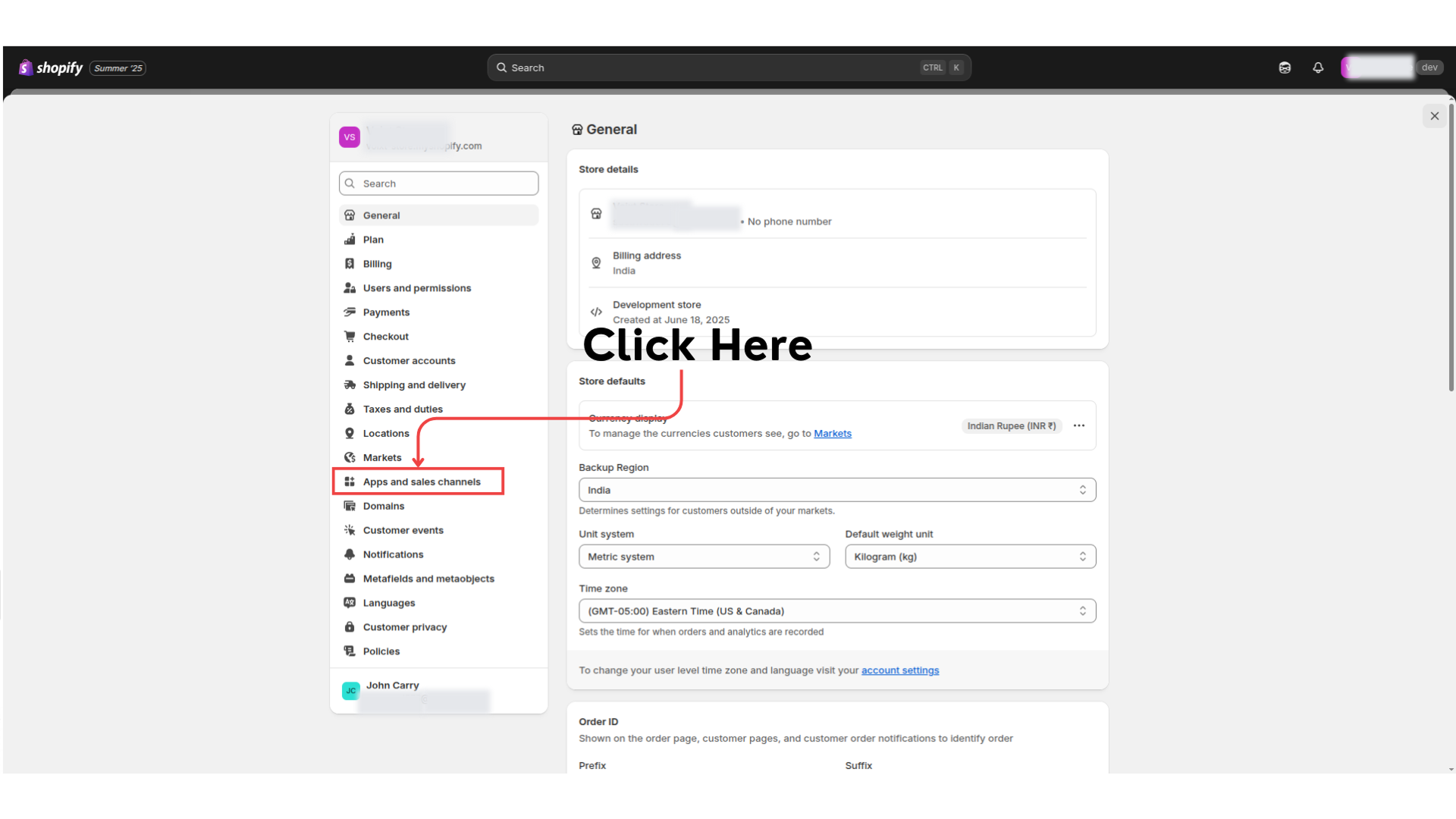
Step 2: Click on Apps and sales channel.
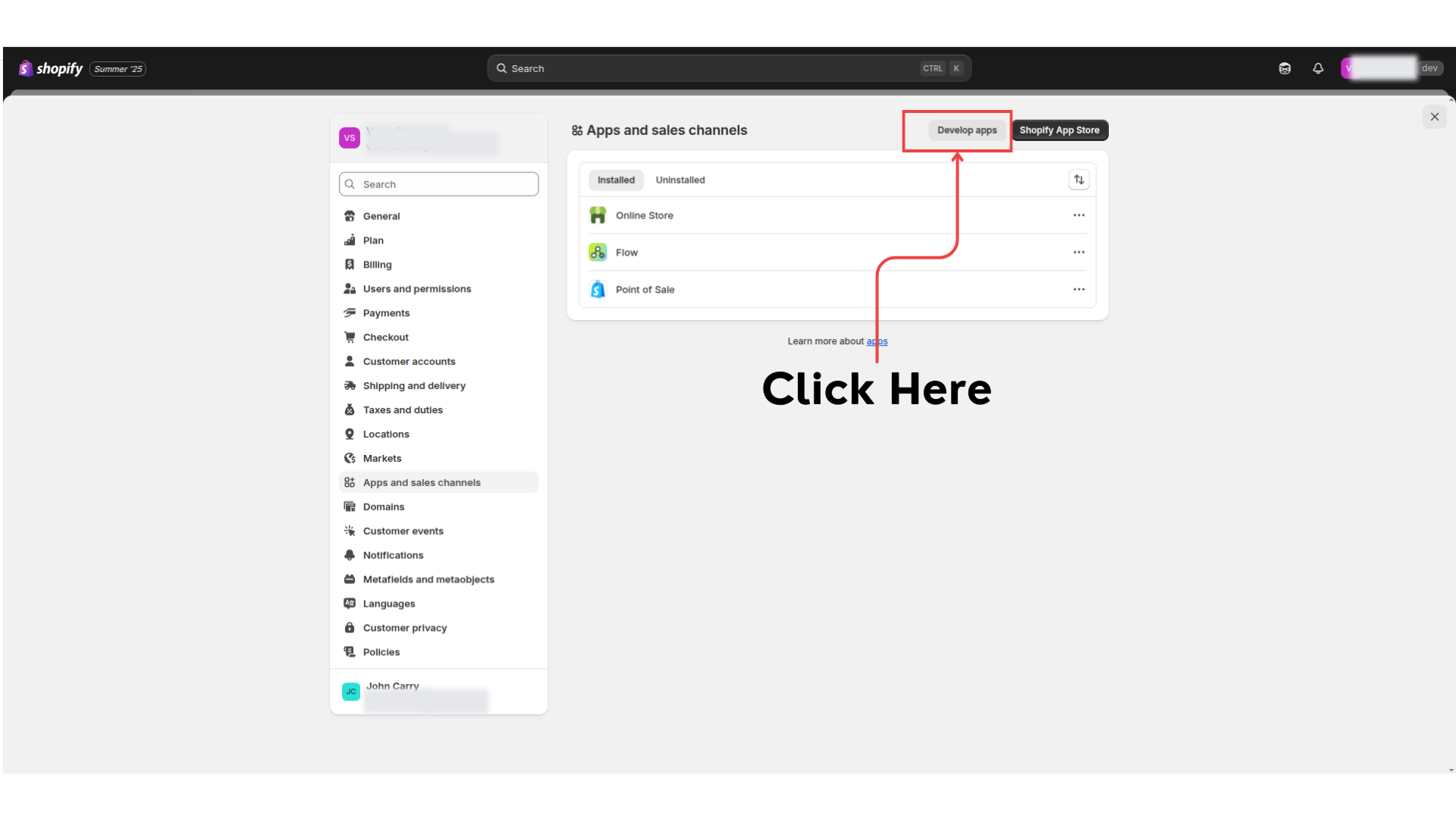
Step 3: Click on Develop apps.
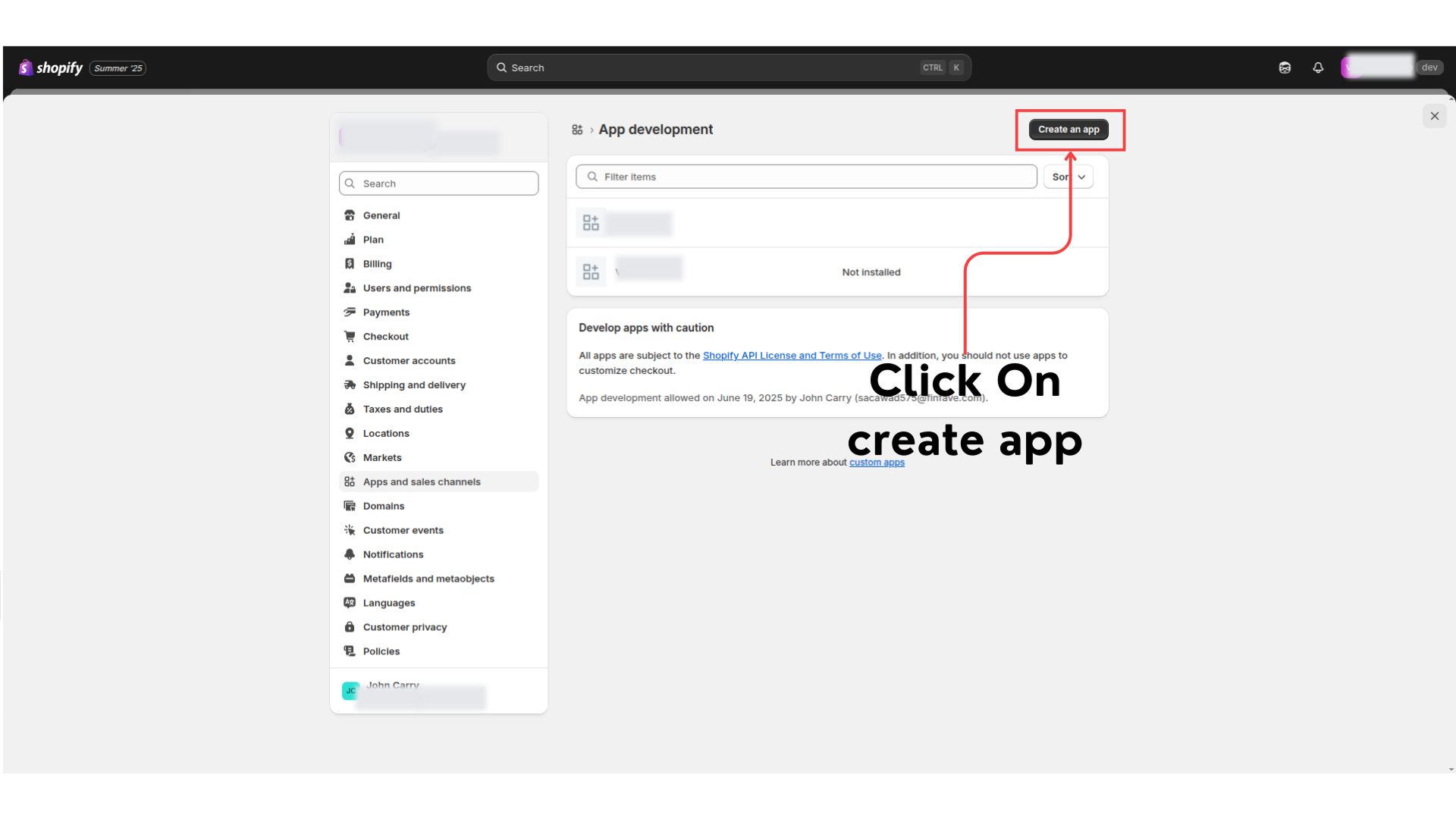
Step 4: It opens App Development page there click to create an app.
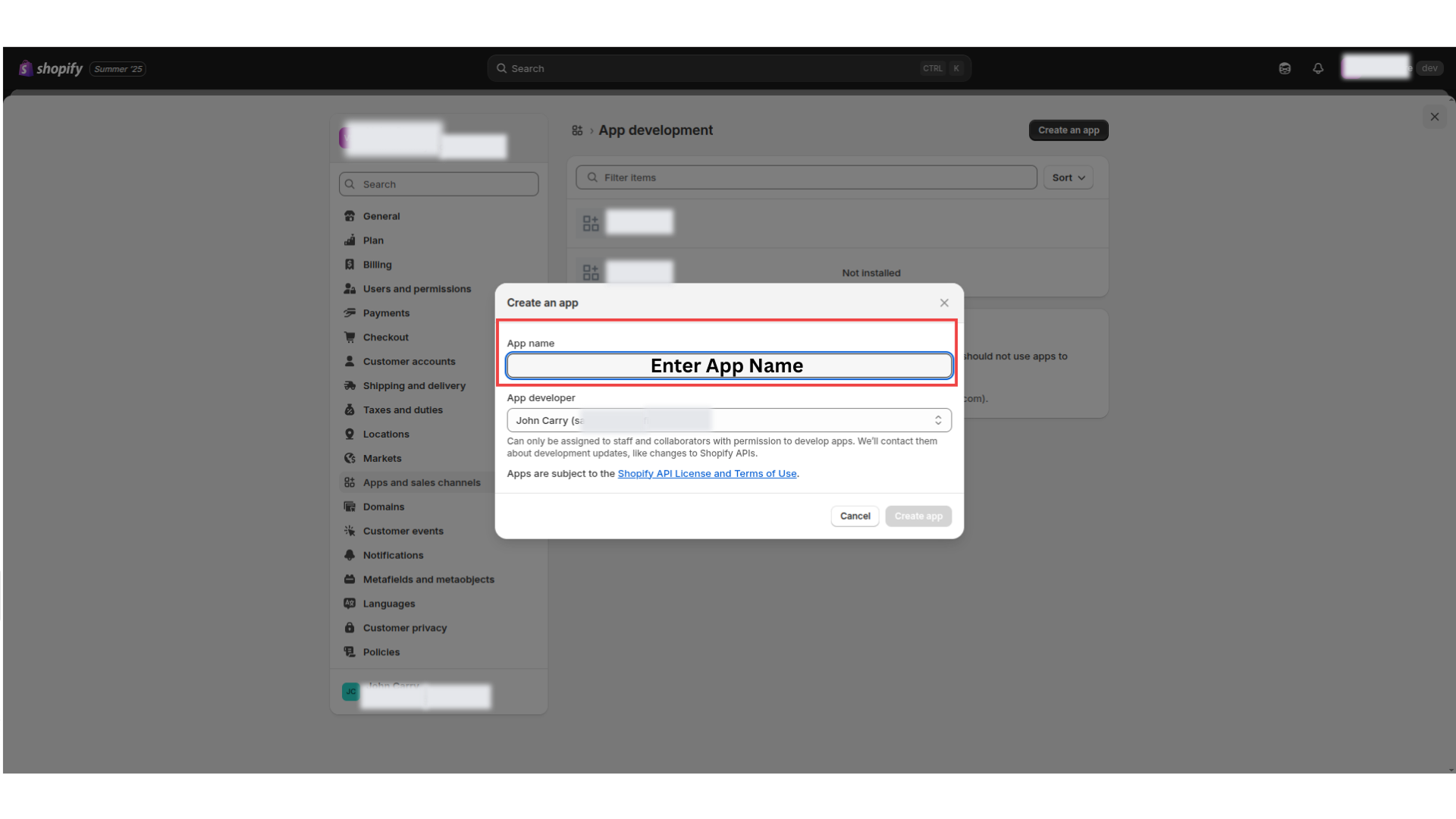
Step 5: Enter the App name here as you want to give (i.e Voixt-app).
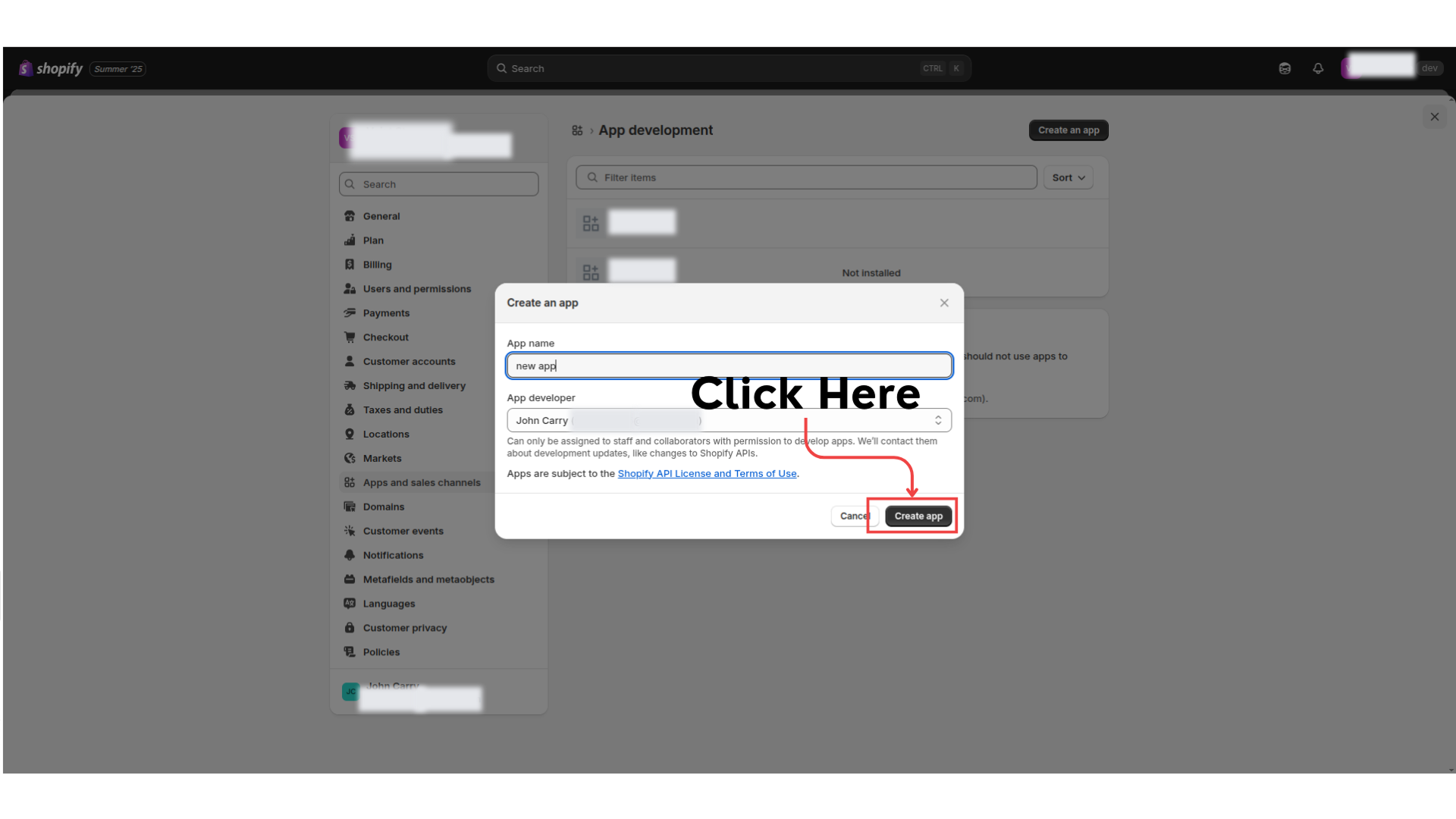
Step 6: Click on Create App to continue.
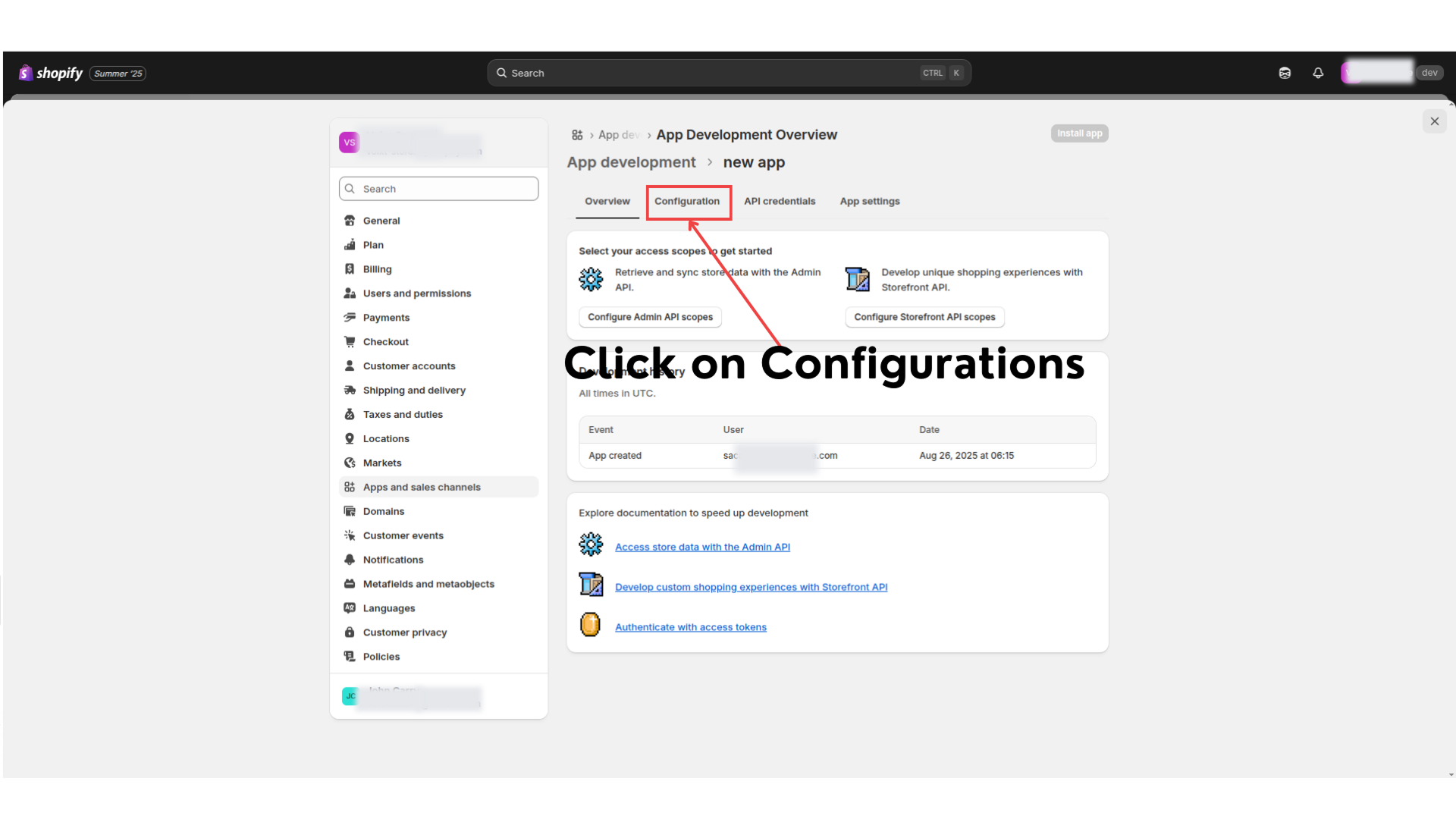
Step 7: After successfully created app, click on configure tab.
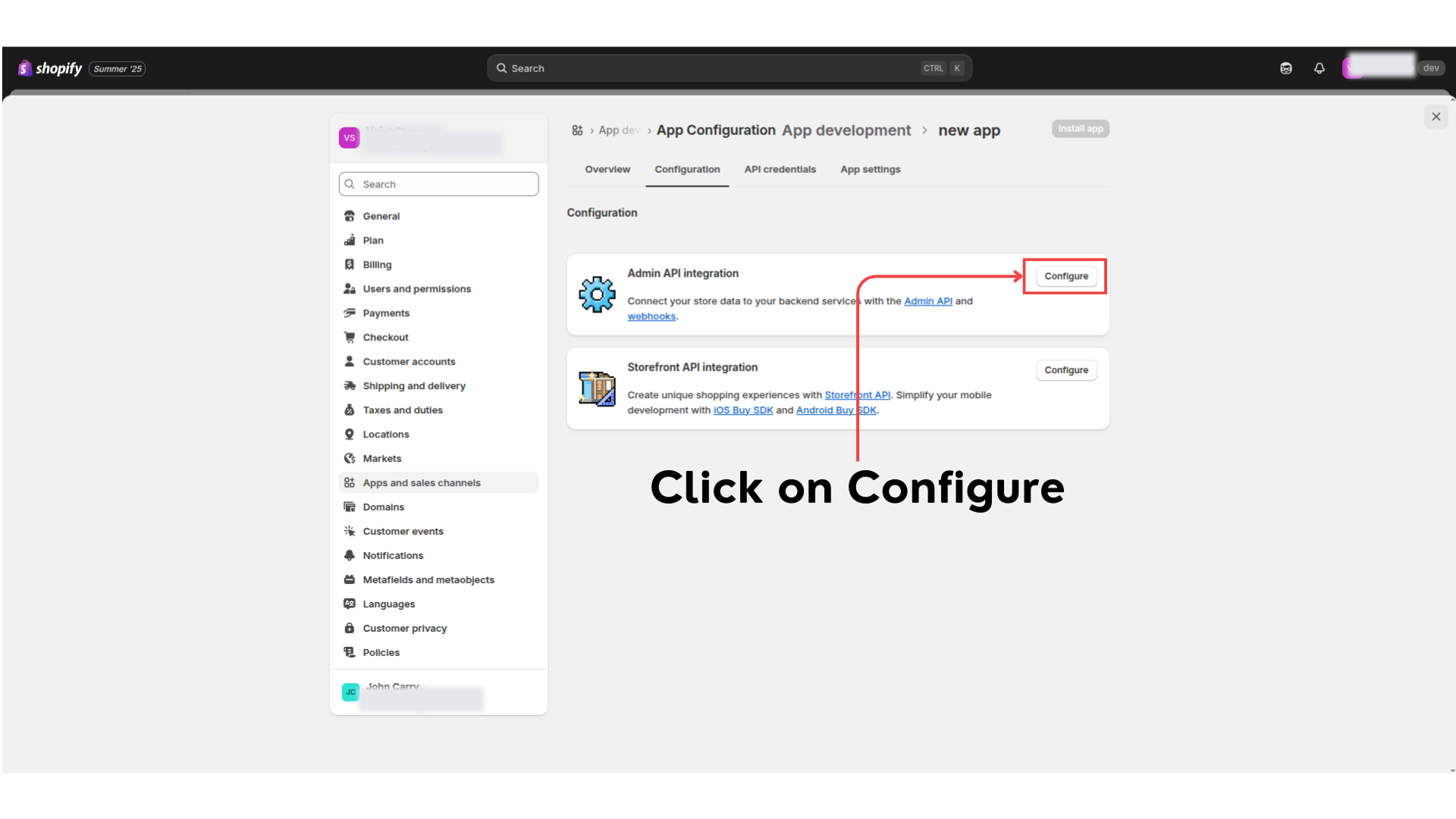
Step 8: In admin API integration Click on configure.
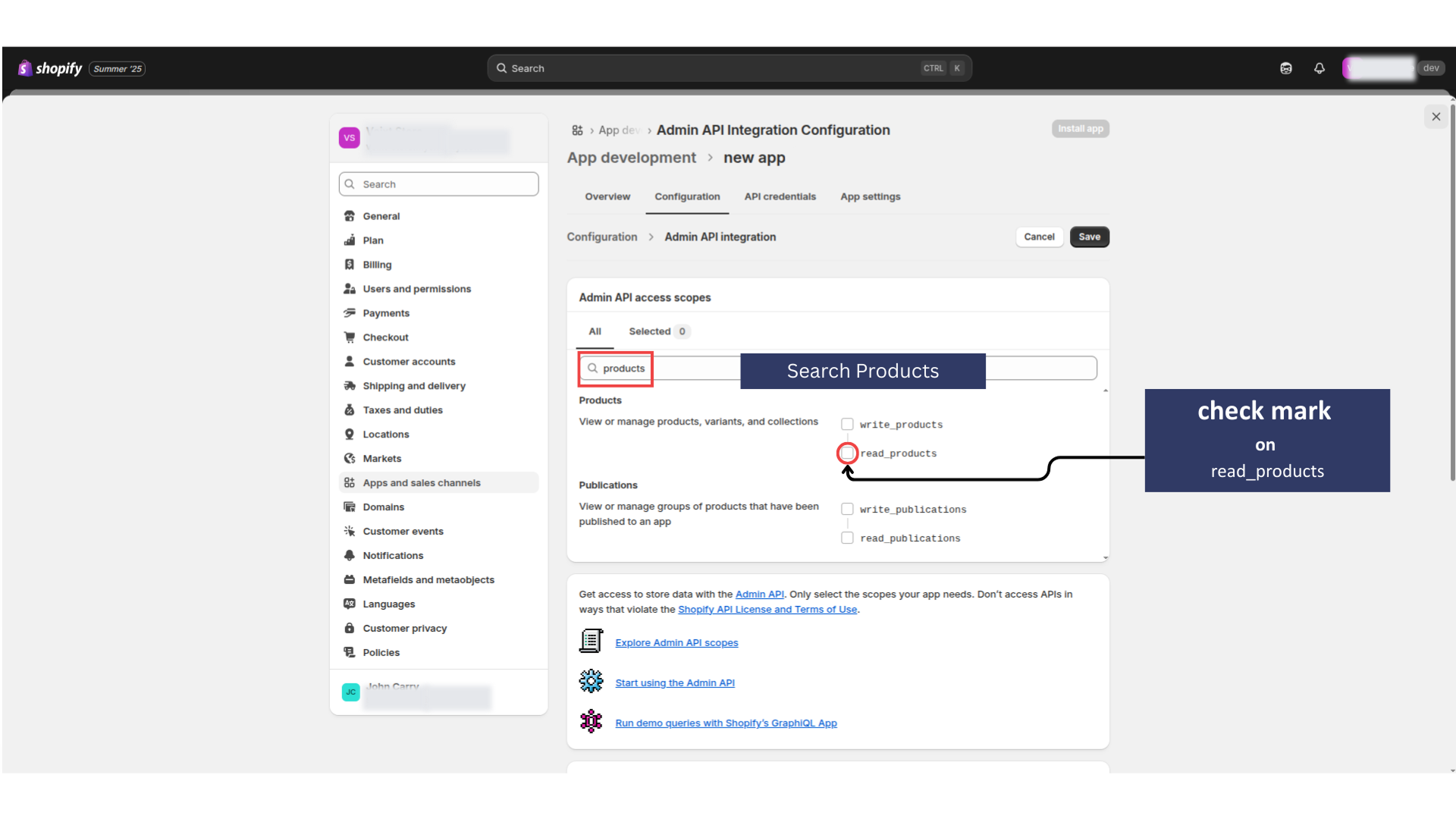
Step 9: Click on Products and tick on read_products permission, so that voixt can read product guide.
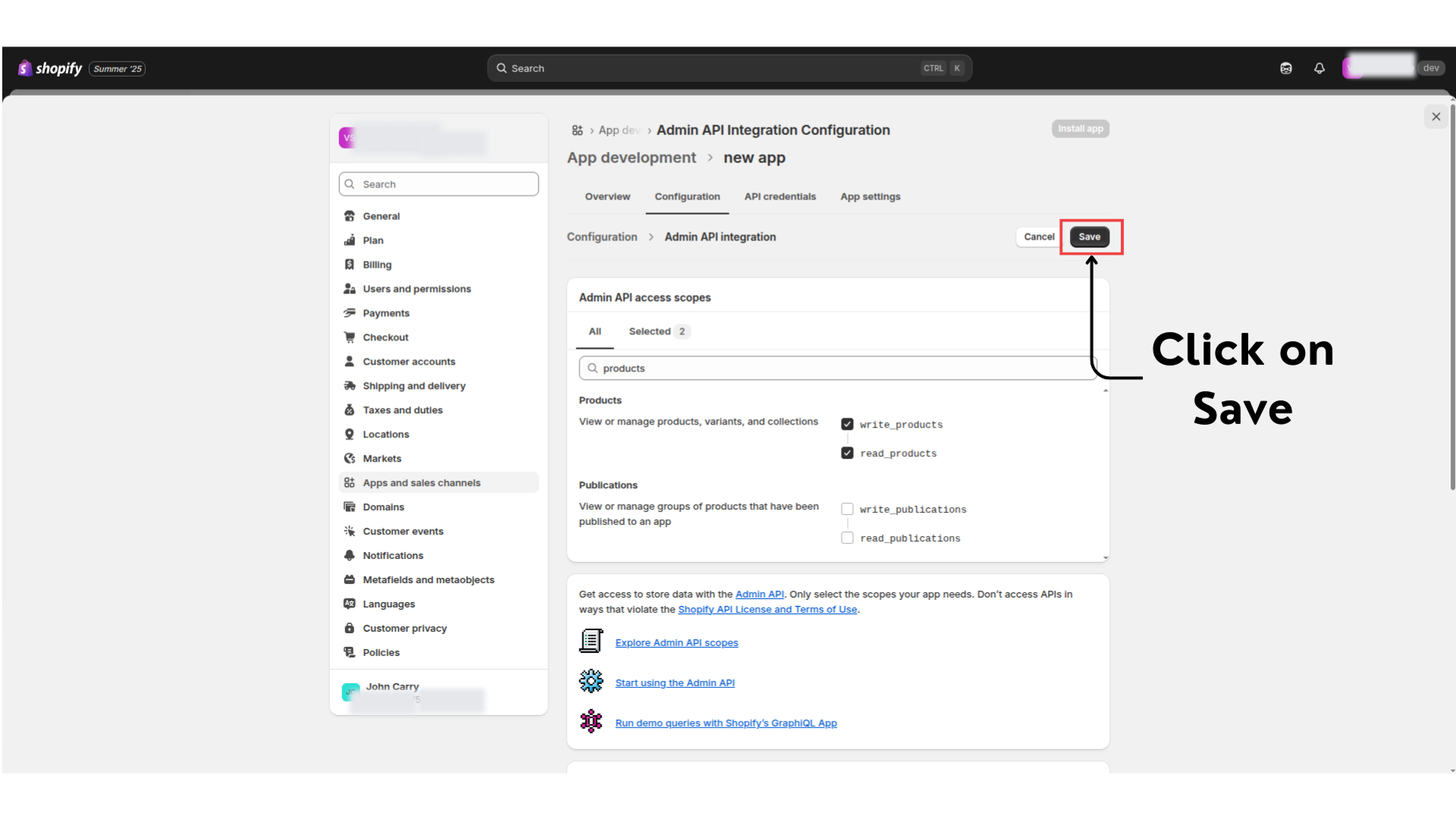
Step 10: Click to save the configuration setting.
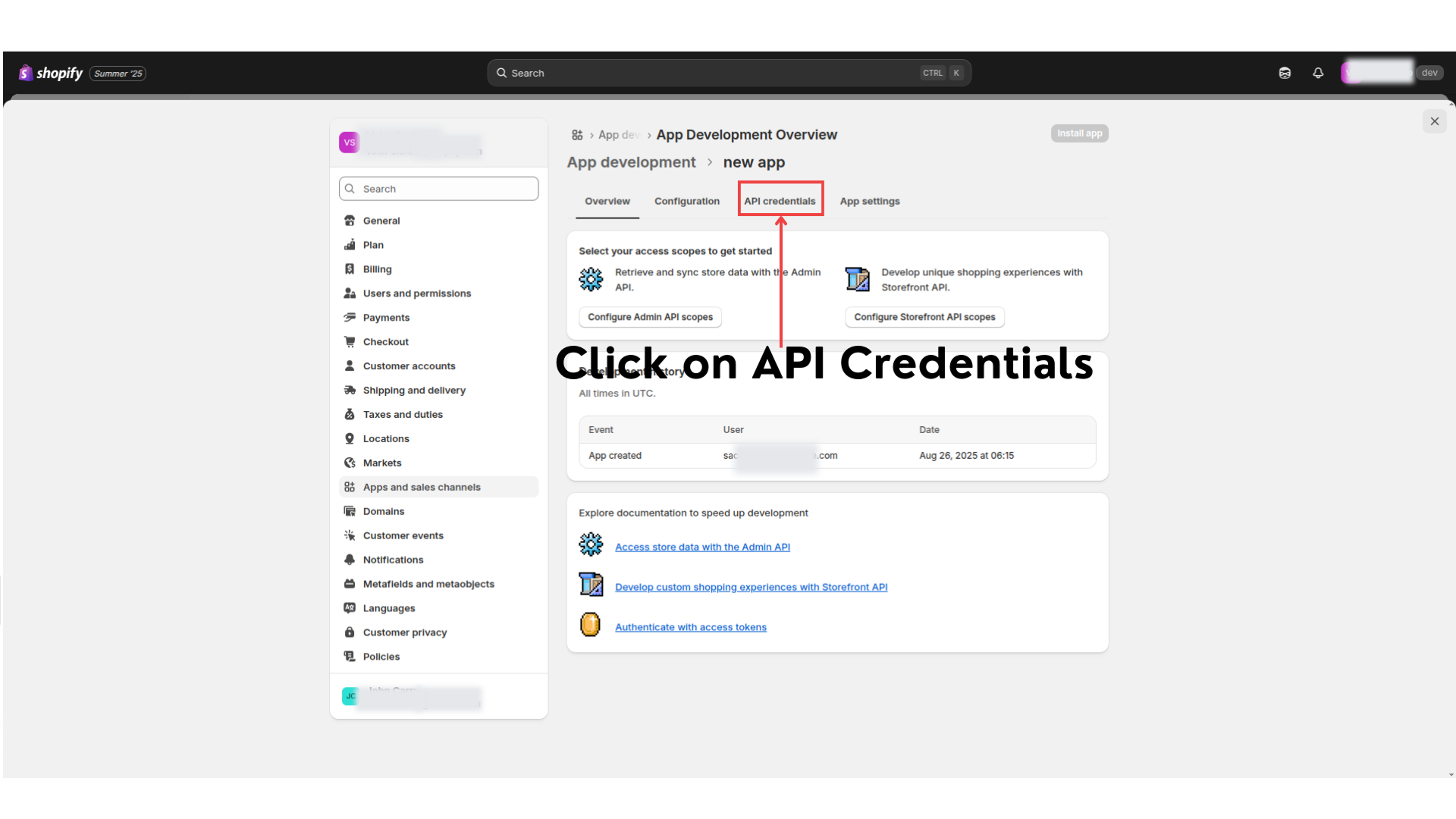
Step 11: Now switch to API credentials tab.
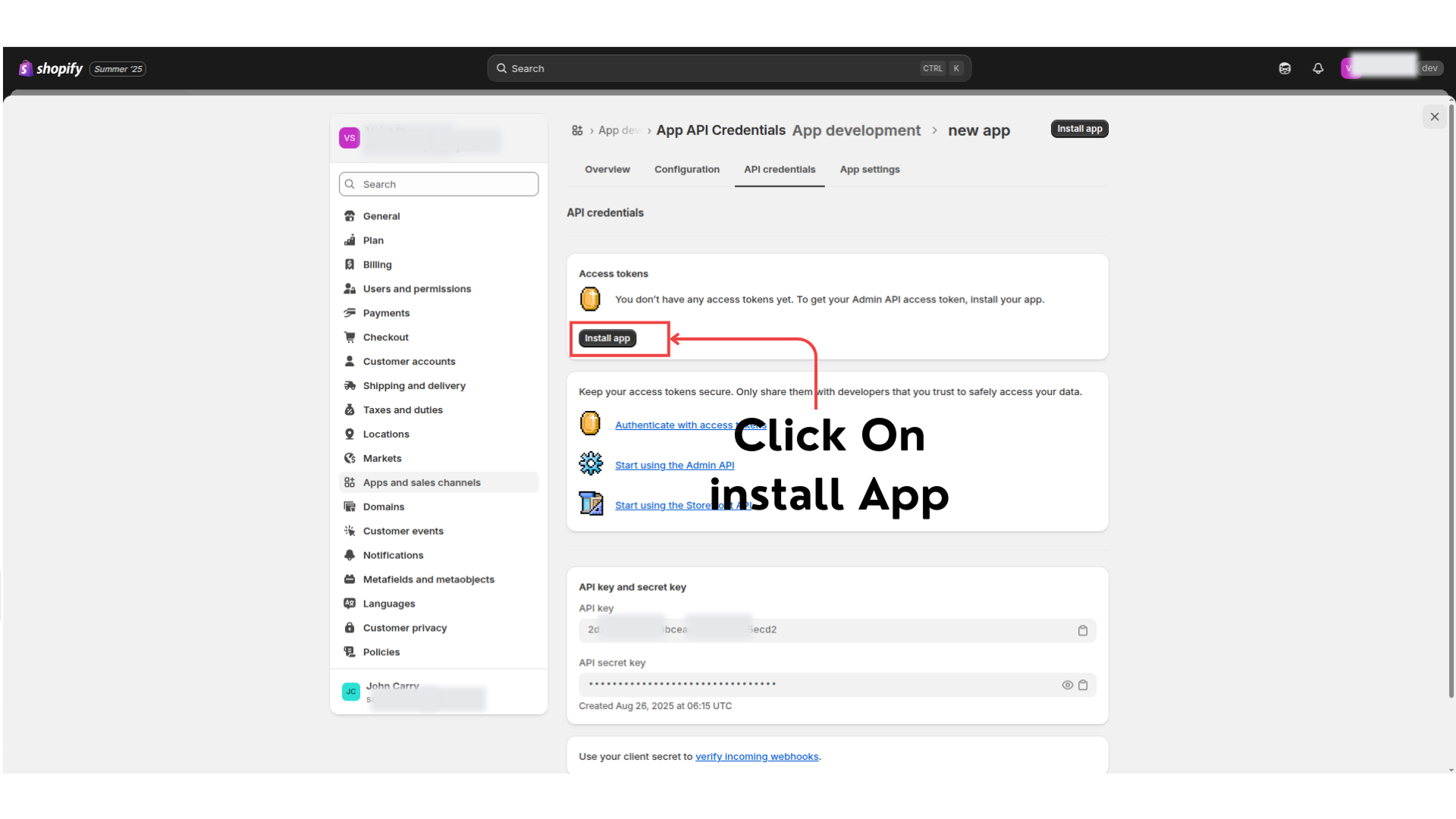
Step 12: Click on Install app.
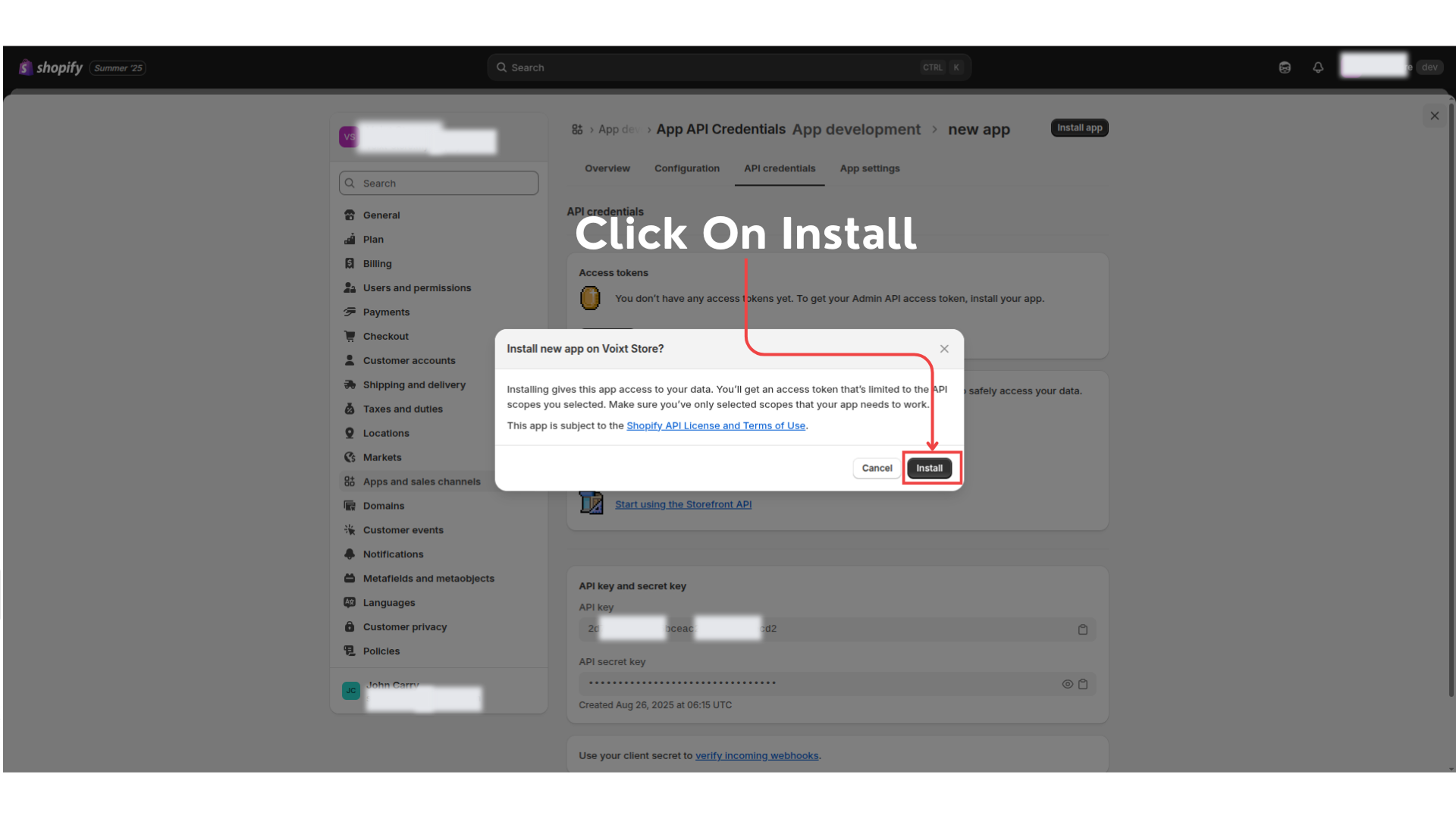
Step 13: Click on install to continue.
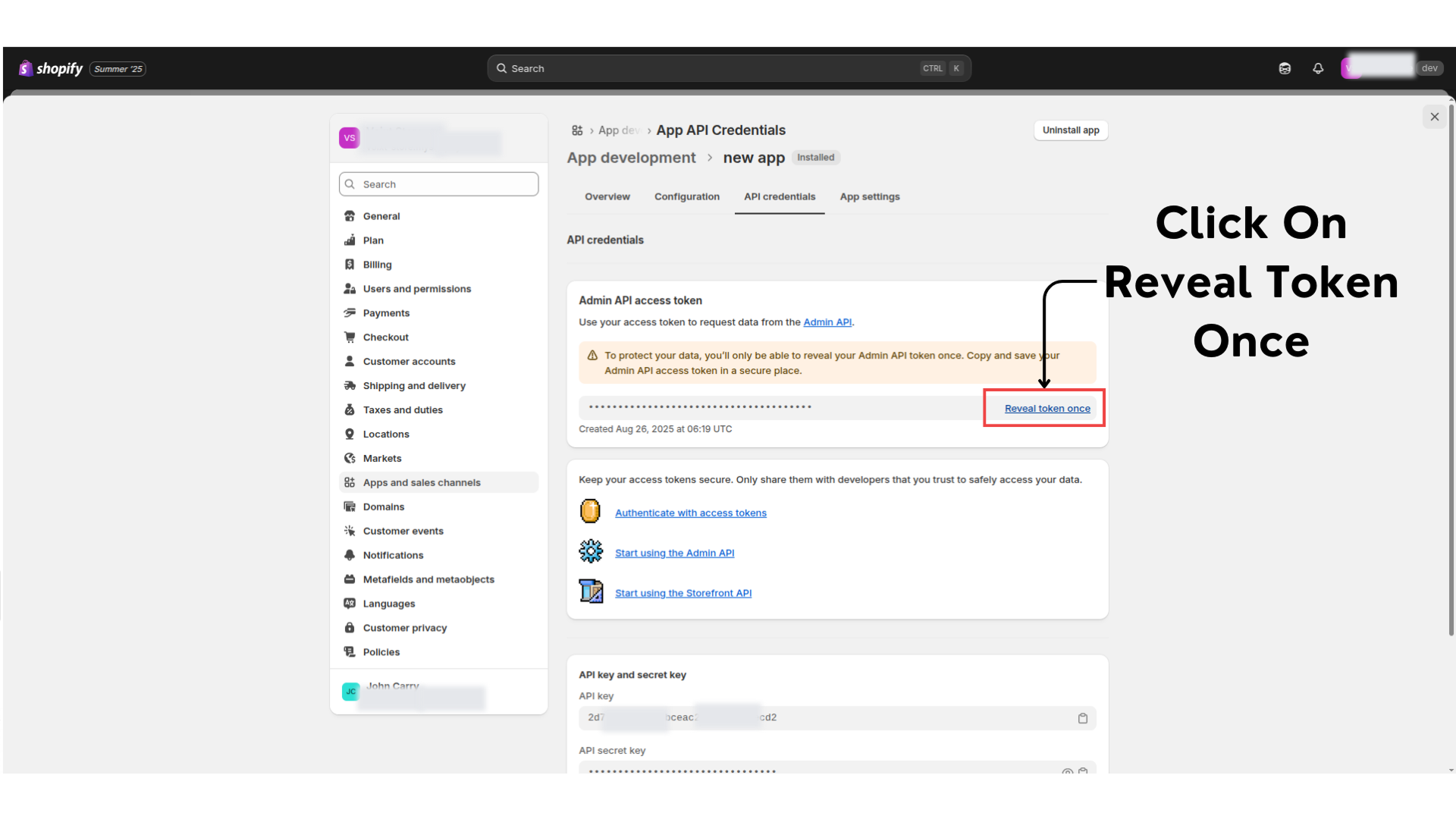
Step 14: After installing you get the below screen click on reveal token to copy.
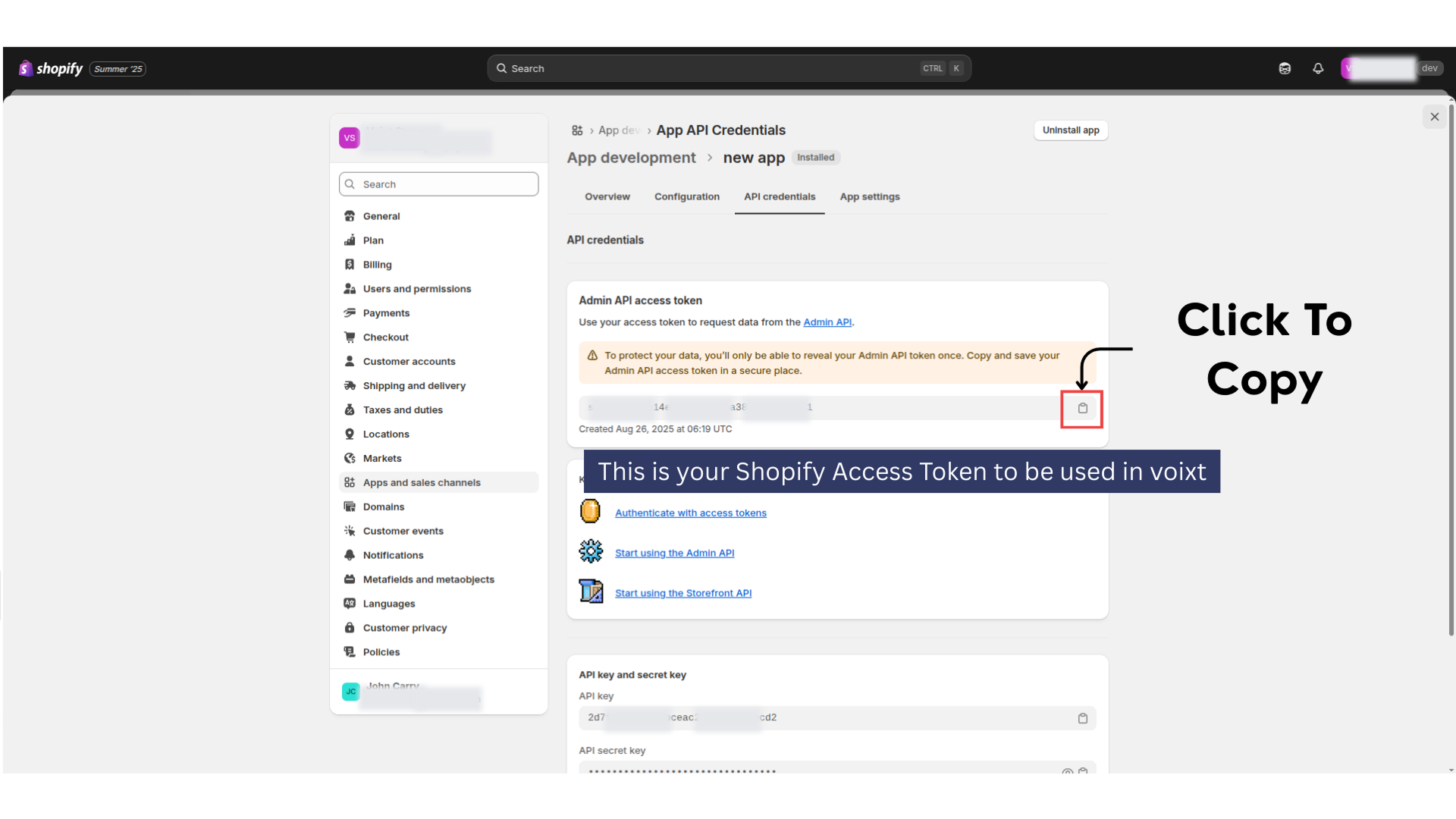
Save this access token which will used for setup shopify in voixt app
With this confiurations and setup we finally get the shopify username and access token with permission of read products so, with this voixt get the product details.
Let's setup now in voixt app to finish the shopify integration.