Delete the Agent
Ths guide Explains how to delete agent from your Voixt Account.
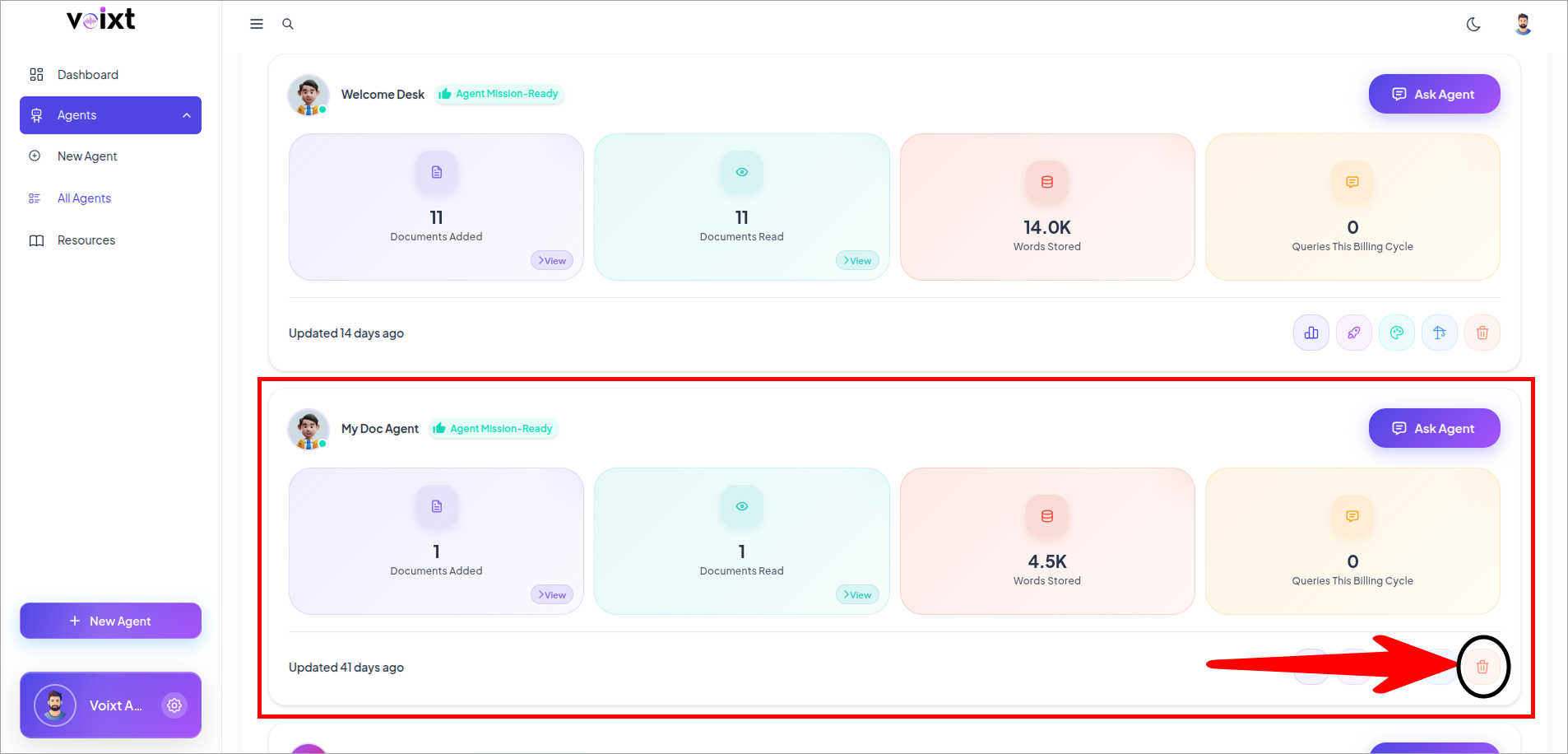
- Find the Agent you want to delete and click on Delete icon button.
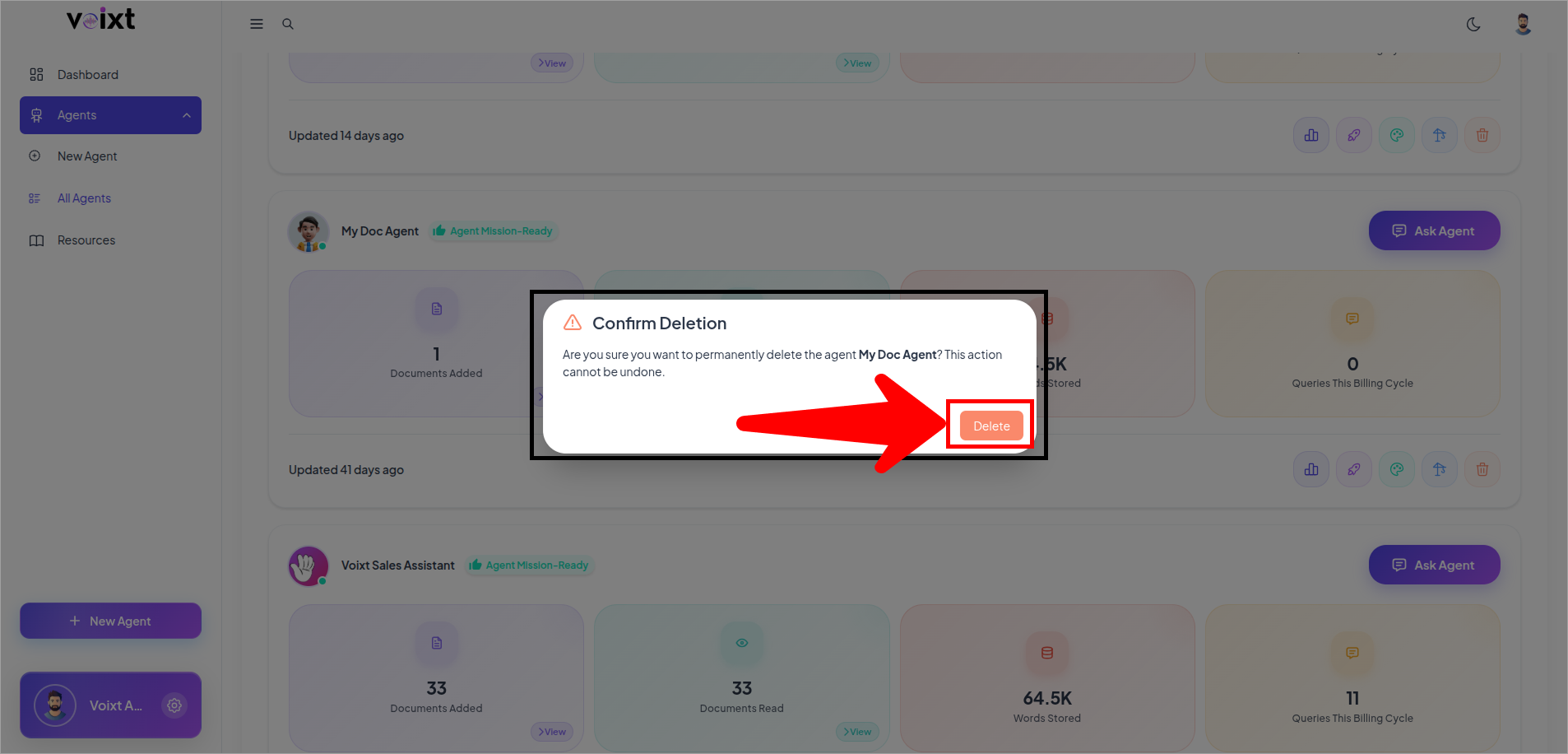
- Read the Dialog box of Confirm Deletion, and Click on Delete button.
Note:
Deleting an Agent is permenant and the action once you confirm cannot be undone.