Access Your Existing Agents
Here is step by step guide shows how you access your voixt agent you created.
- From your Voixt Dashboard Click on All agents from Agents menu in sidebar.
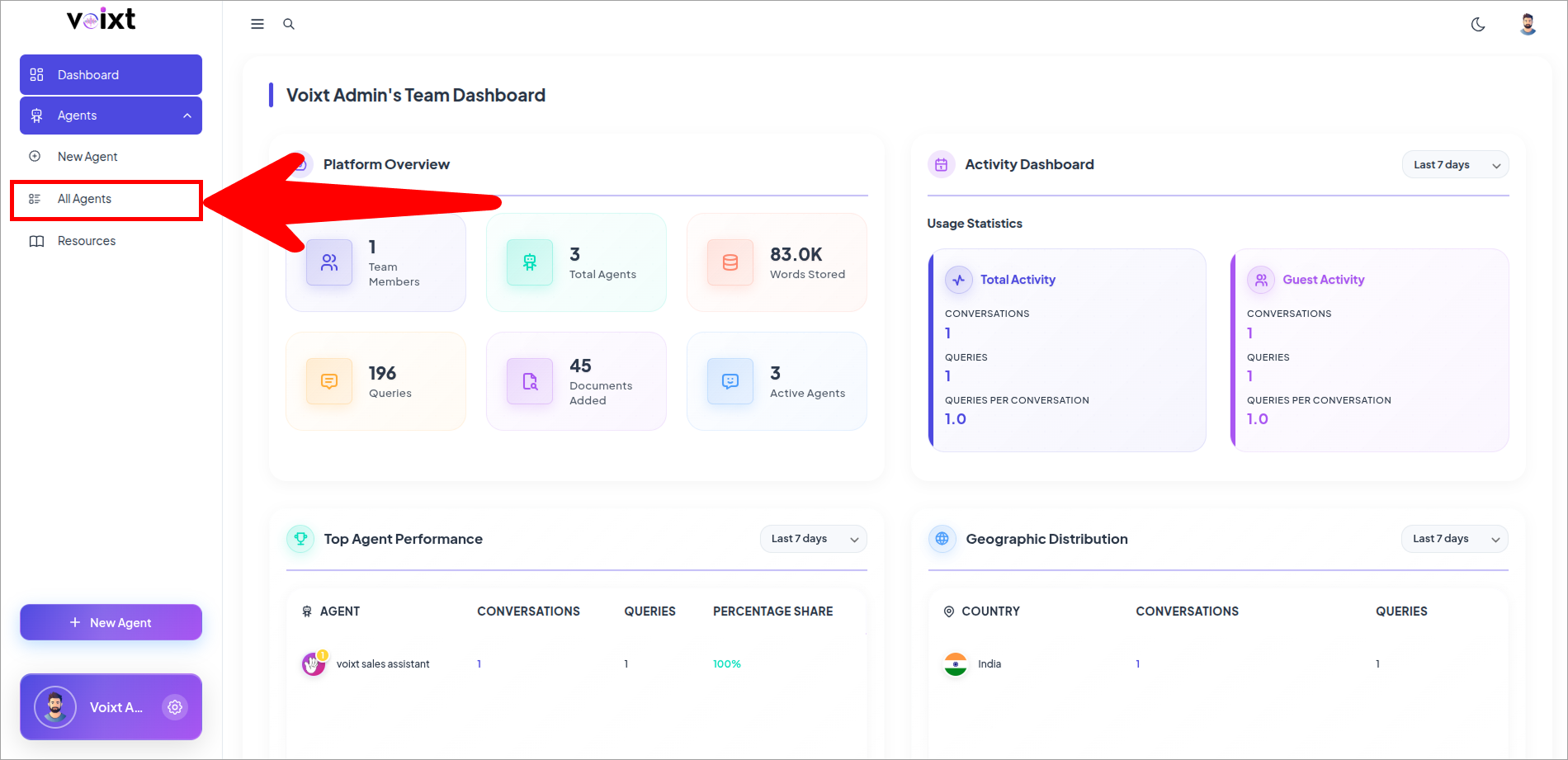
- Review the list of agents you made.
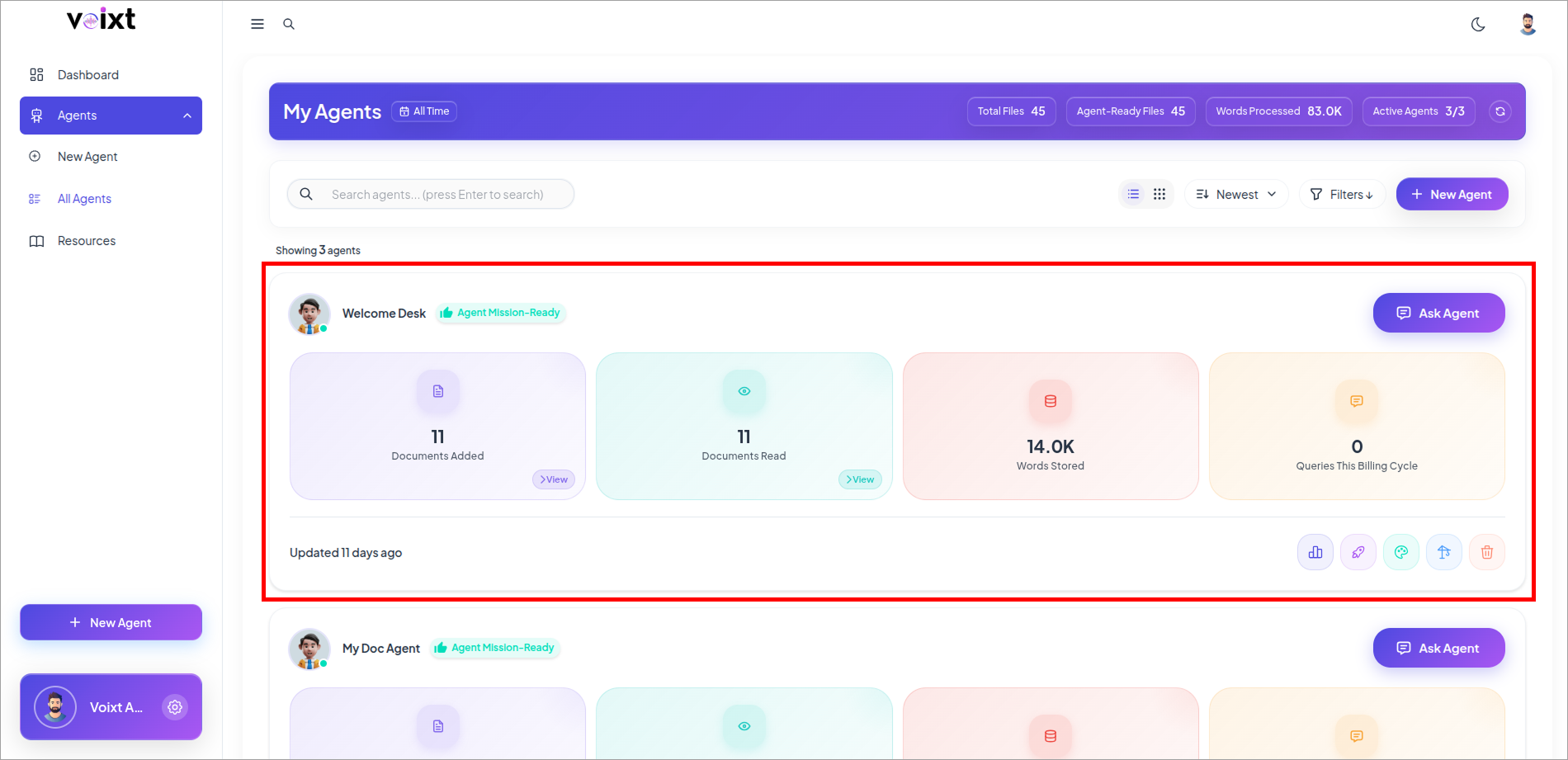
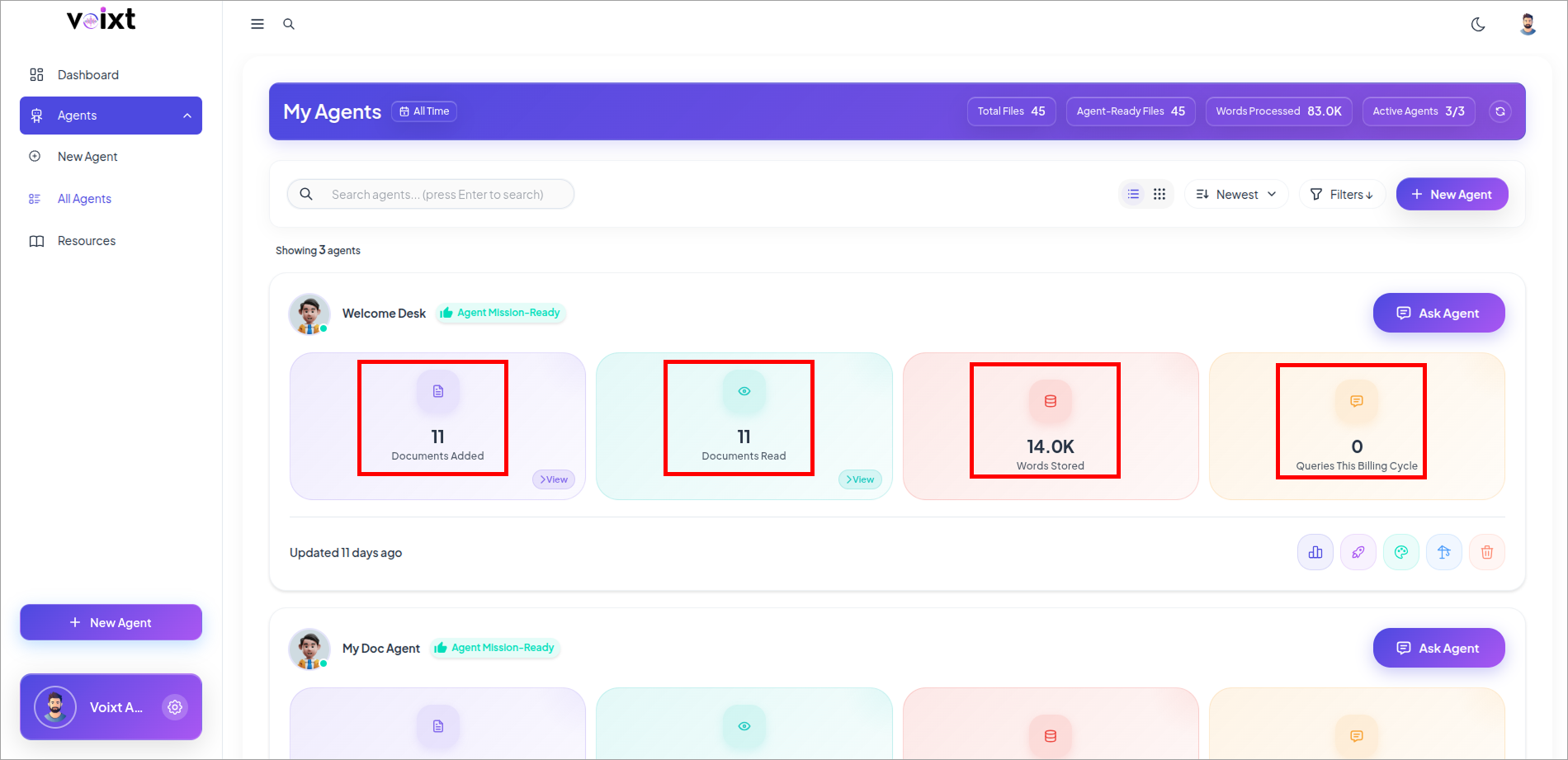
- Here, you can check all the agent related controls
- Documents Added
- Documents Read
- Words Stored
- Queries this month
This are simple steps to access your Agents