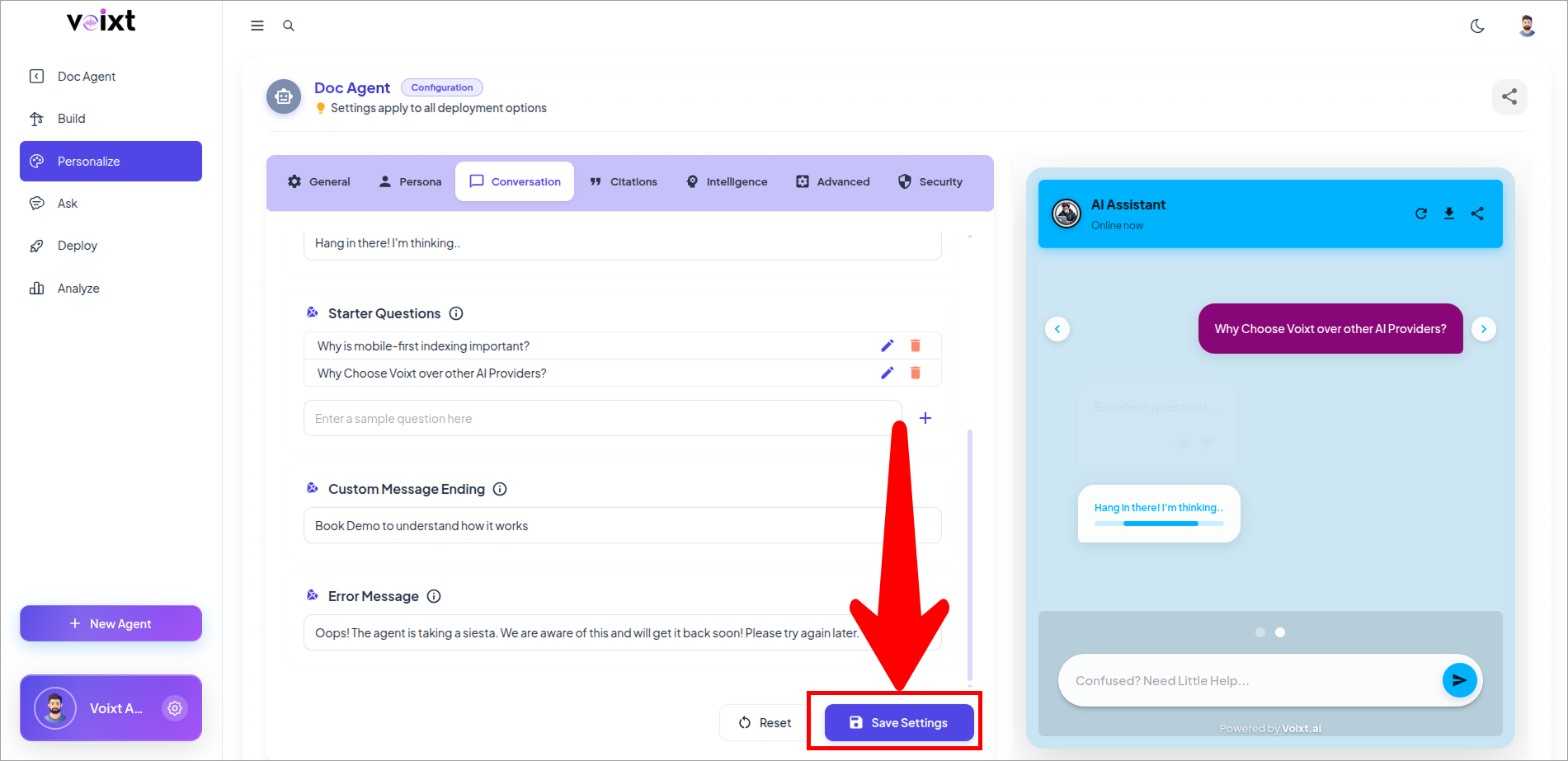
Add a custom message ending to every response
This guide explains how to add a custom message ending to every response generated by your AI Agent.
- In the Agent's Personalization, conversations tab, Check the Custom Message Ending
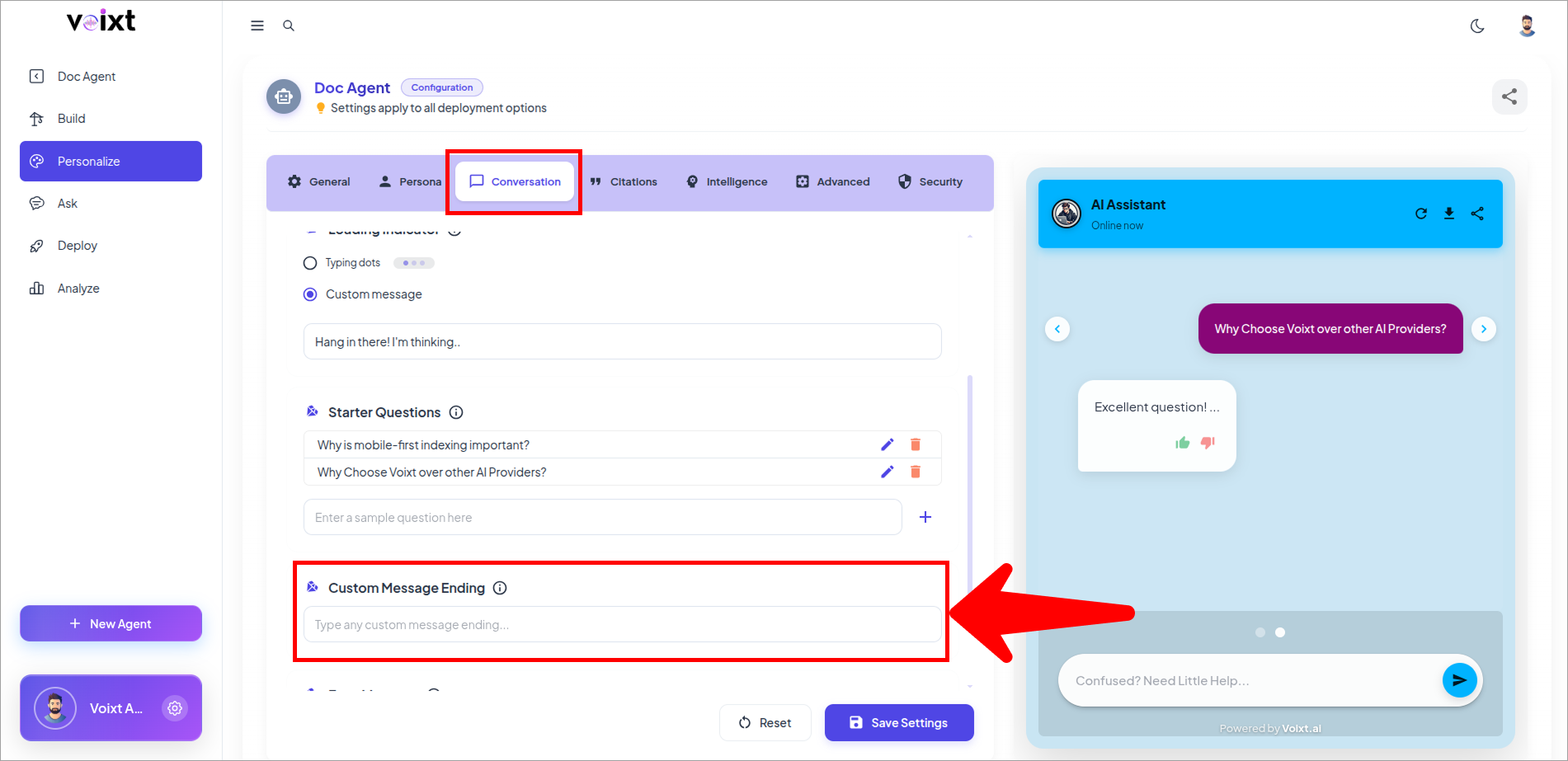
note
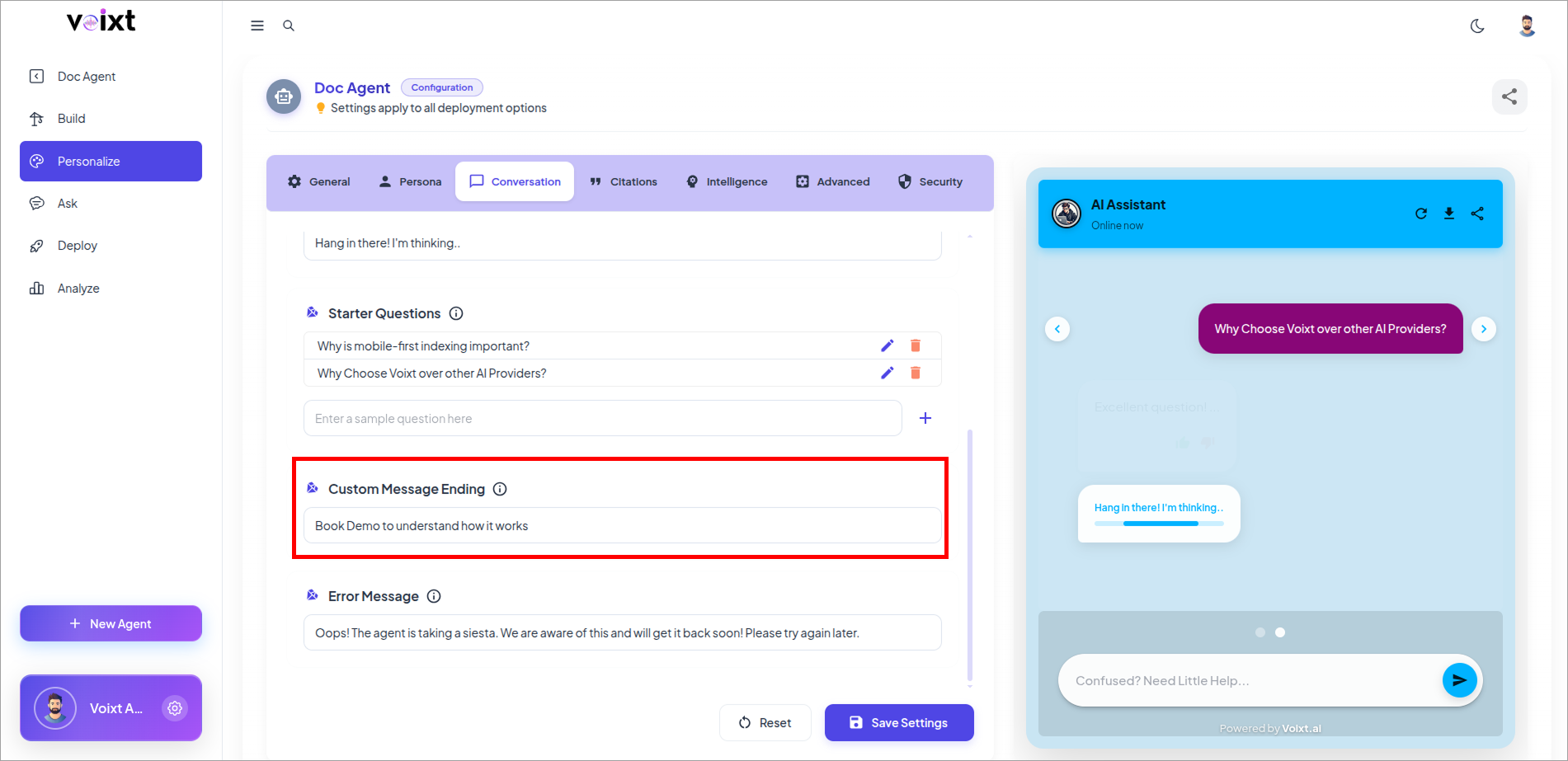
You can instruct the agent to end every response with some text like Book Demo to know further.
- Write a Custom Message ending as you want the agent to give.
- Click on save changes button to save the changes.