Change loading indicator type
This guide explains how to change loading indicator for your agent.
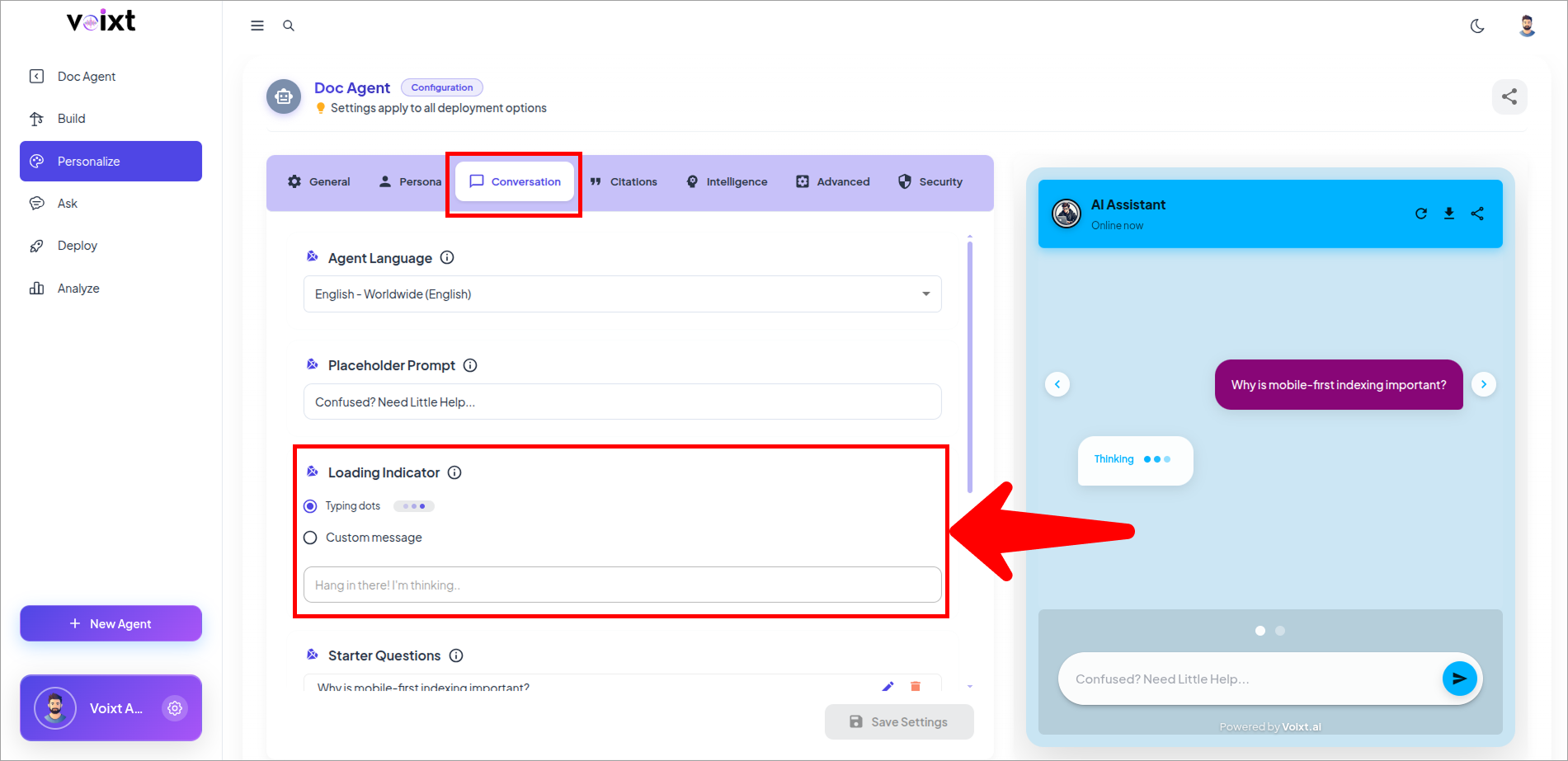
- In the Agent's Personalization, conversations tab, Check the Loading indicator
note
By default loading indicator is set to typing dots
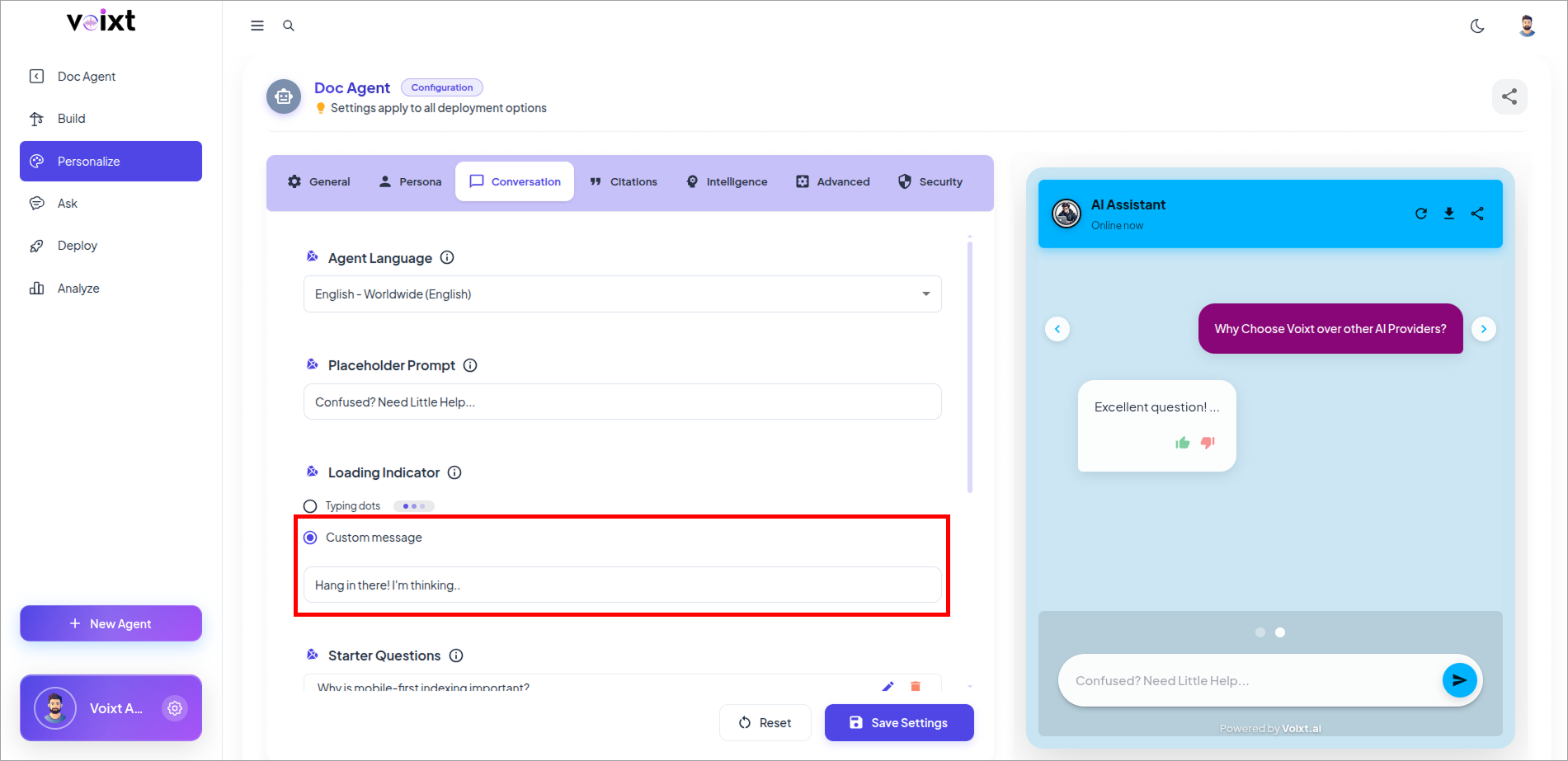
- You can also write a custom message rather that loading dots ...
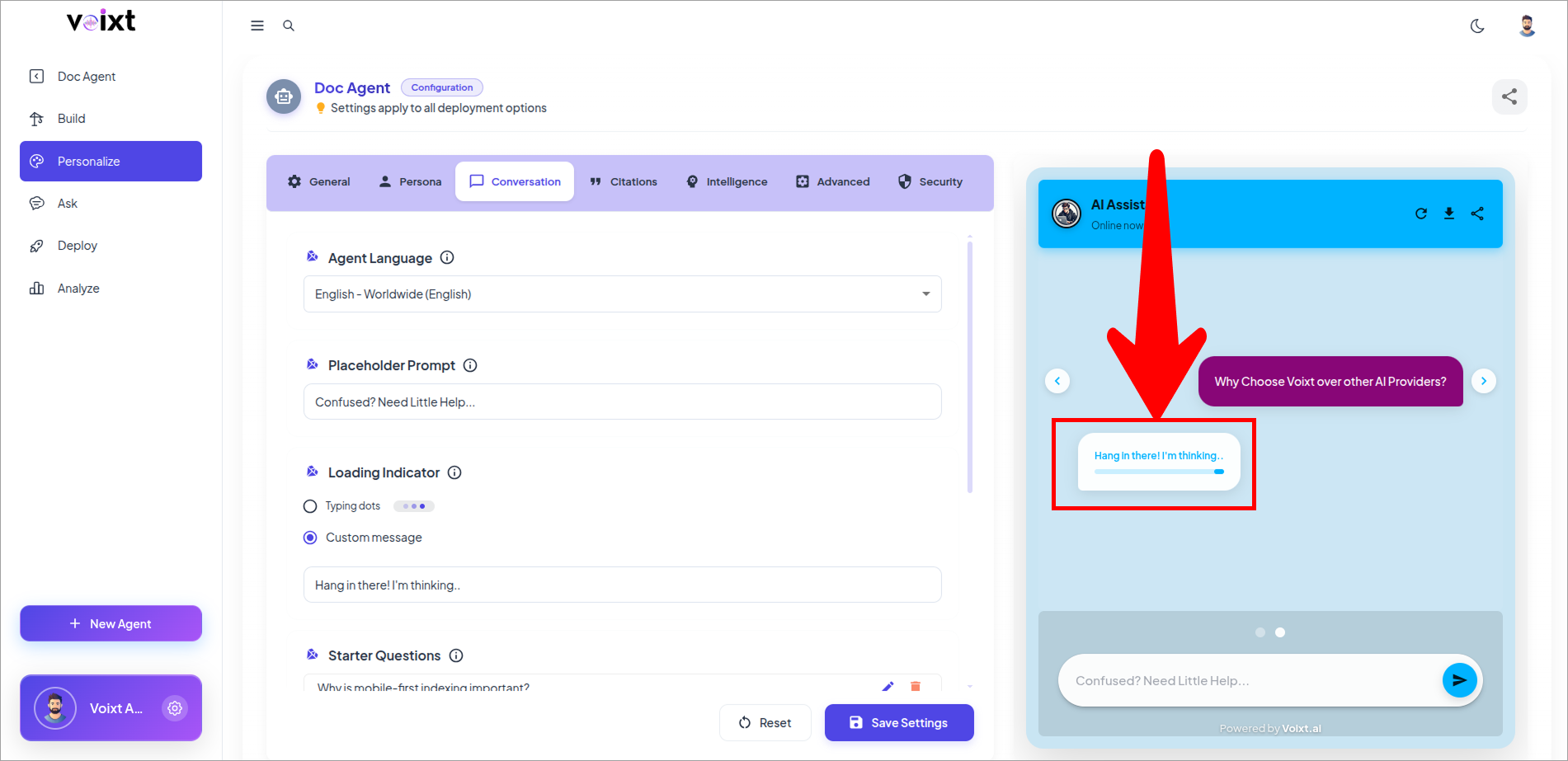
- Verify the changes in preview mode of your agent chat.
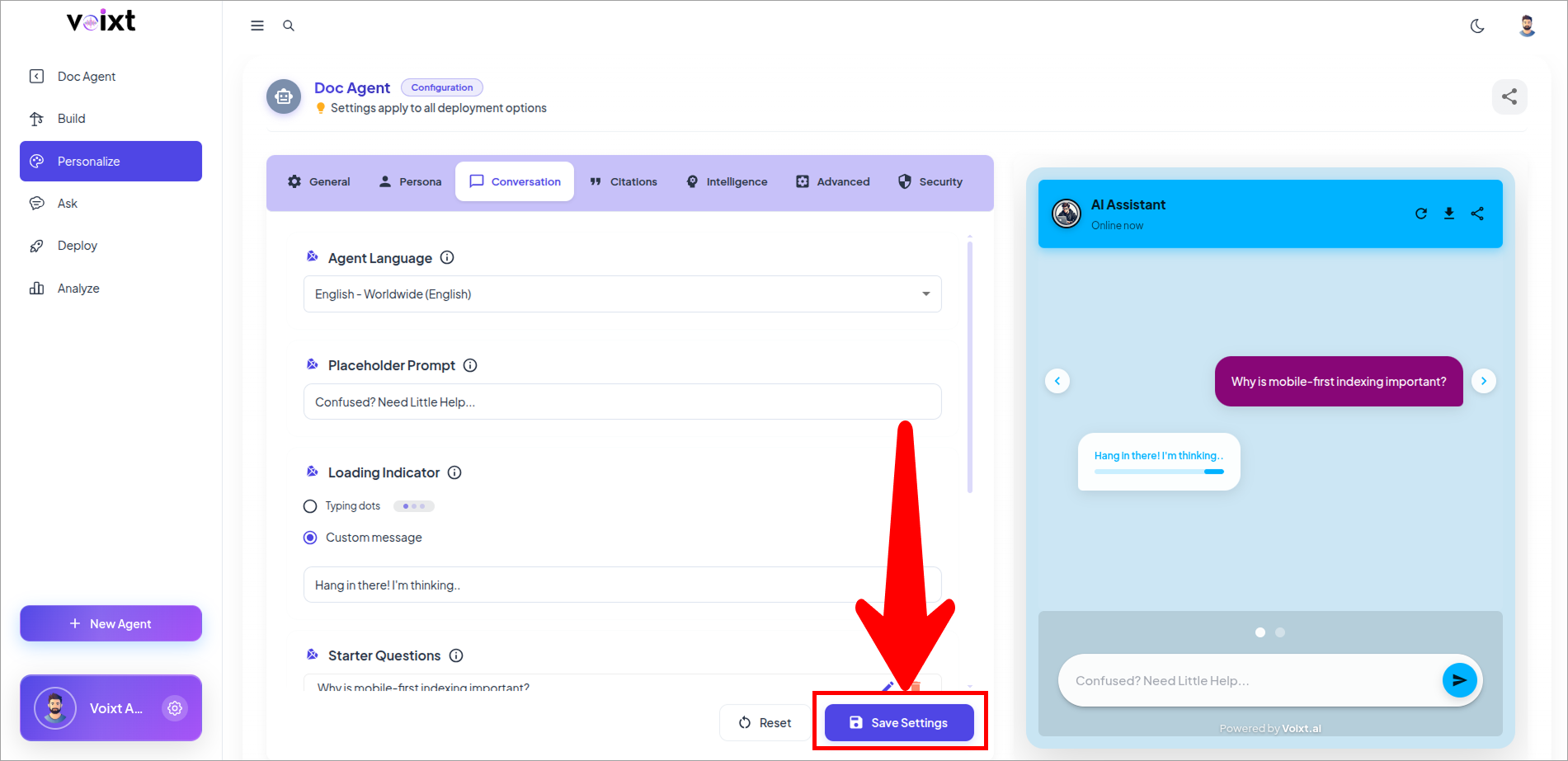
- Click on save changes button to save the changes.