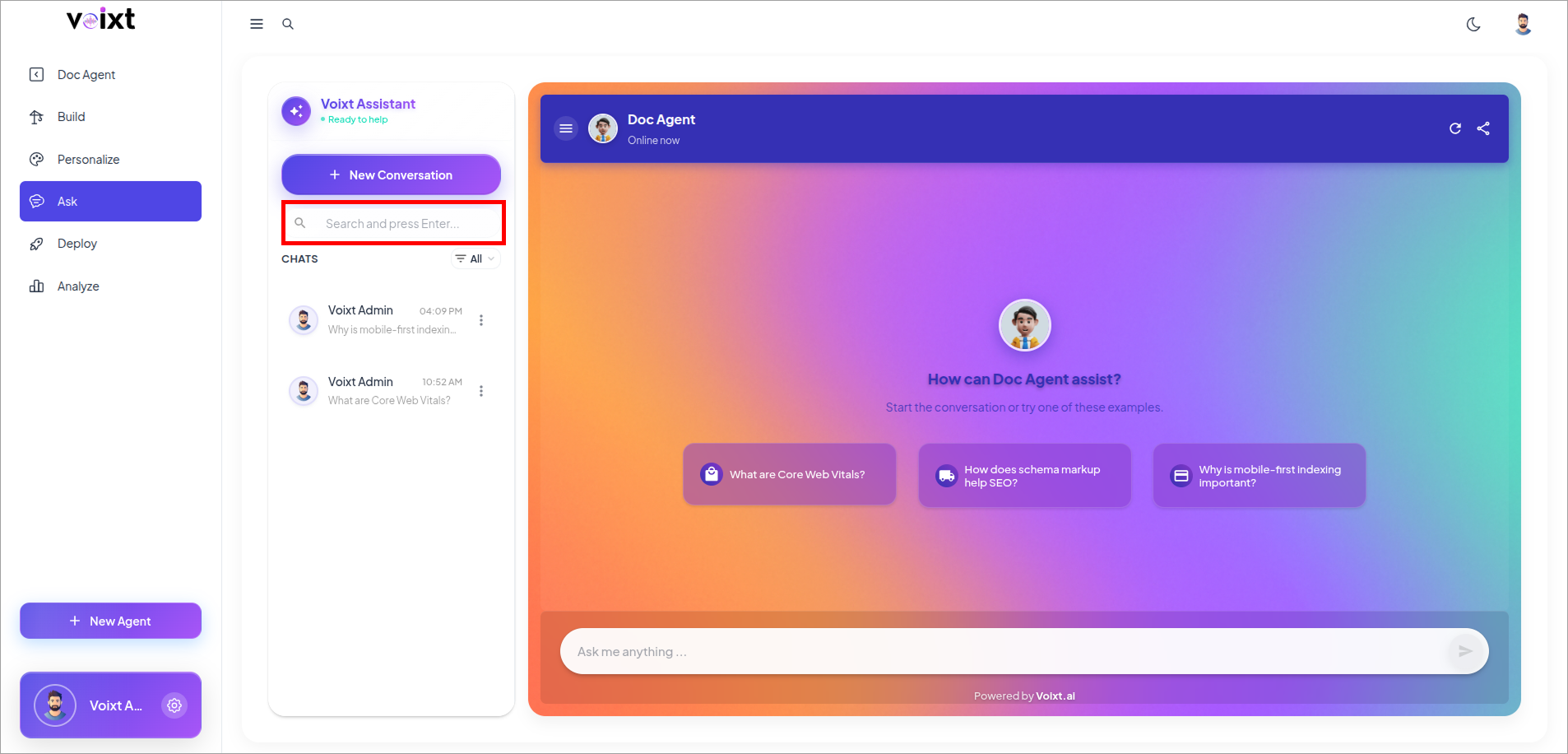
View Conversations
This guide explains you how you can View the Conversations previously done with the Agent.
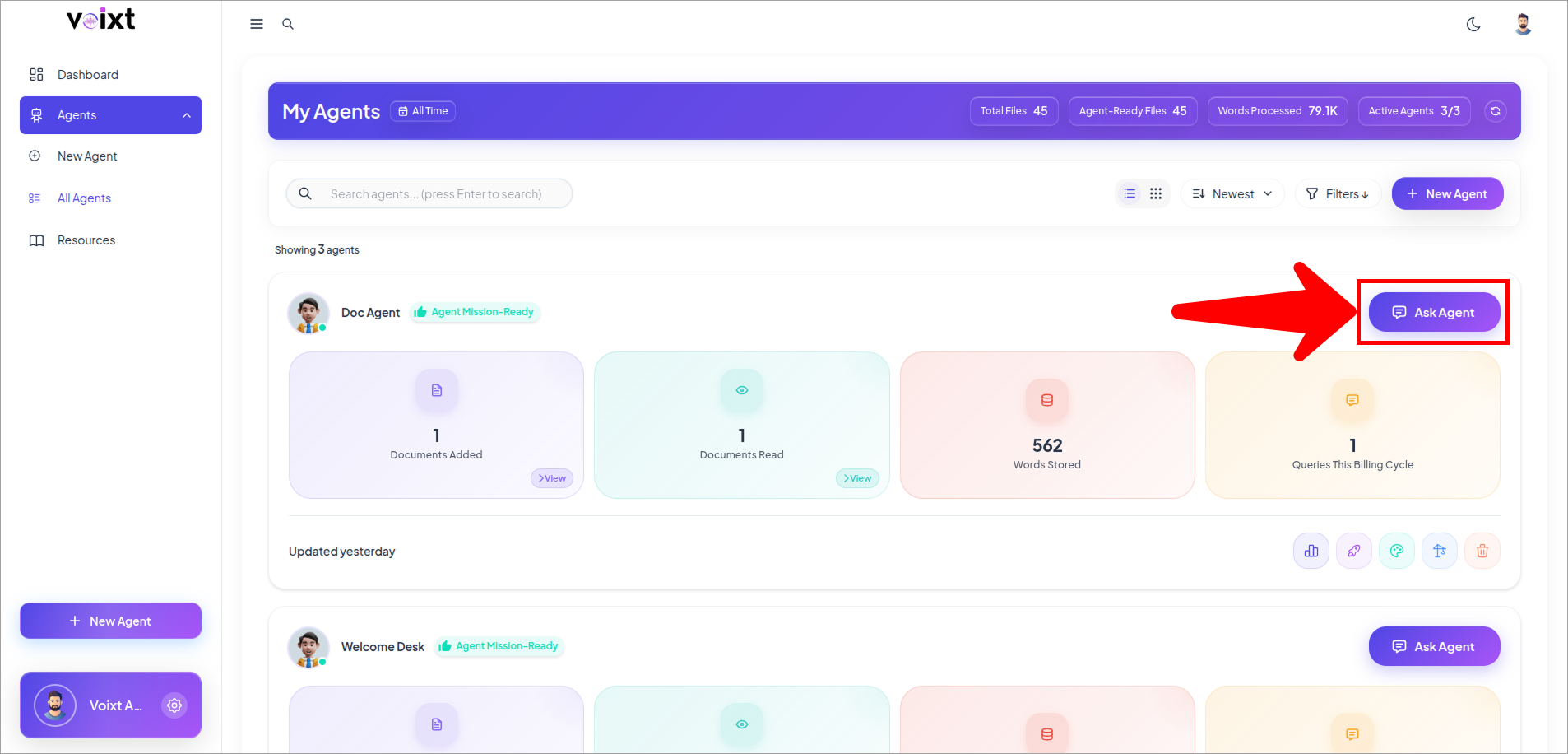
- Click on Ask an agent button
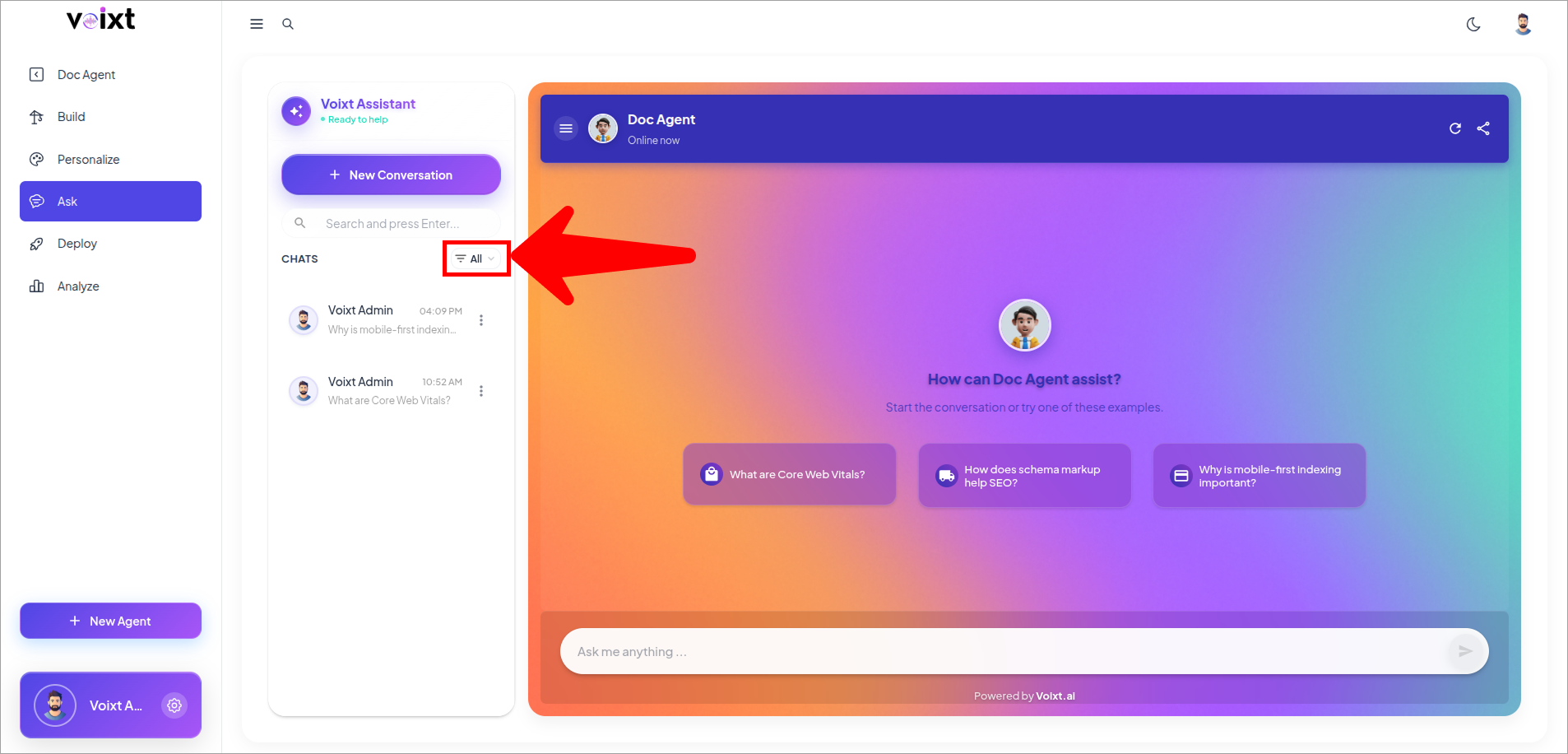
- Click on All button.
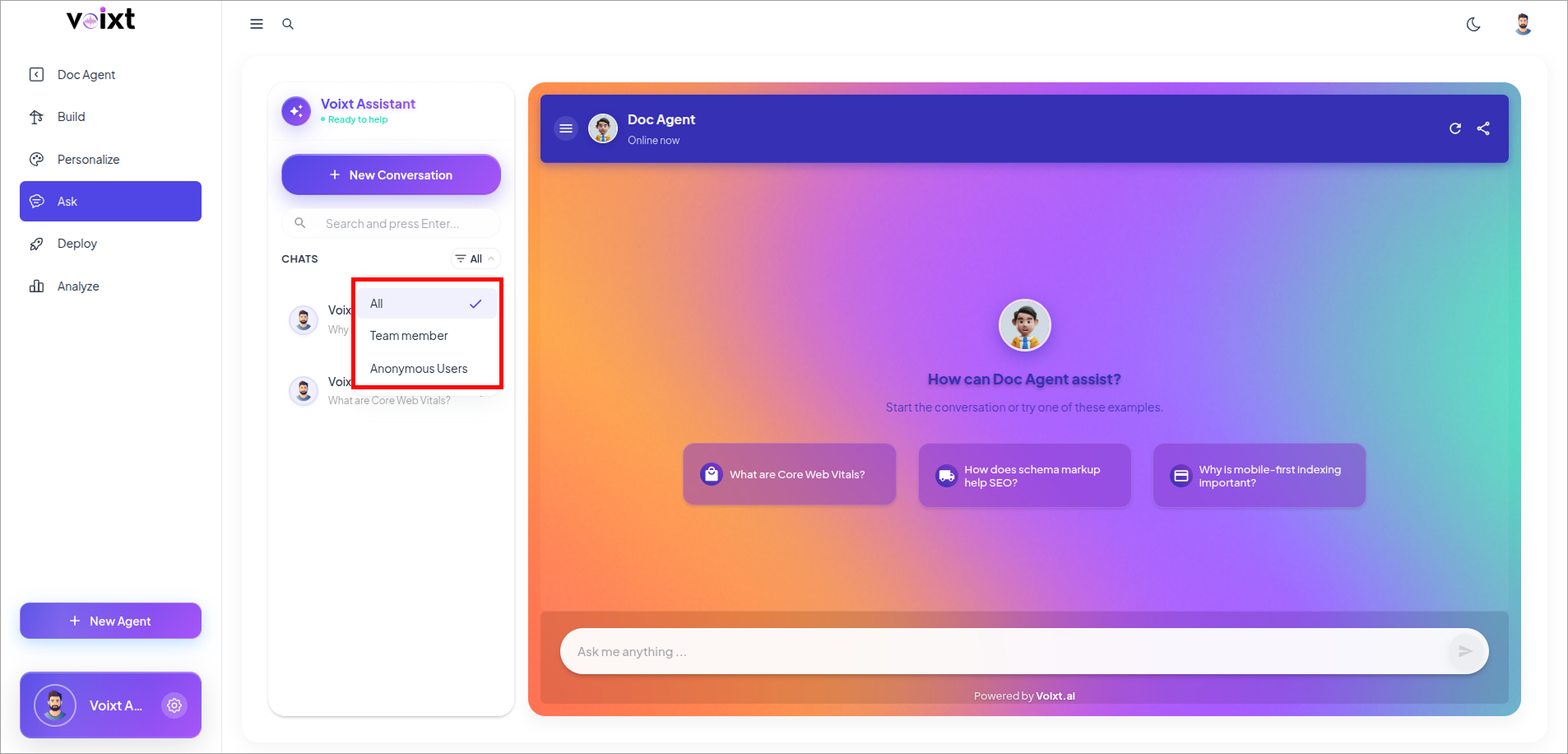
- Select Anonymous User or Team Member. Your conversation list will be filtered to show only the chats you filtered.
note
Conversations you have while logged in are saved to your account and shown here. Any chats from users who aren’t logged in are labeled “Anonymous User.”
- You can also Search conversation from the search bar.