Add Member to your Team
Follow this guide step by step to add member to your team.
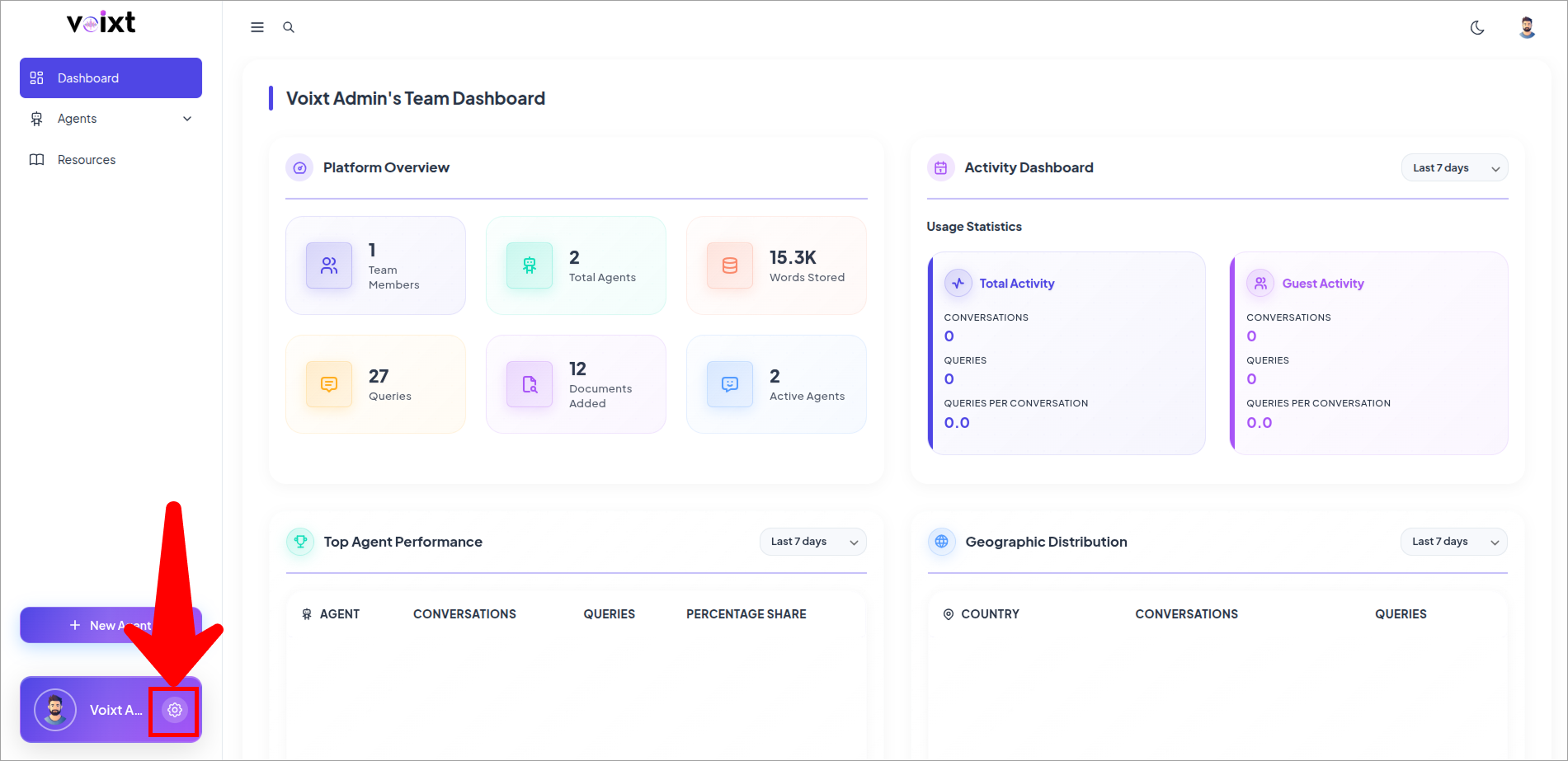
- Click on Setting icon button.
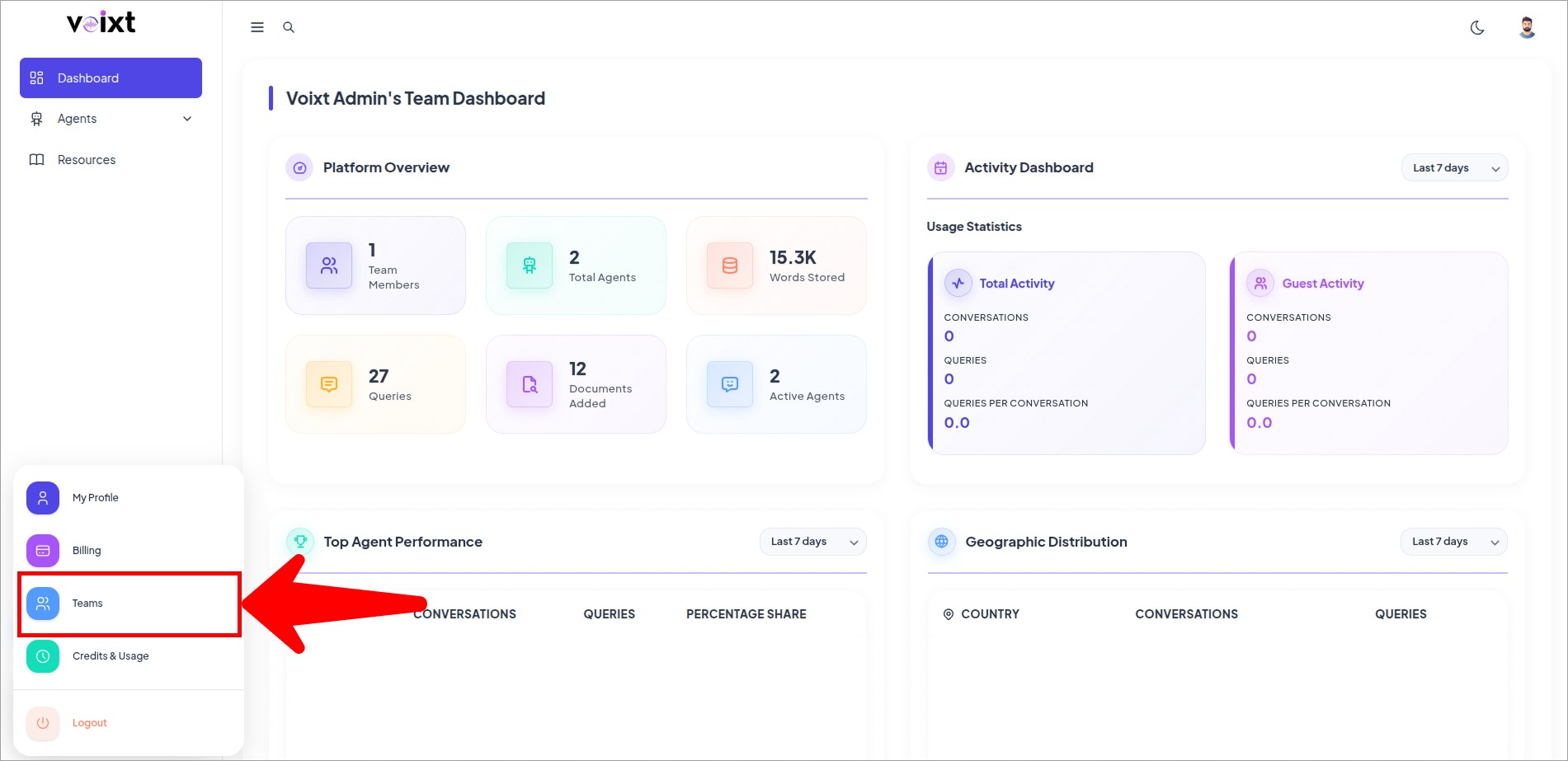
- Click to Teams button to go to the Teams page.
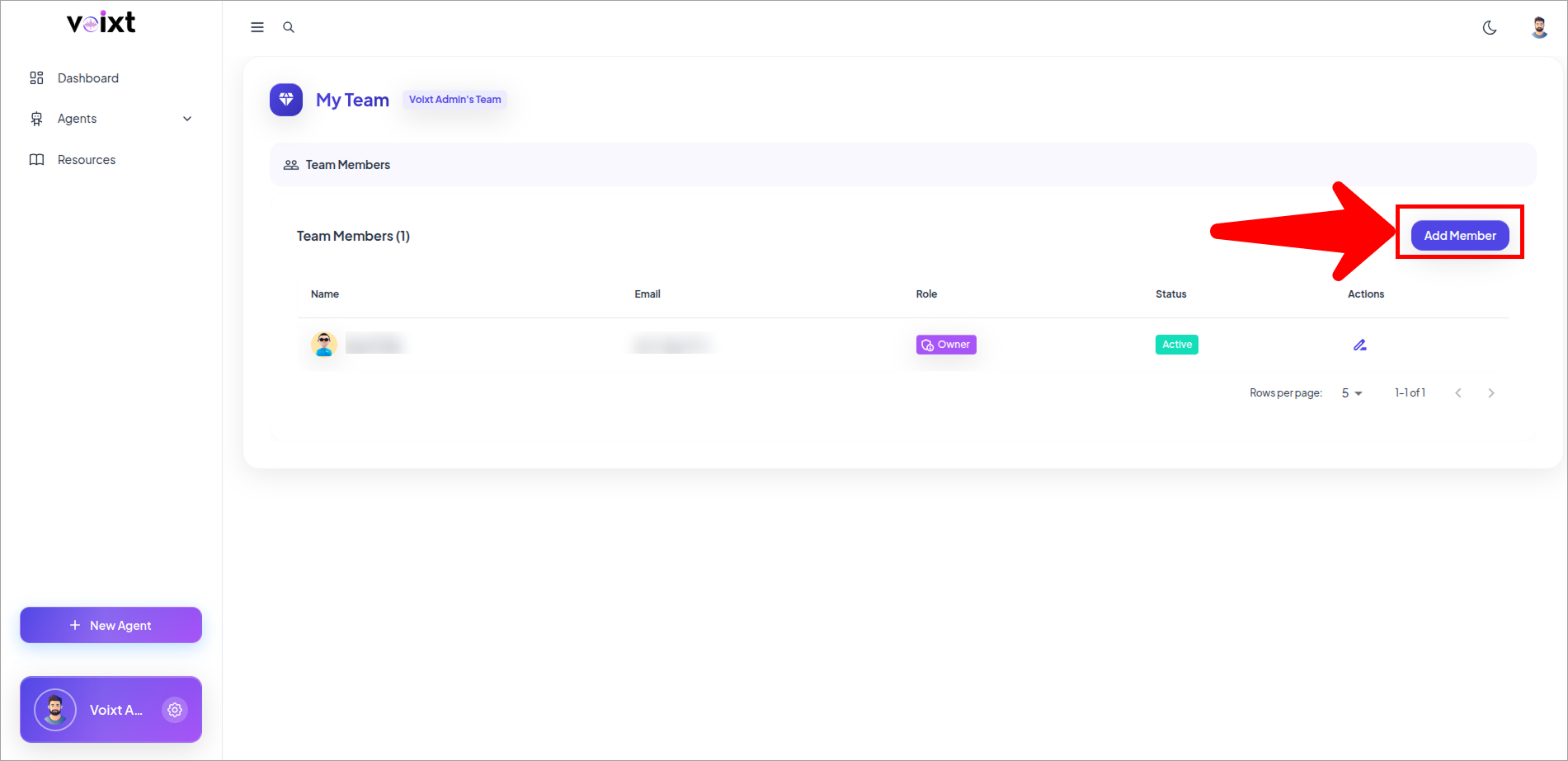
- Click on the Add member to add member to the team.
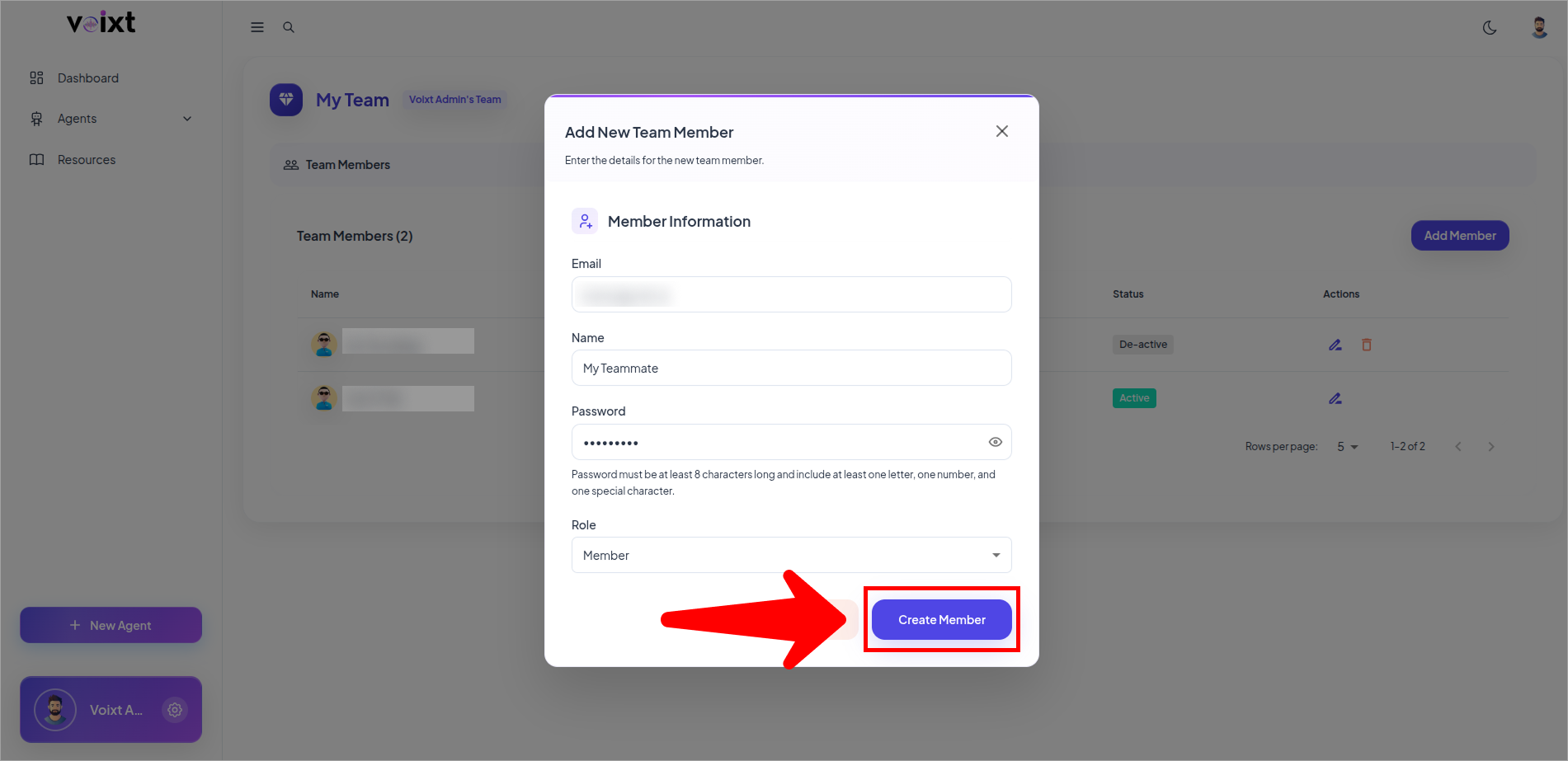
- Fill the relevant fields for adding the member.
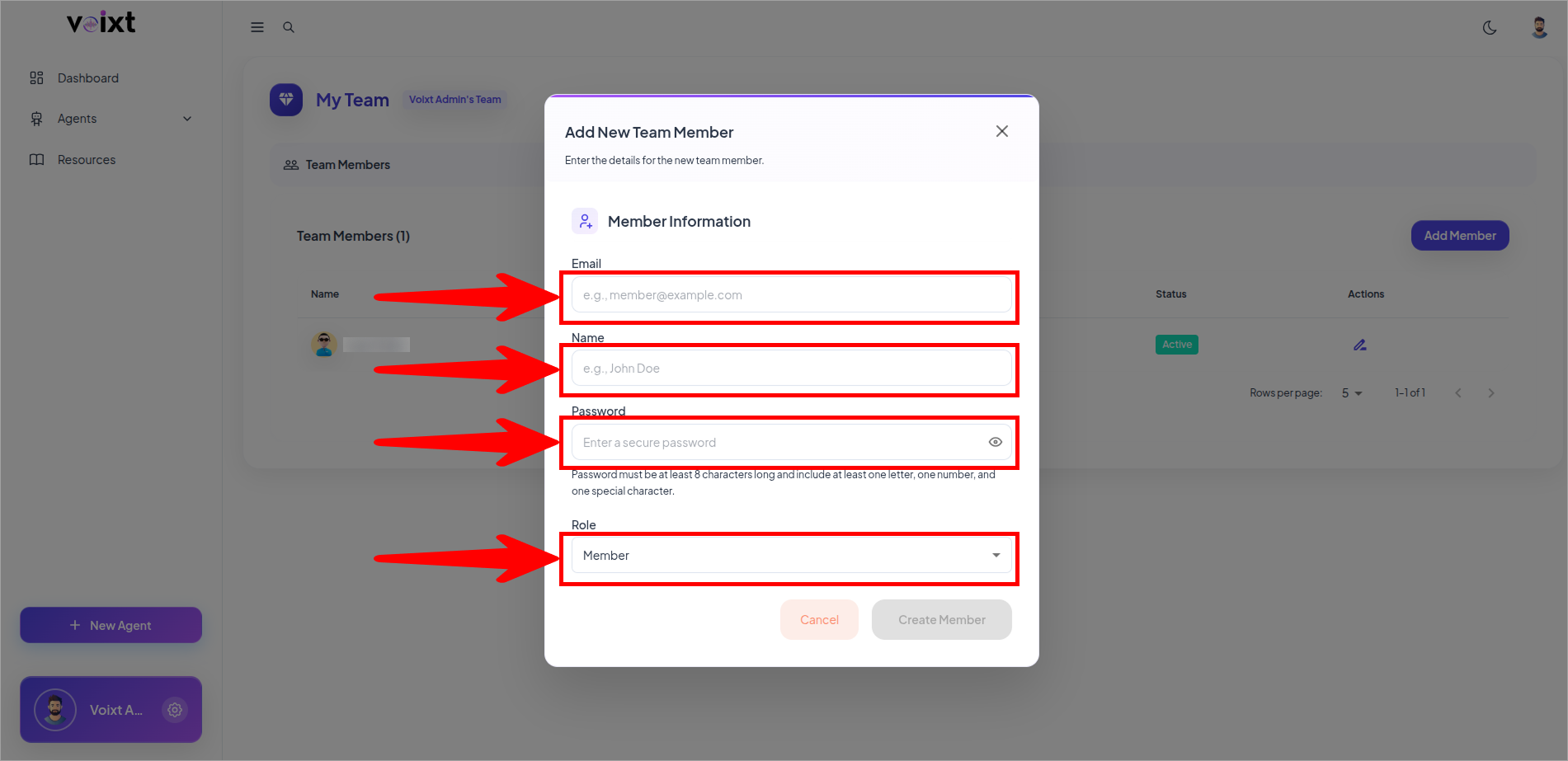
- Click on Create Member to Create an account of the member.
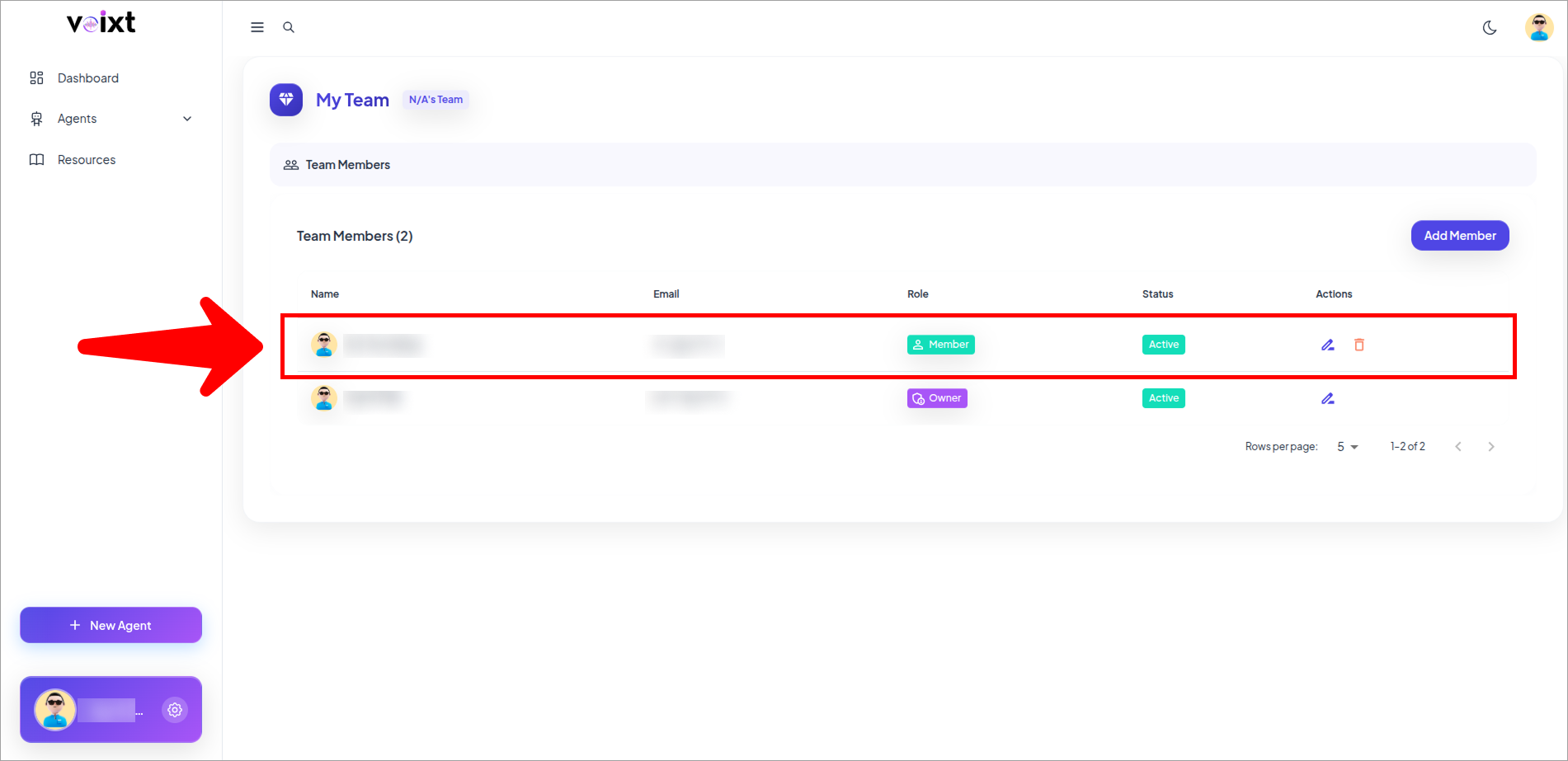
- After Successfully Adding the member appears here.
Login Credentials is sent to the user mail address you eentered.
note
Link to login in valid for few hours so, ask your member to login first.