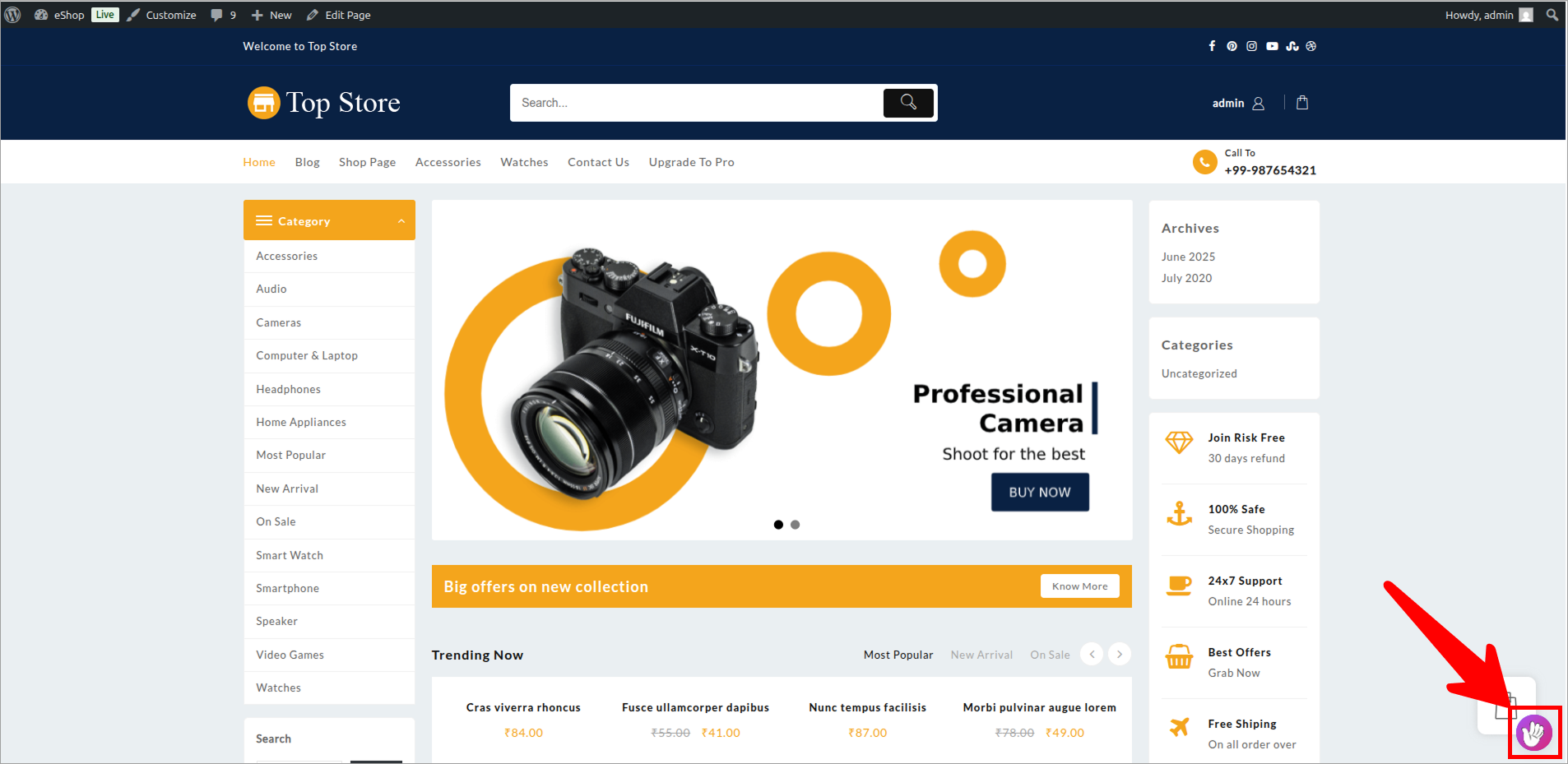
Deploy Voixt on Woocommerce
To deploy your Voixt Woocommerce Agent on your site follow step by step.
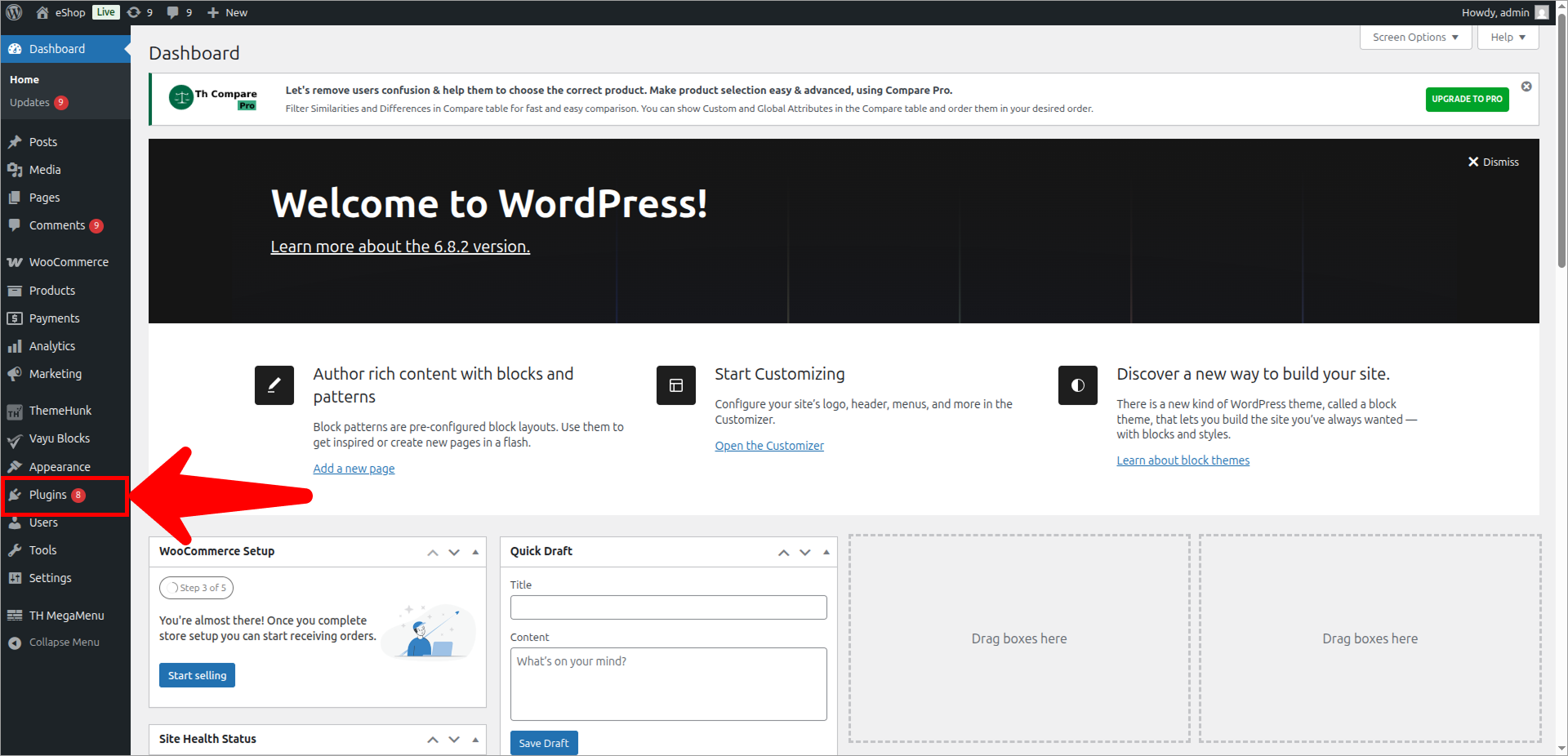
- Go to the Woocommerce Admin panel. Click on Plugins.
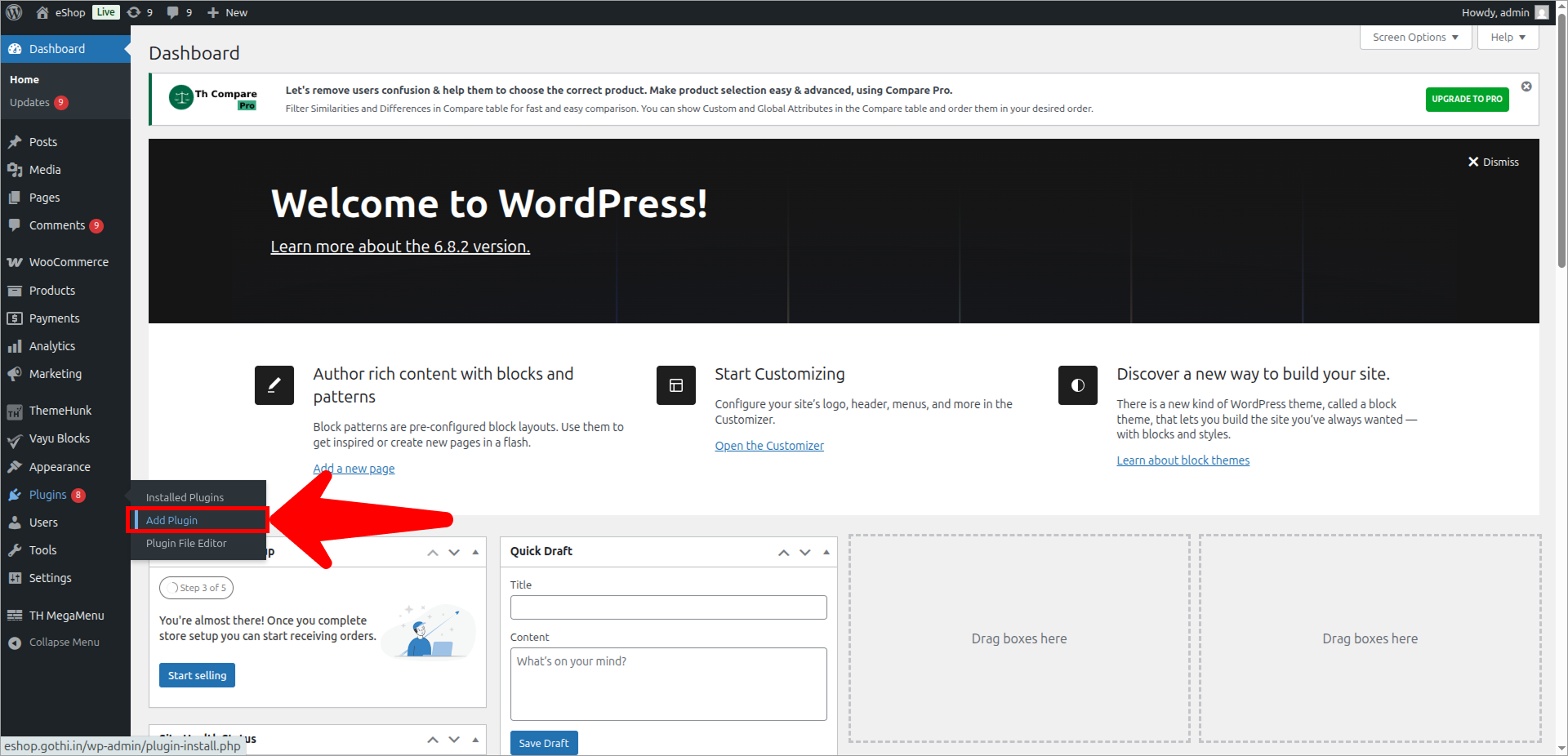
- Click on Add plugins.
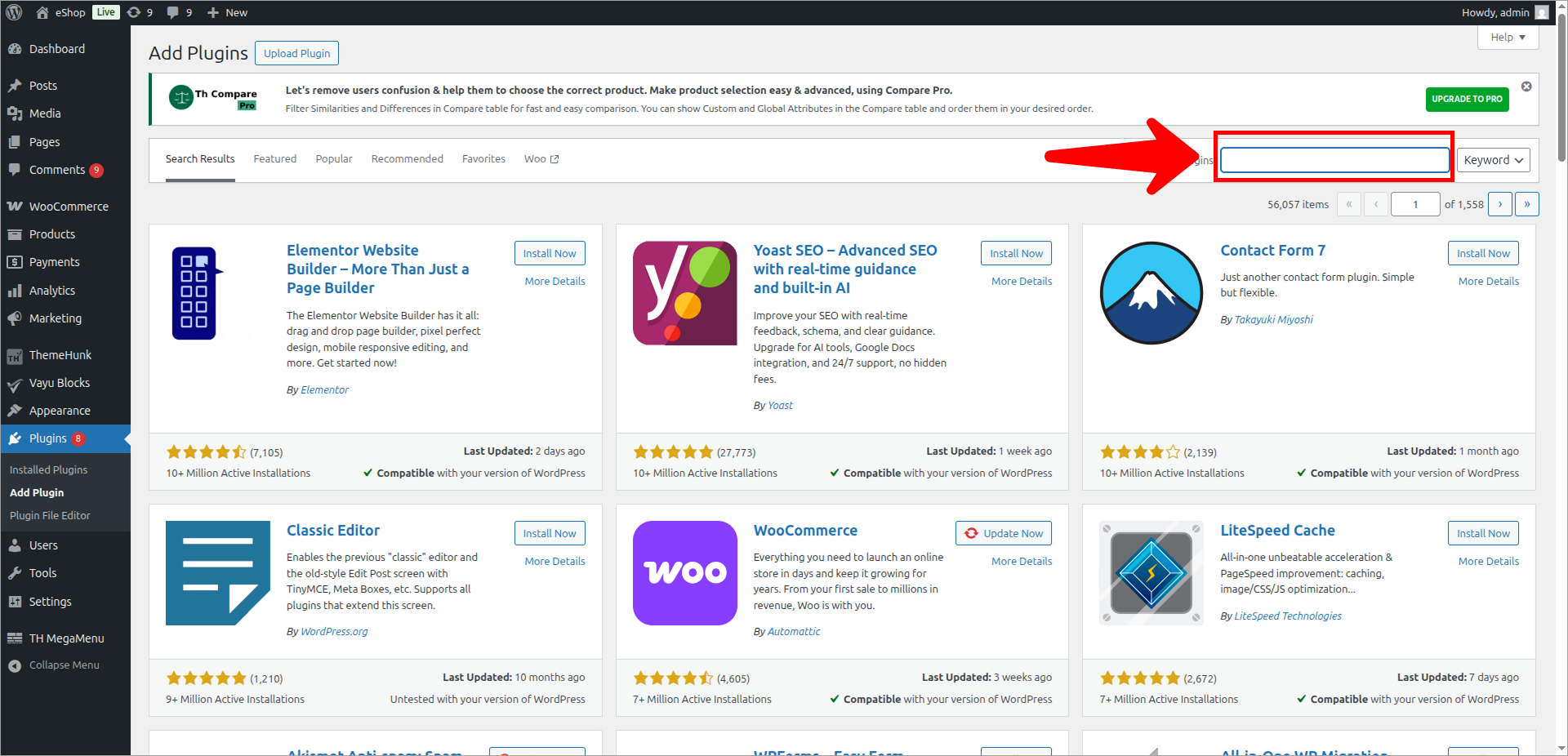
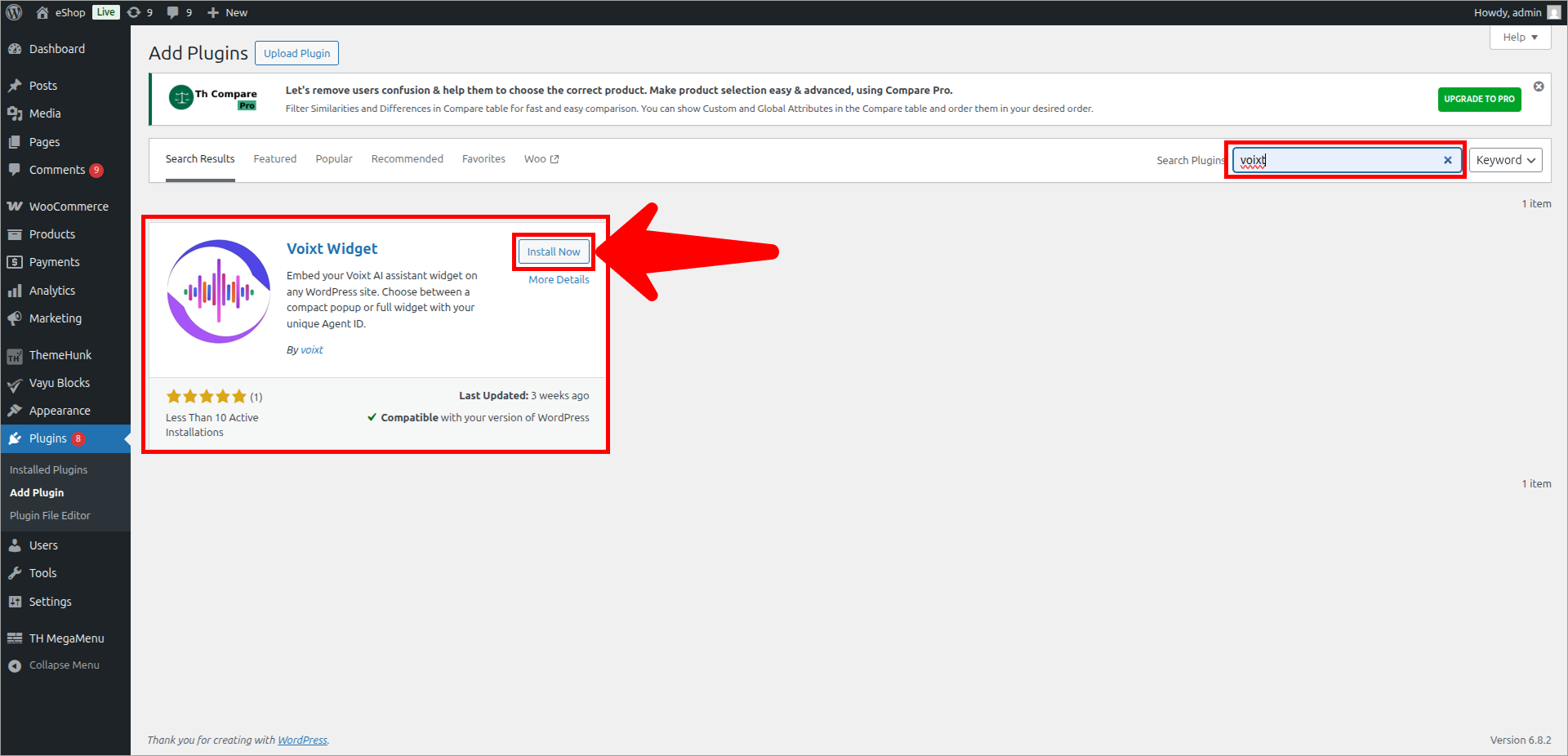
- Check the Search bar and type Voixt and enter to see results.
- Click on Install now.
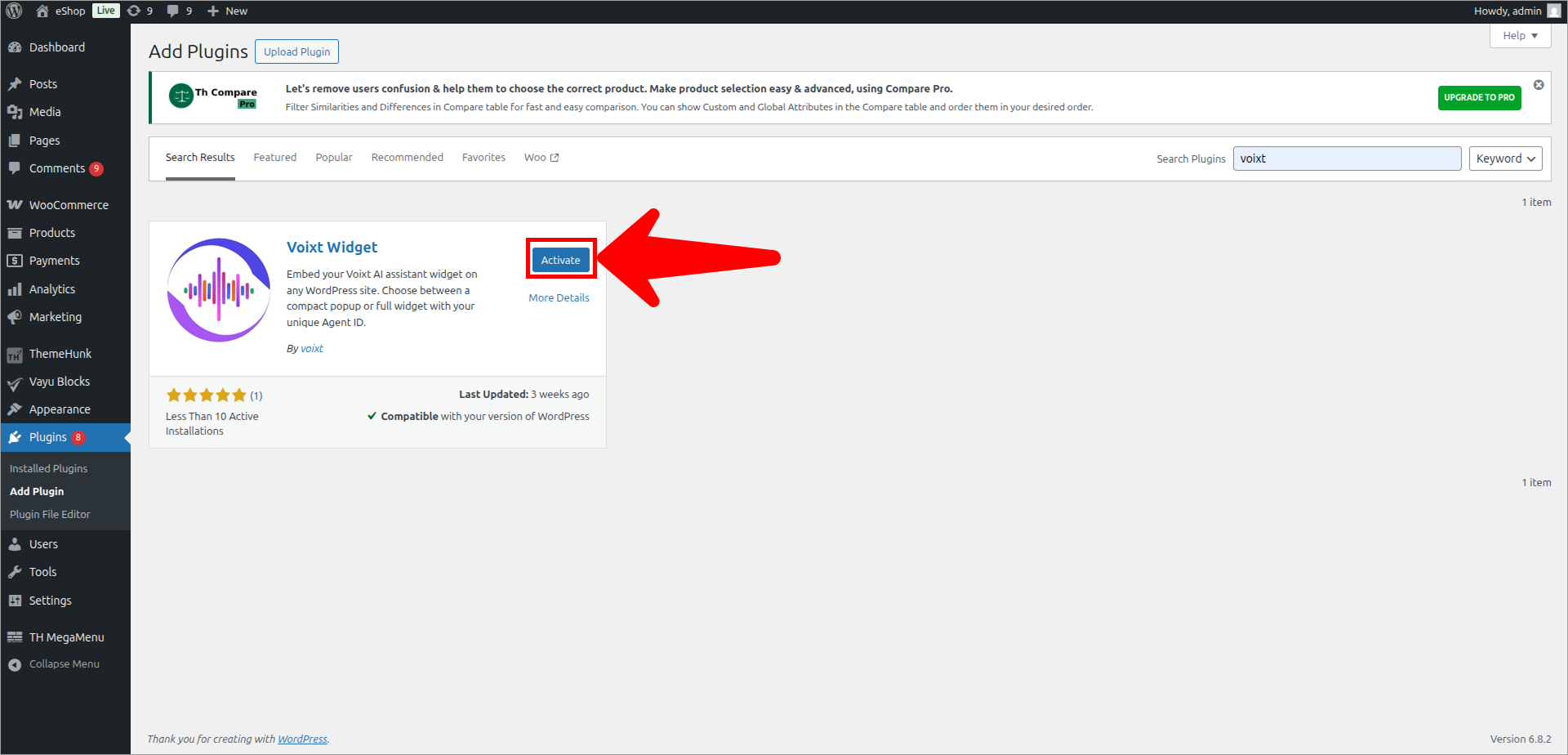
- Click on Activate button.
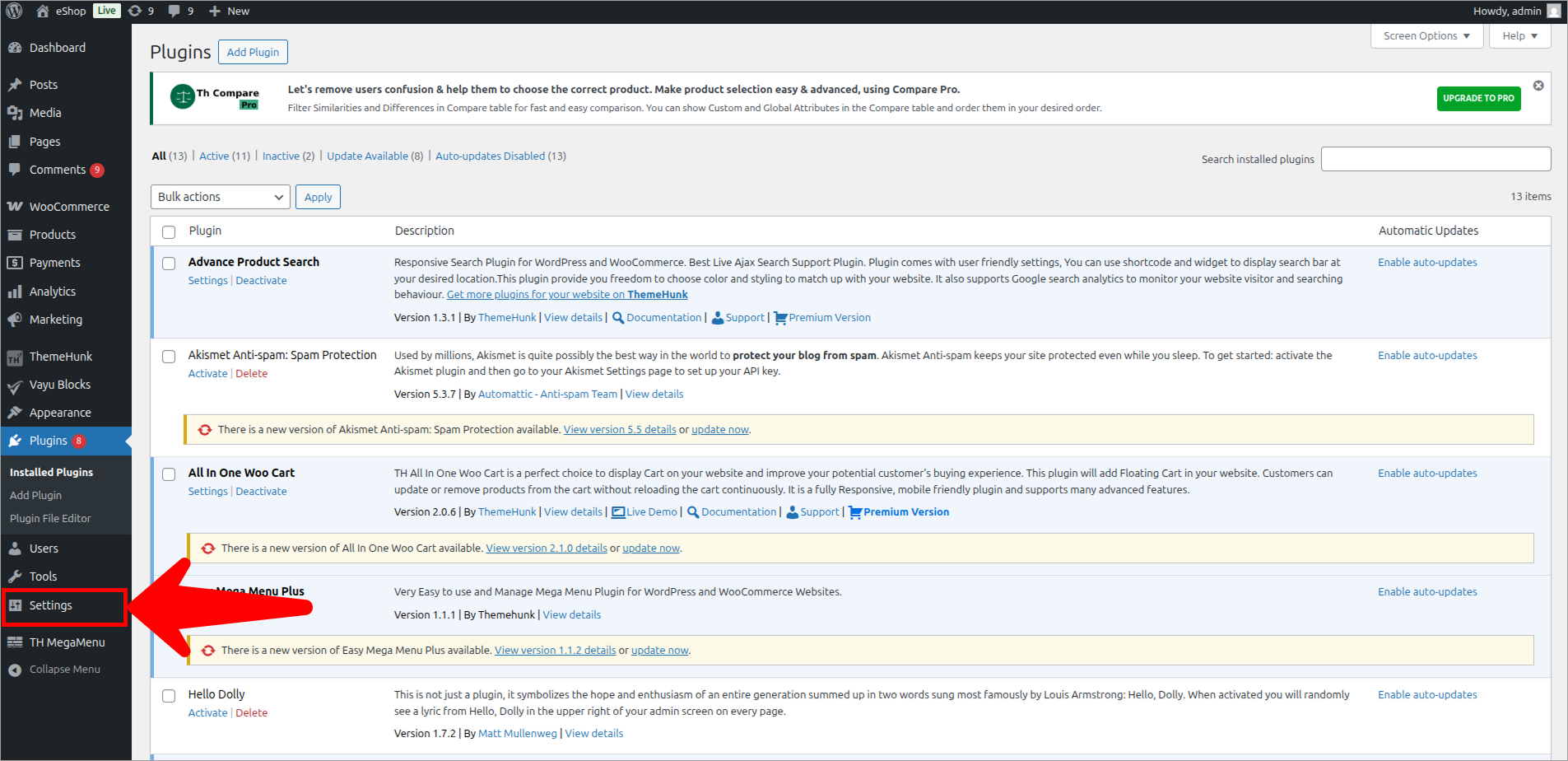
- Click on Settings to continue setup.
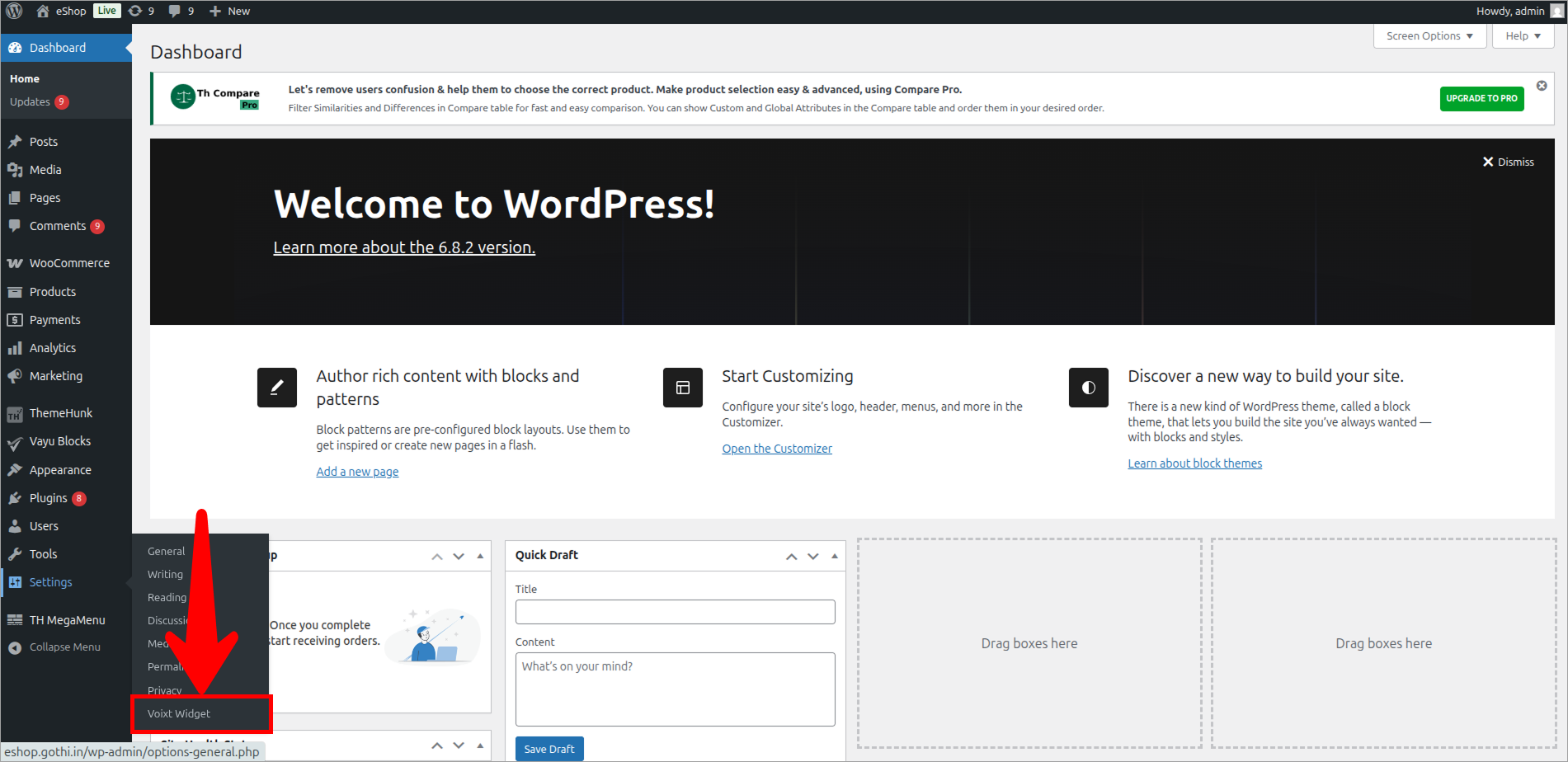
- Click on Voixt Widget.
- Configure Voixt Widget as per you want.
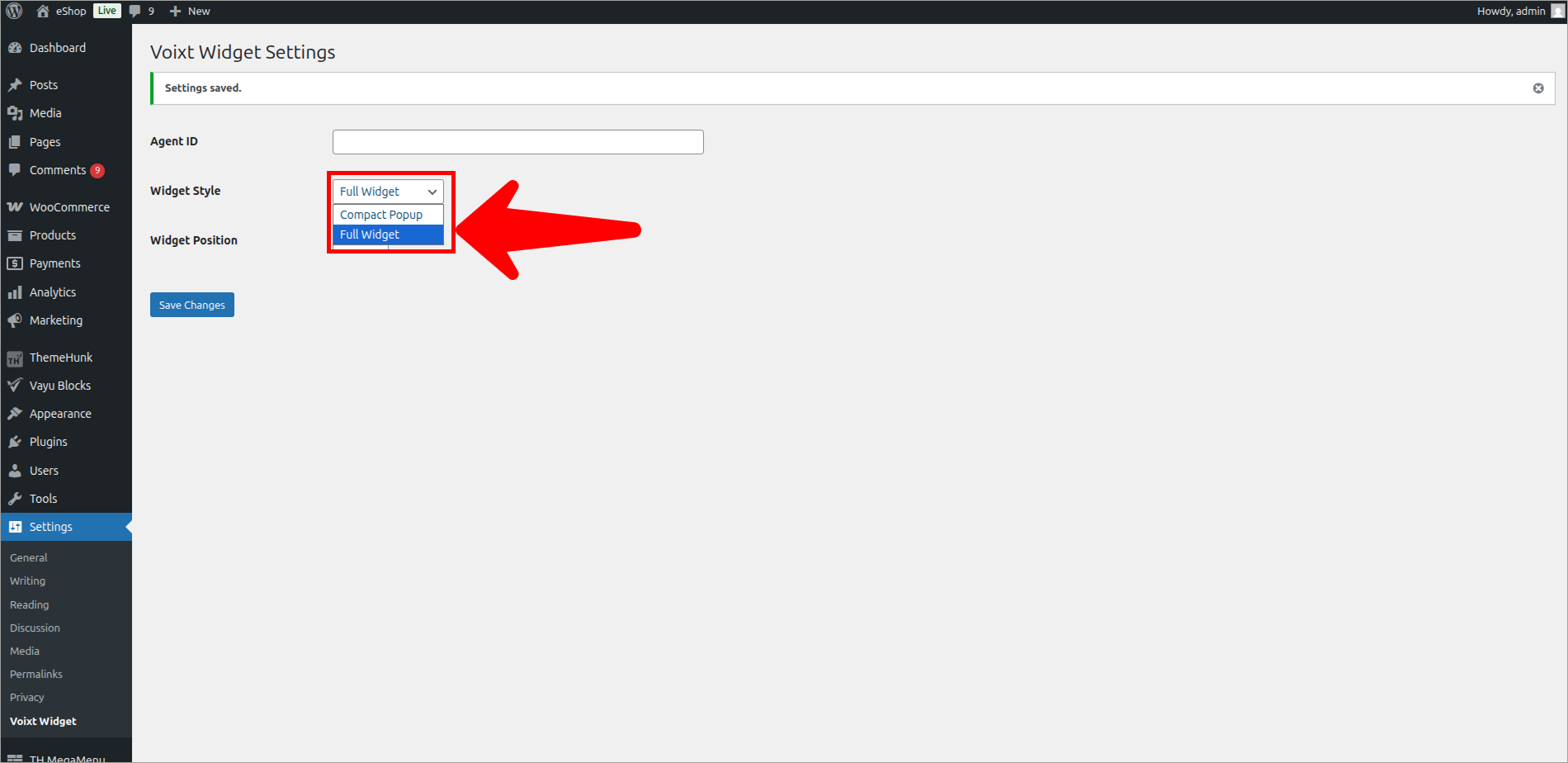
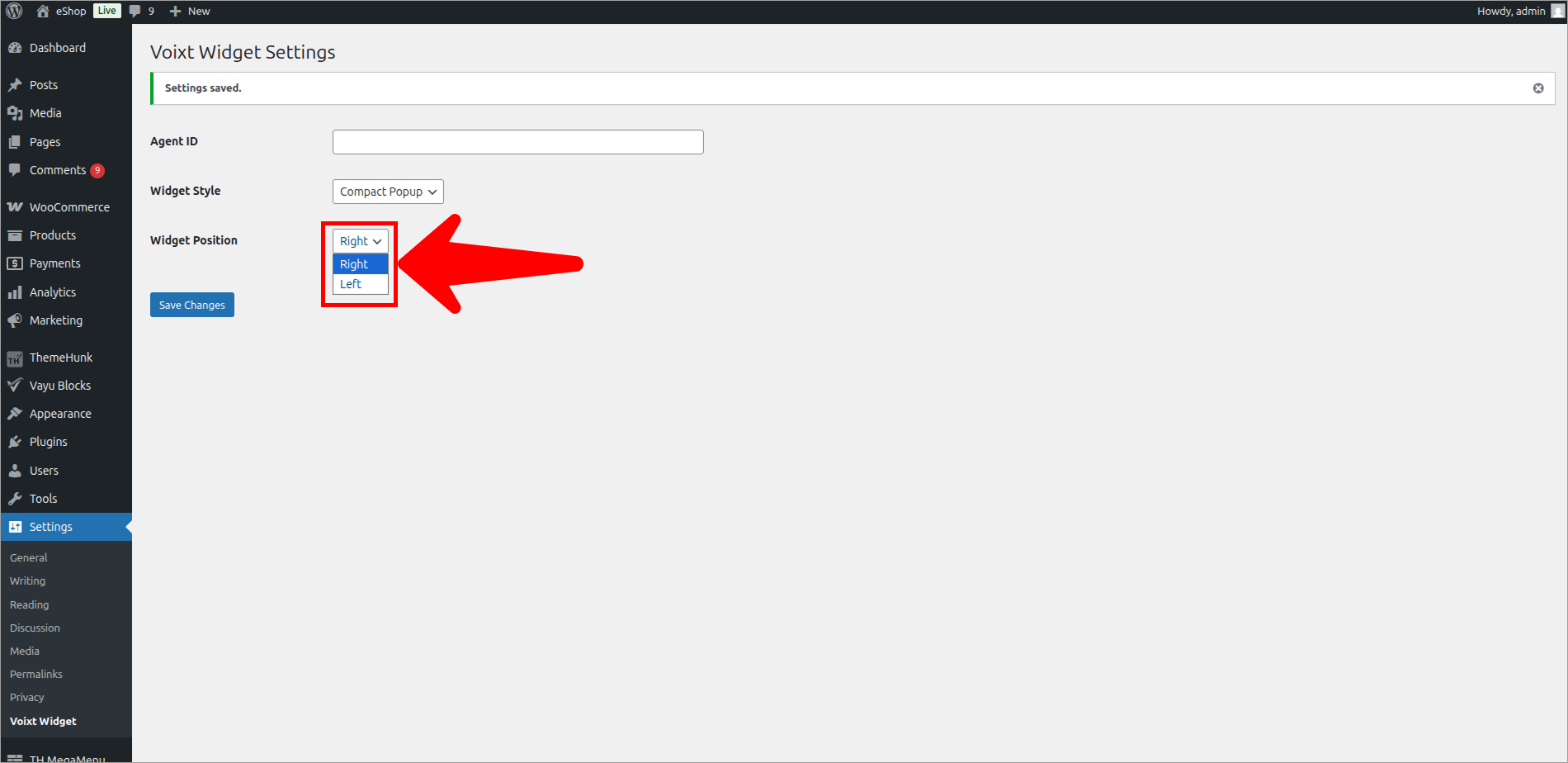
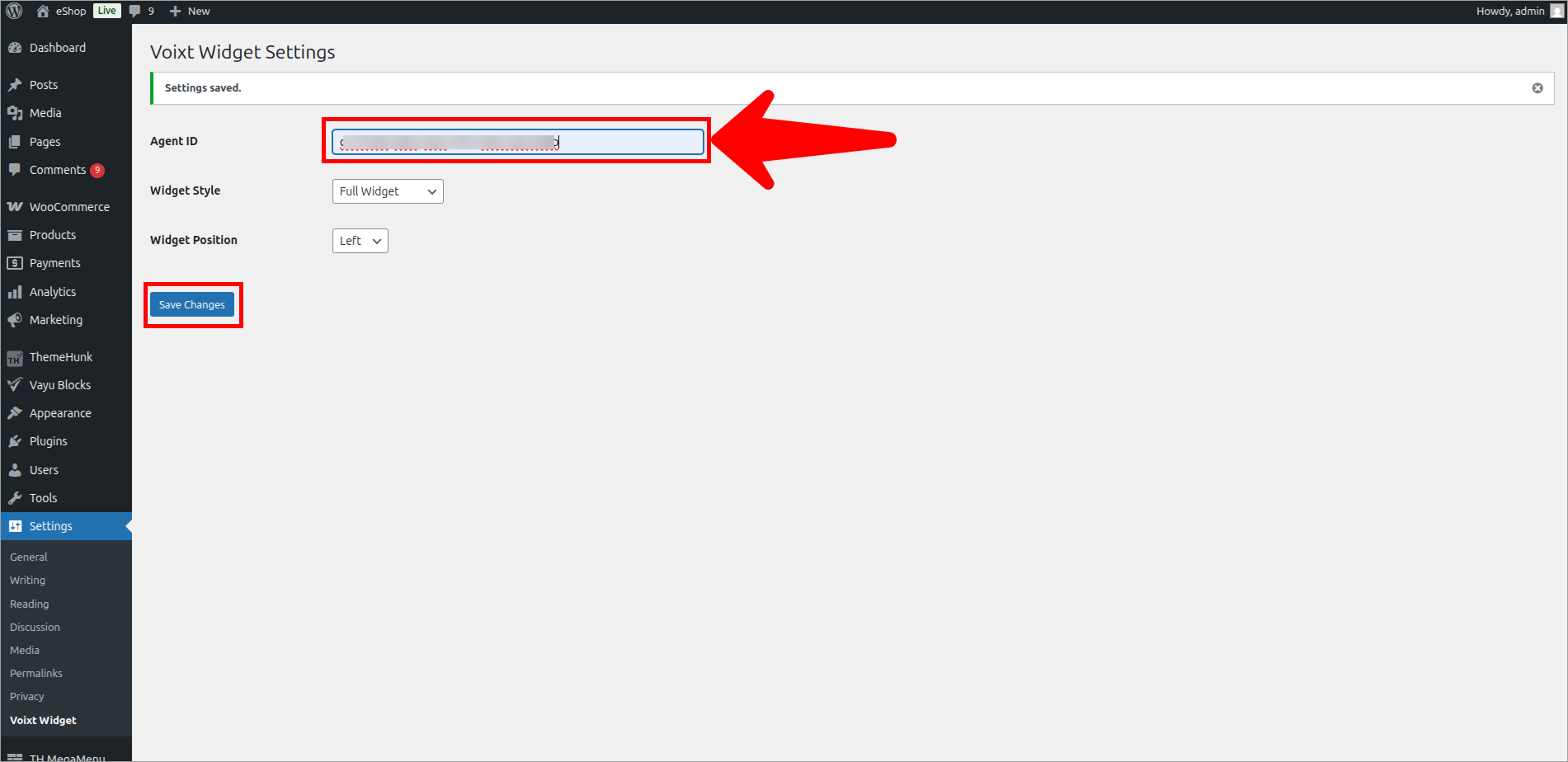
- In Agent ID paste the Agent ID you copied from your Voixt agent to deploy.
- Check your Site to preview the Widget of Voixt