Disallow using sources in Responses
This step-by-step guide explains how to configure your AI Agent to either mention or not mention sources in its responses and in the UI.
note
It is only Applicable if you allow the citations
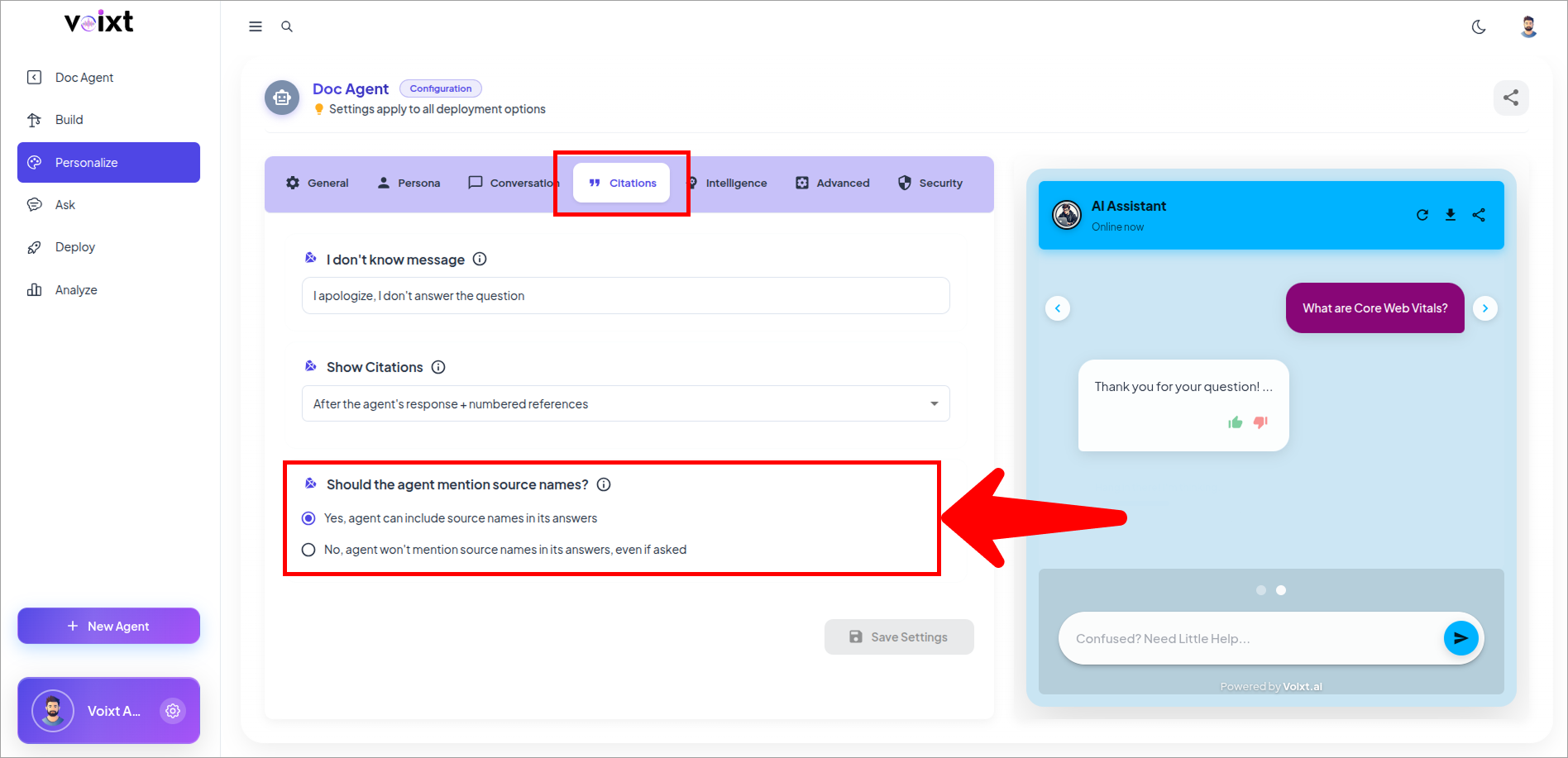
- In the Agent's Personalization, from citations tab, Check the "should the agent mention source names" option.
- Click on the No, Agent won't mention source names in its answer, even if asked.
- Click on save changes button to save the changes.
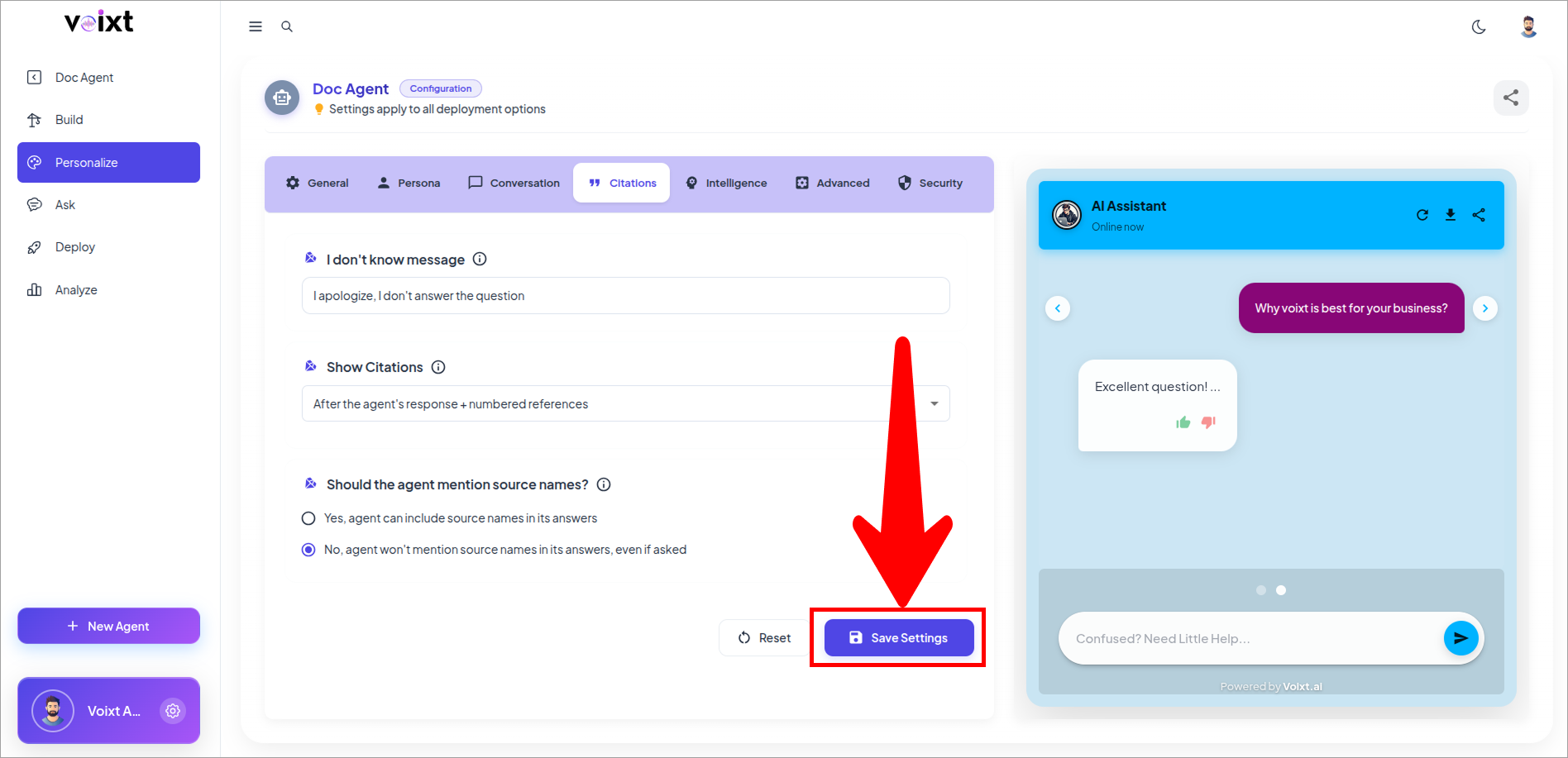
After the configuration, only numbers showing but there won't mention the resources.
tip
When enabled, the agent may mention specific filenames or URLs within its message, if relevant to the answer. When disabled, it will not include any source names in the response itself — even if a user asks for them.