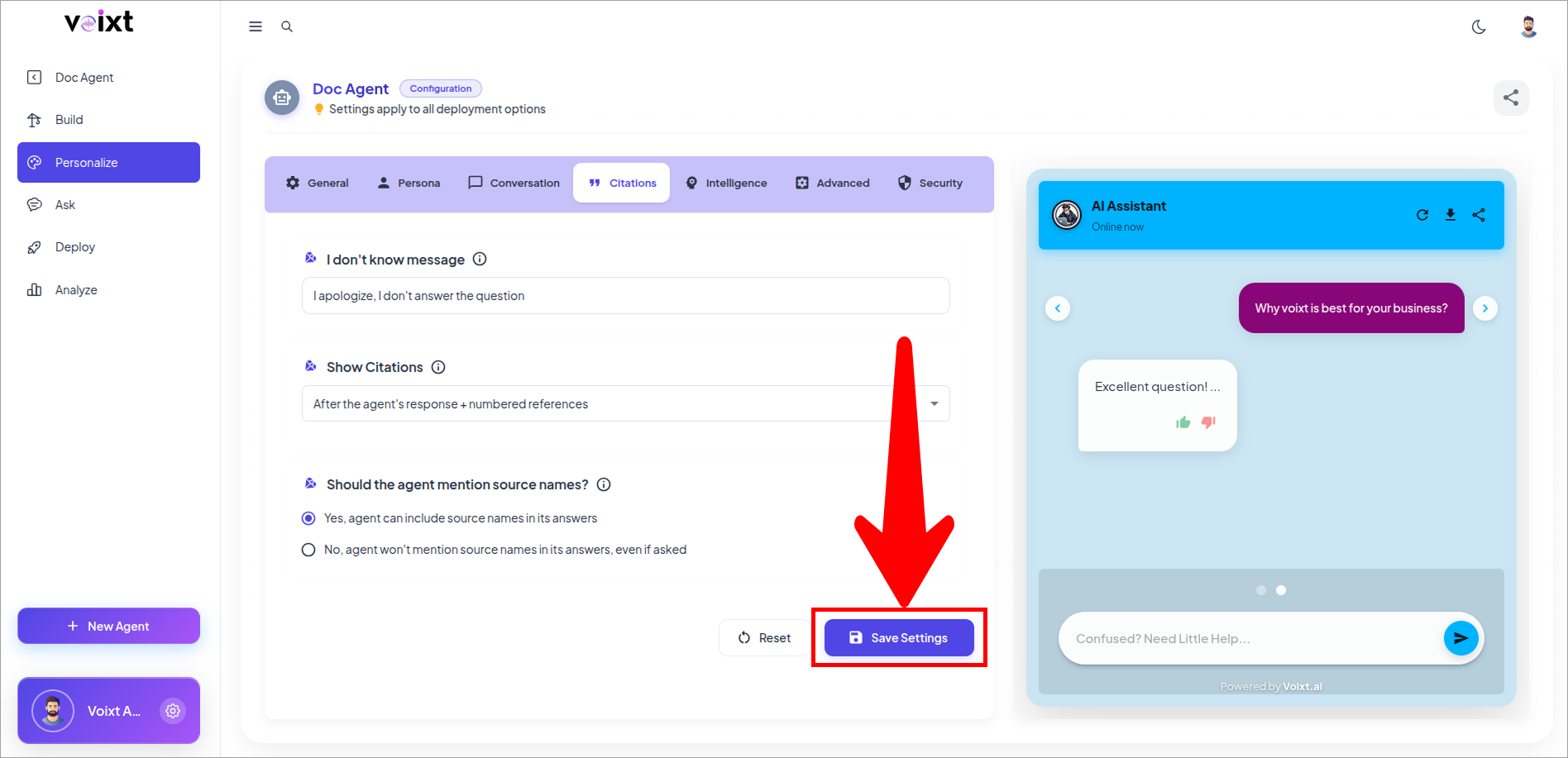
Activate citations for your AI agent
This guide explains how to activate citations for your AI Agent to improve the accuracy and credibility of its responses.
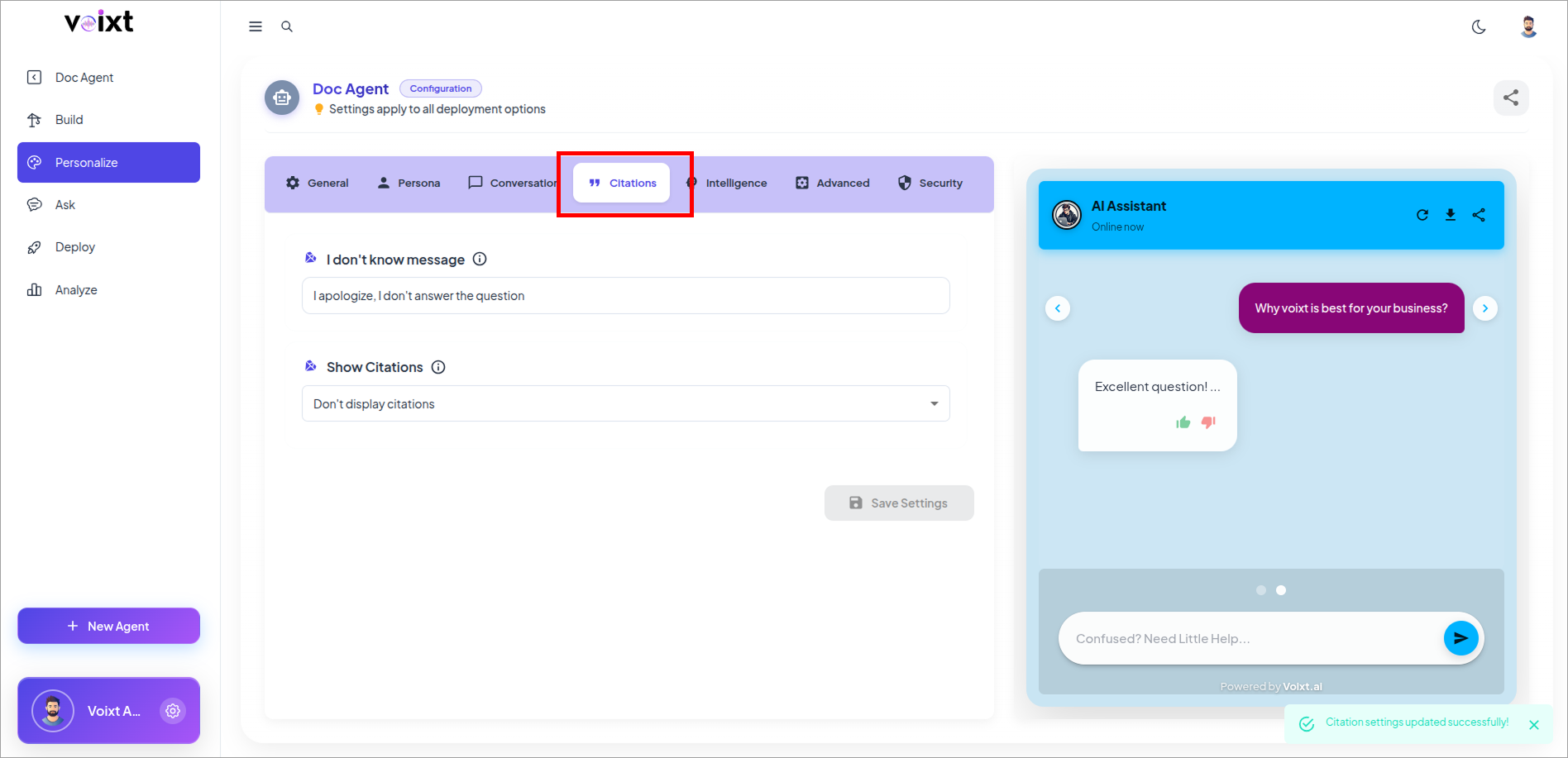
- In the Agent's Personalization, Go to citations tab.
- Click on Dropdown of Show Citations
note
By Default Citations set as "After the agent's Response + numbered references"
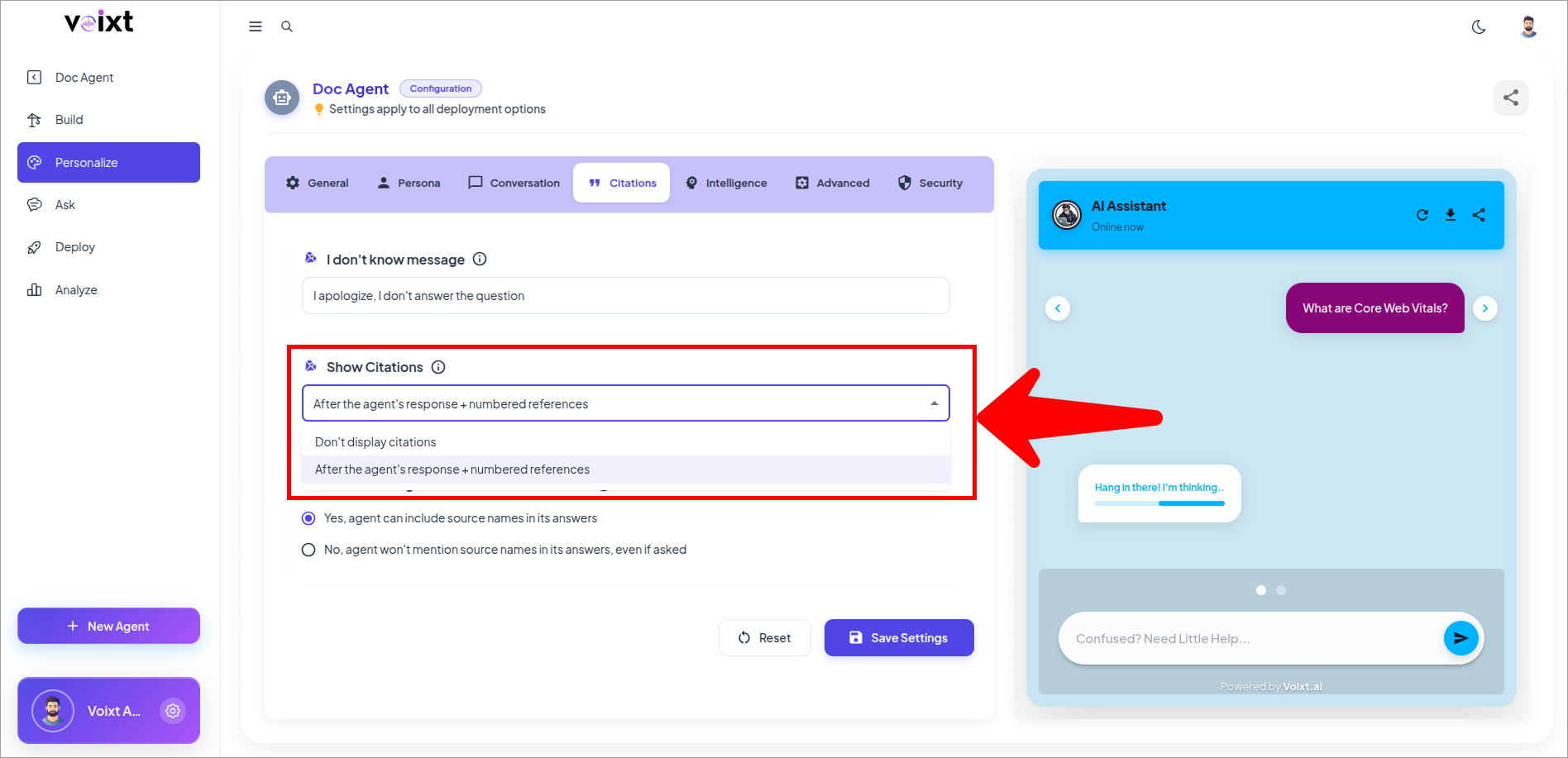
this will show citations to show from where the response came from.
- Click on save changes button to save the changes.