Enable LLM Knowledge
This step-by-step guide explains how to enable general Large Language Model (LLM) knowledge for your agent.
Use general LLM knowledge
This feature gives your agent access to broader, pre-trained knowledge from the underlying Large Language Model (LLM), allowing it to answer questions that may not be covered in your uploaded content.
What this feature does
When enabled, your agent can:
- Answer general or unrelated questions using the LLM’s base knowledge
- Fill in gaps if content is missing in your provided data
- Respond more flexibly across a wider range of topics
This is useful if you expect questions beyond your uploaded documents or want the agent to behave more like a general-purpose AI.
Risks and limitations of enabling this setting
Enabling general LLM knowledge significantly increases chances of hallucination and reduces the effectiveness of the CustomGPT.ai system and persona you have set up.
What this means:
- The agent may generate responses that are not based on your data
- It may contradict your brand tone, facts, or Persona settings
- There's an increased chance of hallucinations - answers that sound correct but are factually wrong or made up.
note
Enable this only if you're comfortable trading precision for broader question handling!
How to enable this feature
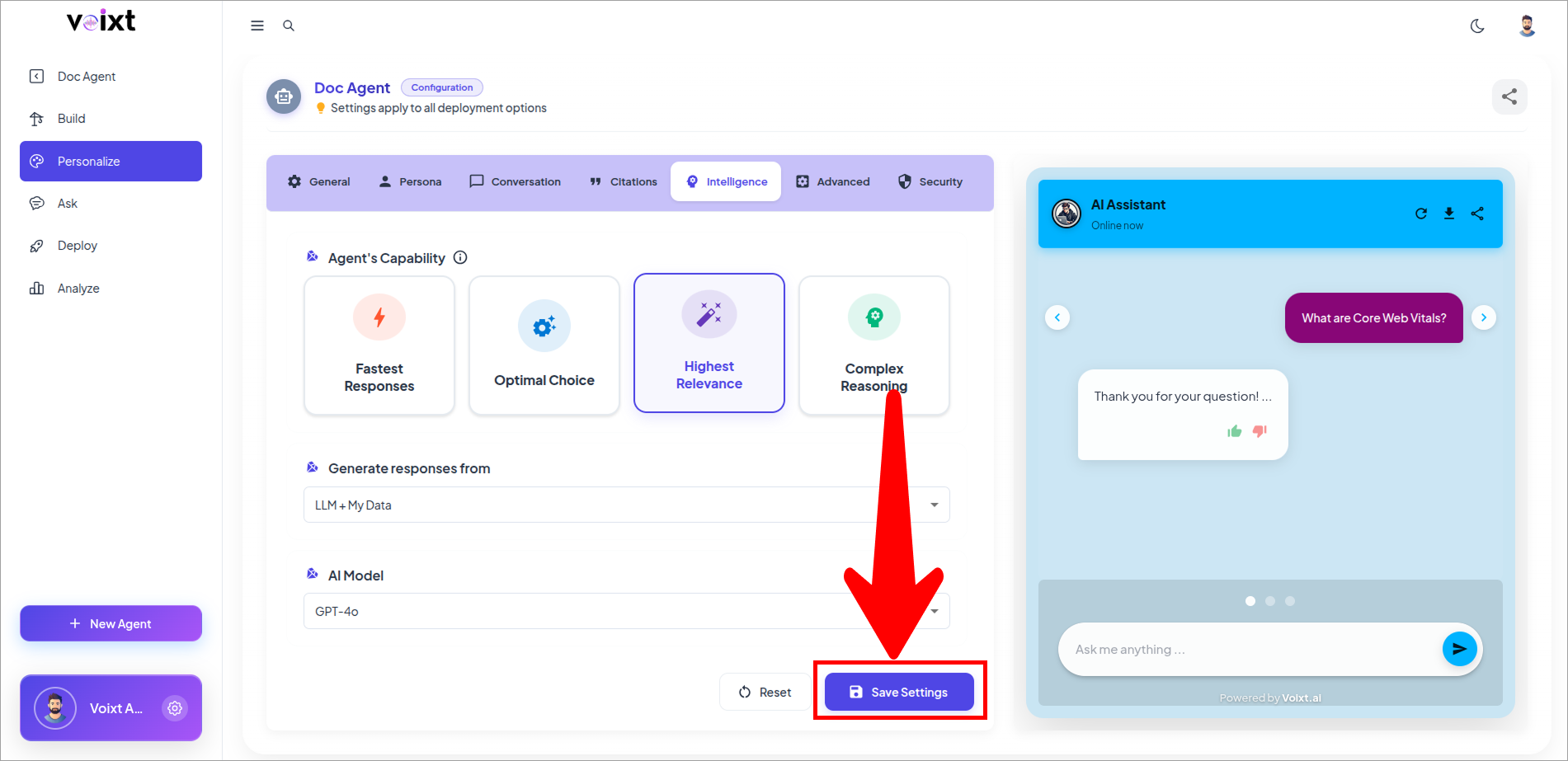
- In the Agent's Personalization, Go to Intelligence tab, Go to Generate Response from .
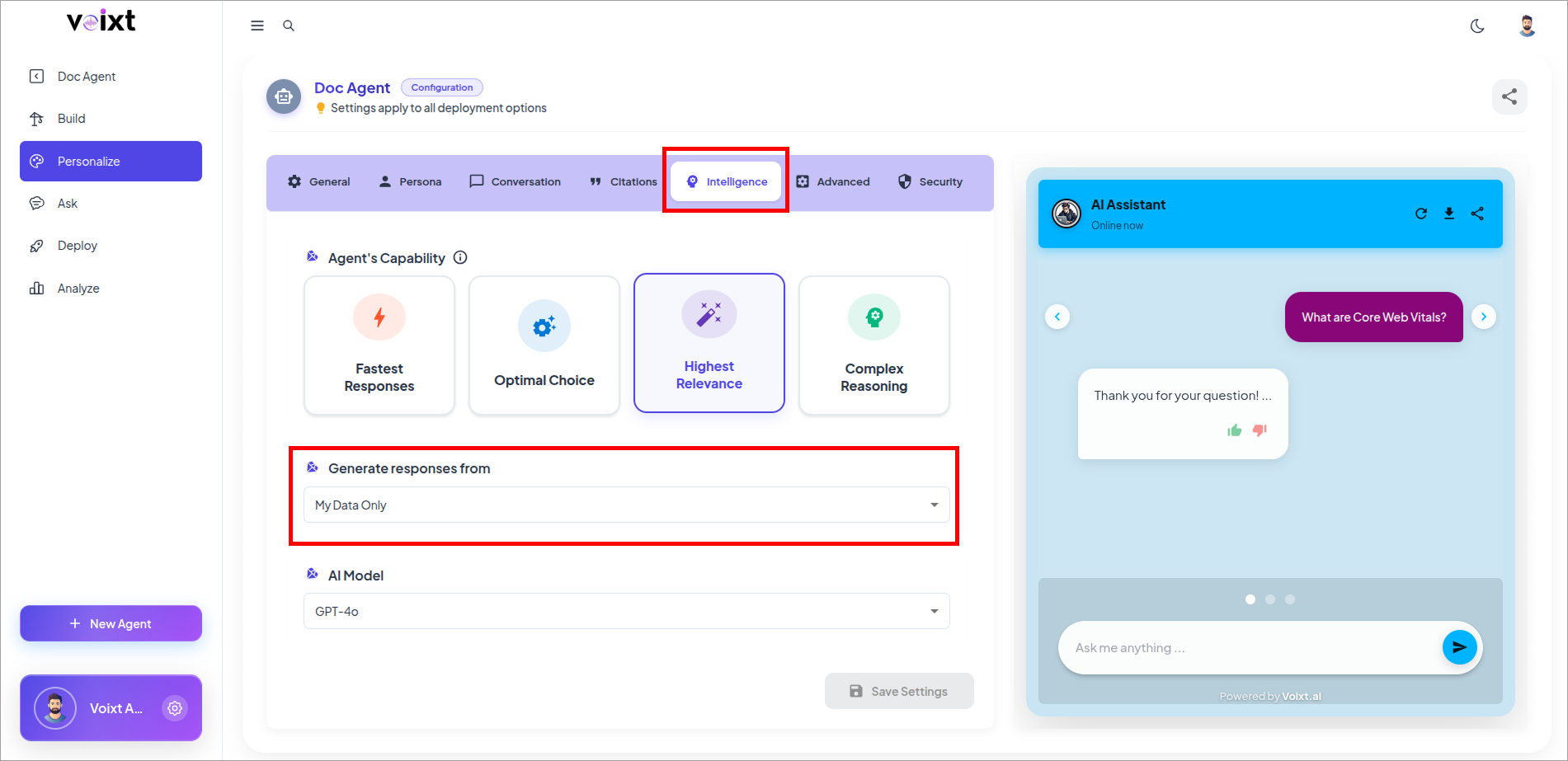
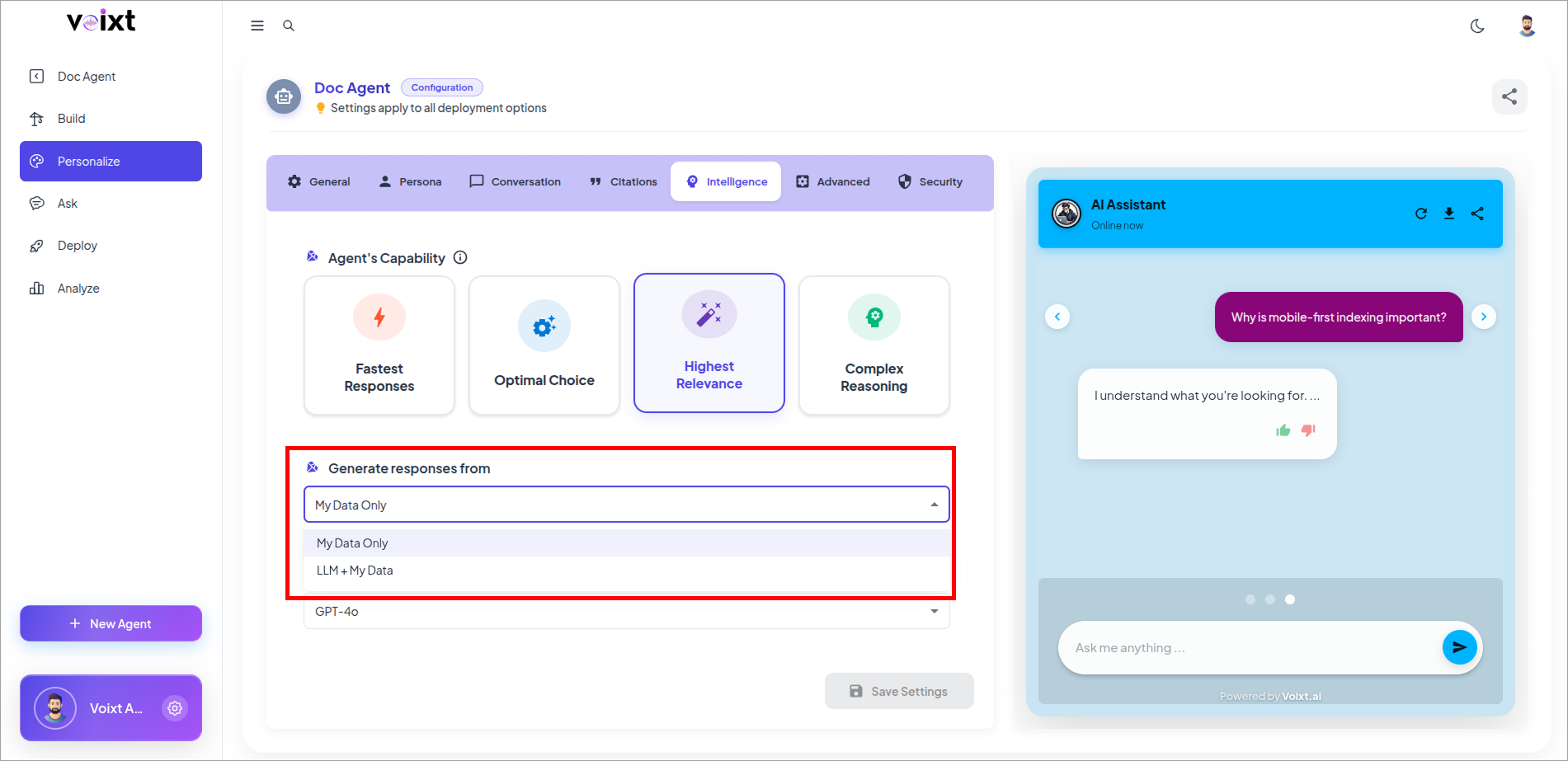
- Click on the LLM plus My Data Only.
- Click on save changes button to save the changes.